Have a personal or library account? Click to login
Pedagogic Meaning-Making in Spherical Video-Based Virtual Reality – a Case Study from the EFL Classroom Cover

Pedagogic Meaning-Making in Spherical Video-Based Virtual Reality – a Case Study from the EFL Classroom

By:  and    
Open Access
|Oct 2022

Figures & Tables

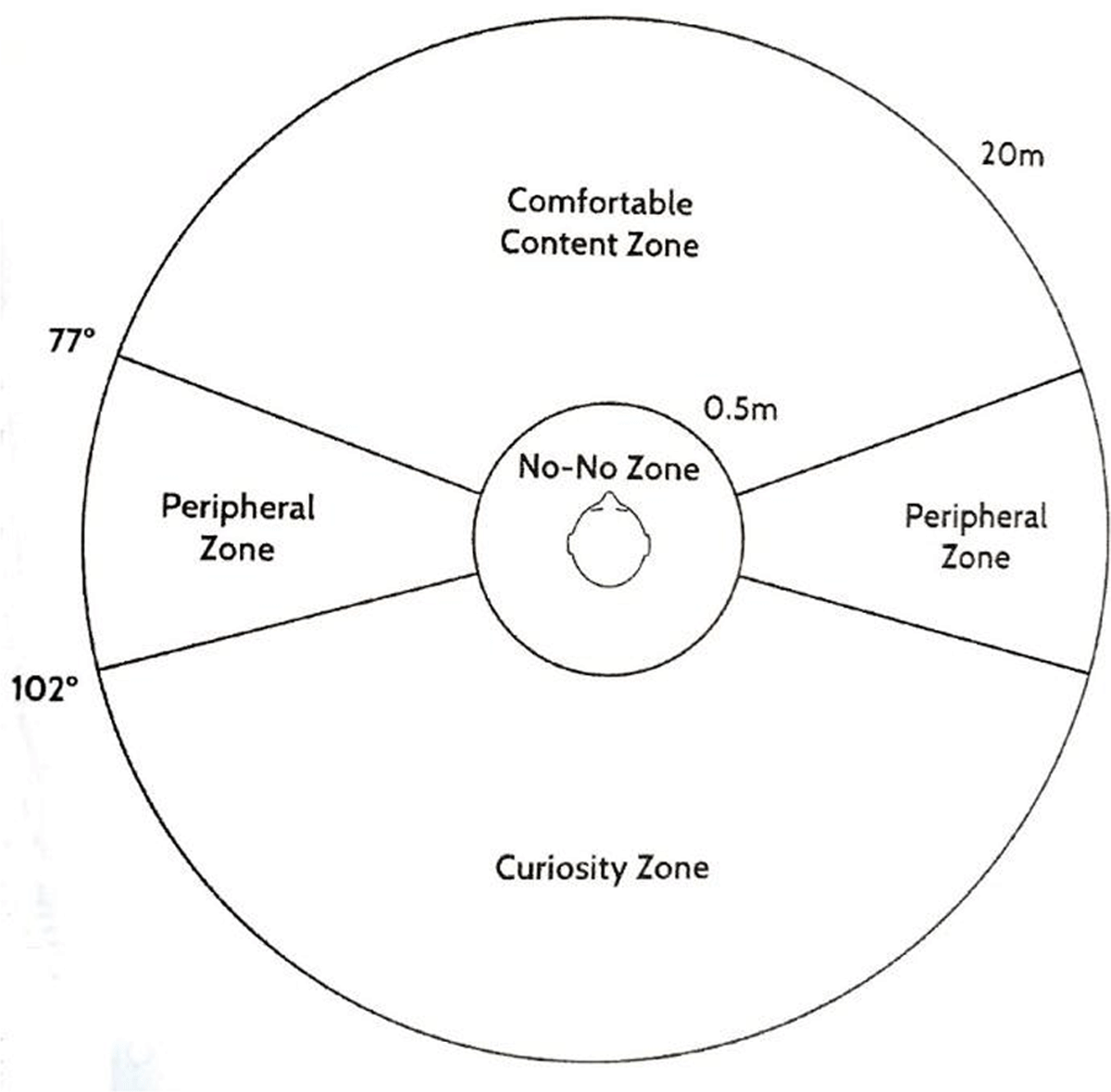
Figure 1

Content Zones in Virtual Reality (Alger, 2015, as cited in Feyder and Rath-Wiggins, 2018).
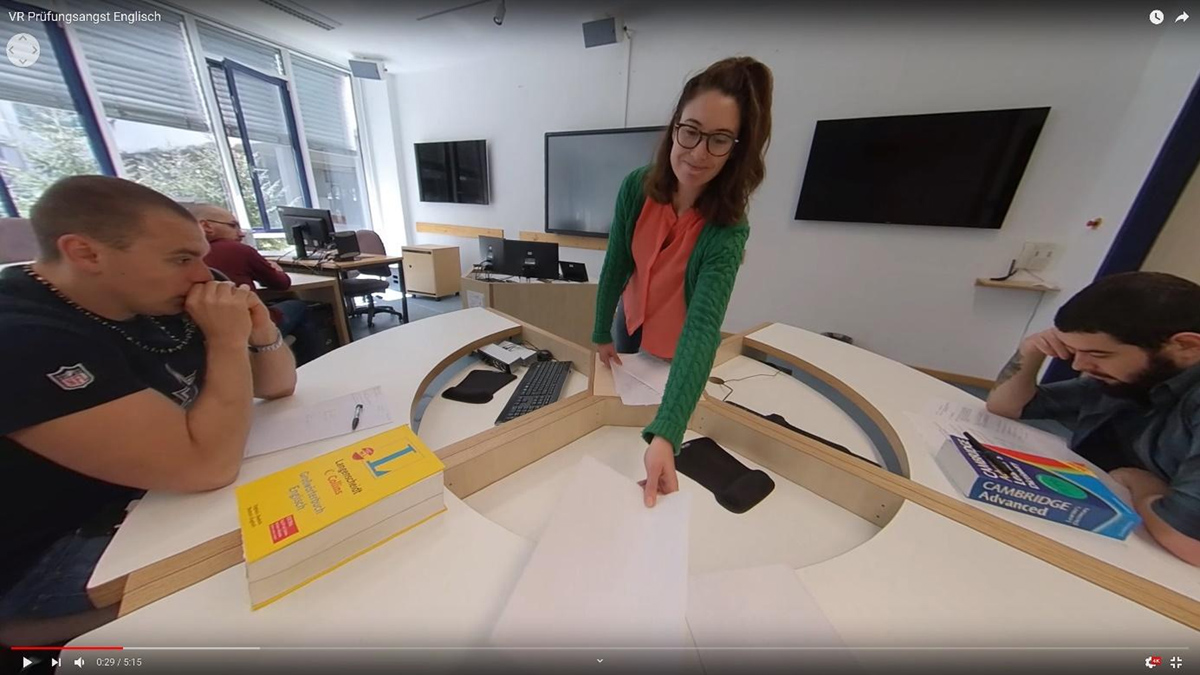
Figure 2

The Preparation Phase.
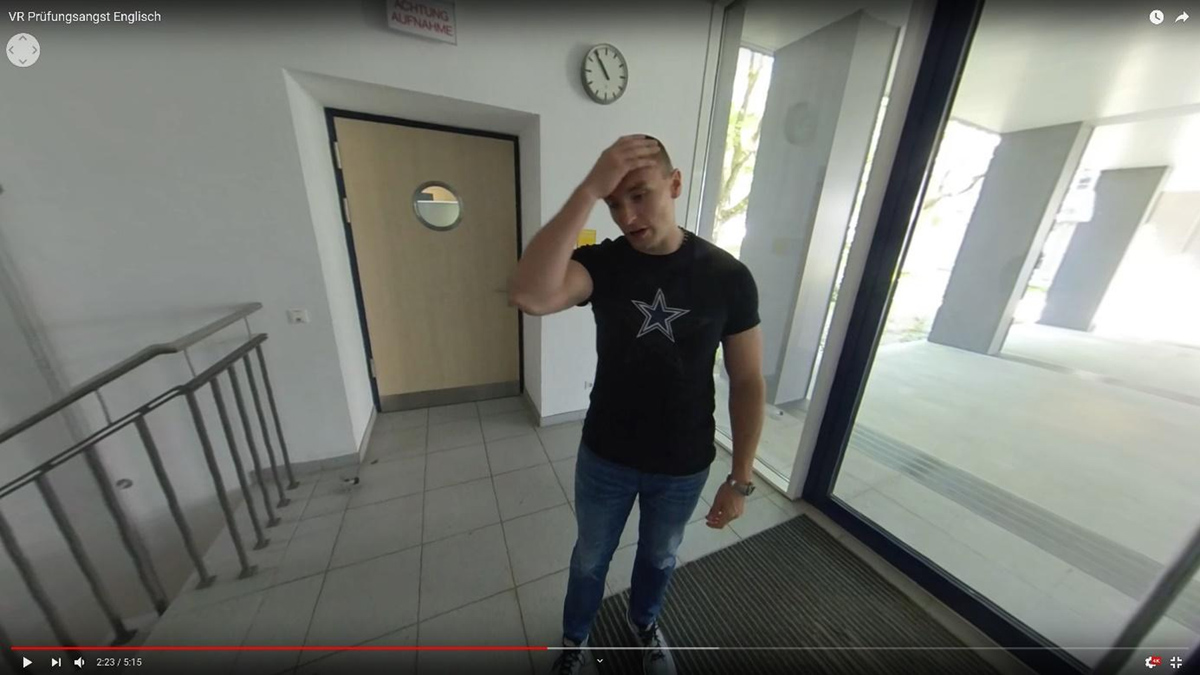
Figure 3

The Waiting Phase.
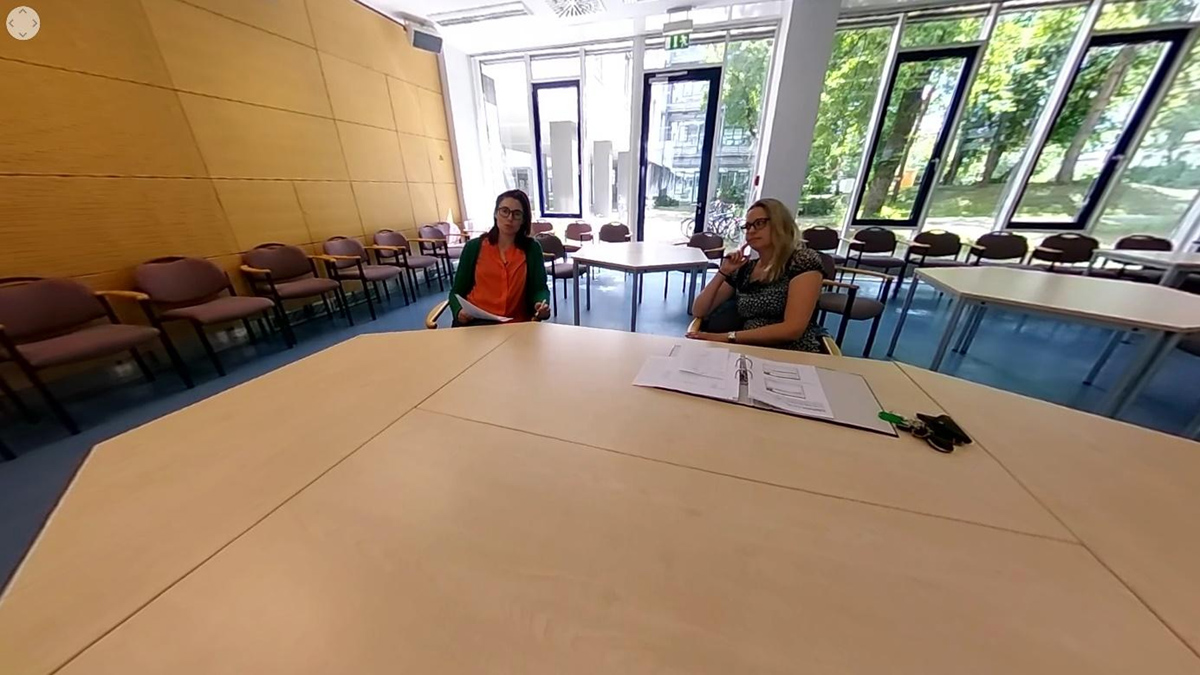
Figure 4

The Exam Phase.

GETTING FAMILIAR WITH SPHERICAL VIDEOSSETTING LEARNING OBJECTIVES/DESIGNING A SEQUENCE PLAN
Exploring content published on 360-degree media platforms gives an understanding of and inspiration for the immersive experiences achieved via and within spherical media. The following sources were considered to be especially useful:
  • Panoform.com enables users to create and upload hand drawings that are converted into spherical images.

  • ThingLink.com supports the creation of interactive texts, images, and videos and allows teachers to explore 360-degree media featured by other users.

  • YouTube.com’s filtering function can be set to 360-degree search results and provides access to a large variety of spherical videos created by users.

  • Think about the learning objective and how spatiality may contribute to the learning process.

  • When designing a sequence plan, structure the learning content into consecutive film scenes. When scripting the content, consider the different content zones in VR (see Figure 1).

  • Differentiate the main actions that take place in the users’ direct line of sight separately from the peripheral actions that are visible at the corners of the field of view or behind the participant.

POSITIONING AND OPERATING THE CAMERASTITCHING THE IMAGERY AND EDITING THE RECORDED MATERIAL
  • When positioning the camera, aim at portraying the eye level of an imagined participant. A flexible one-hand microphone stand that can easily be altered from a sitting to standing position is recommended.

  • As filming without the interference of the film crew can be a challenge, use a self-timer or acquire an app for wireless operation of the camera. Find a position where you can hide from the camera.

  • Stitch the imagery to produce segmented spherical footage with the help of the 360-degree camera app.

  • Once the separate camera perspectives are merged into a single viewable format, export the footage and edit it using traditional video editing software (e.g., Adobe Premiere Pro or Final Cuts Pro) in combination with a 360-degree plugin.

  • When handling the recorded material, keep in mind that spherical video users are no longer recipients of the portrayed scenes but are in the role of involved participants who are free to decide where and when to look next.

DOI: https://doi.org/10.16993/dfl.191 | Journal eISSN: 2001-7480
Language: English
Page range: 129 - 136
Submitted on: Sep 16, 2021
Accepted on: Jul 22, 2022
Published on: Oct 14, 2022
Published by: Stockholm University Press
In partnership with: Paradigm Publishing Services

© 2022 Volker Eisenlauer, Diana Sosa, published by Stockholm University Press
This work is licensed under the Creative Commons Attribution 4.0 License.