
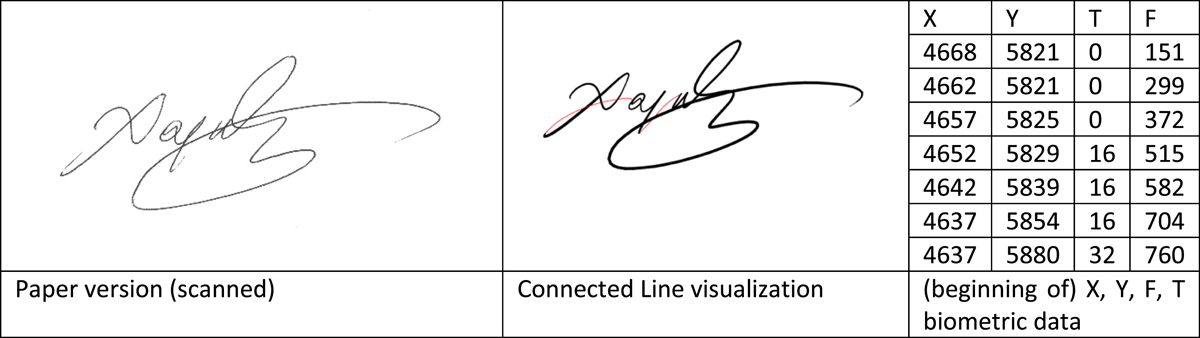
Figure 1
Different versions and visualizations of the same signature.
Table 1
List of interoperability of Wacom Inking Pens and digitizers.
| PRODUCT NAME | COMPATIBILITY WITH STU 430 | COMPATIBILITY WITH STU 530 | COMPATIBILITY WITH STU 540 | COMPATIBILITY WITH DTU1031X | COMPATIBILITY WITH DTU1141B | COMPATIBILITY WITH PHU-111 |
|---|---|---|---|---|---|---|
| Bamboo Slate Pen UP-3708-00B-2 | Yes | Yes | Yes | Yes | Yes | Yes |
| Bamboo Slate Finetip Pen UP-3708-01B-2 | Yes | Yes | Yes | Yes | Yes | Yes |
| Clipboard Pen UP-3709-00A-2 | Yes | Yes | Yes | Yes | Yes | Yes |
| Bamboo Spark UP-3703 | Yes | Yes | Yes | Yes | Yes | Yes |
| KP13300D Ball Point Pen Black | No | No | No | No | No | No |
| KP13200D Fine Tip Pen | No | No | No | No | No | No |
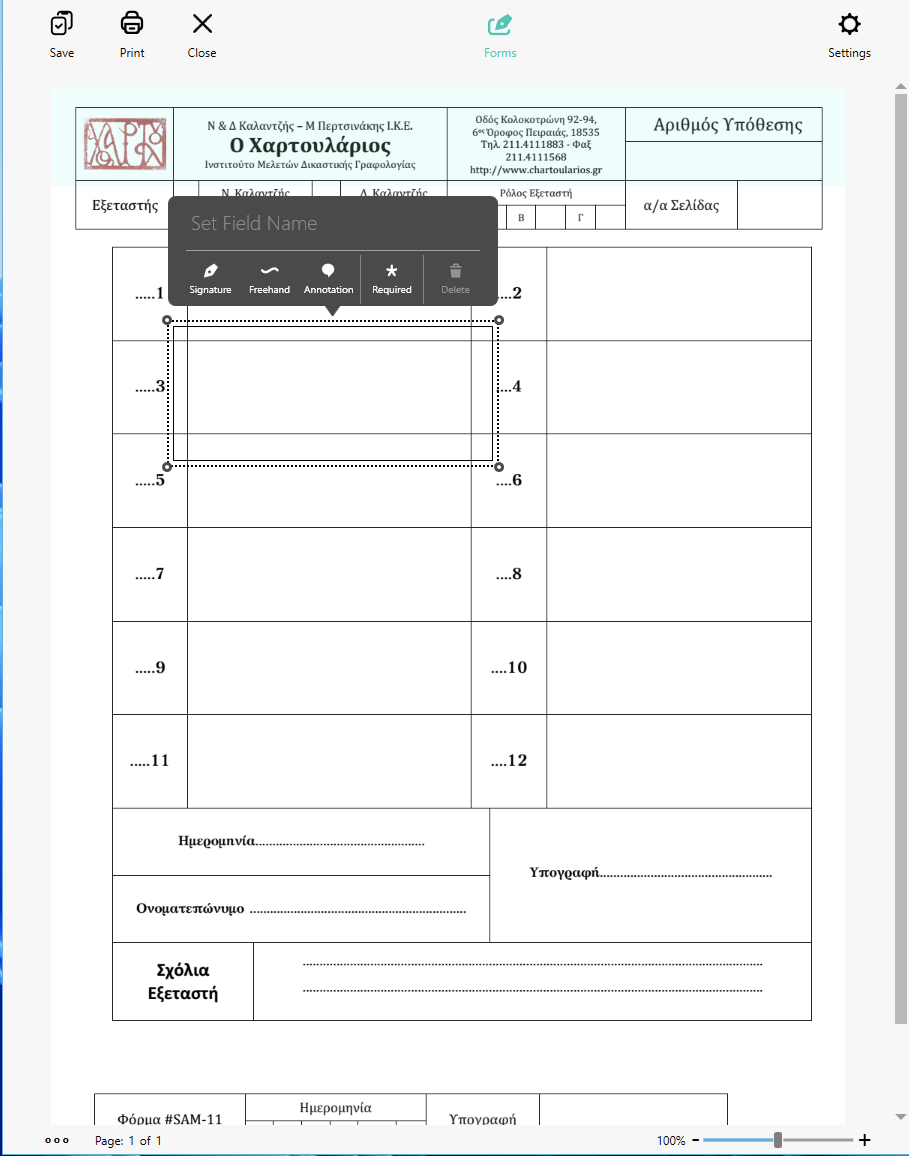
Figure 2
Designation of biometric data collection area on a PDF, using Wacom’s CLB create application.
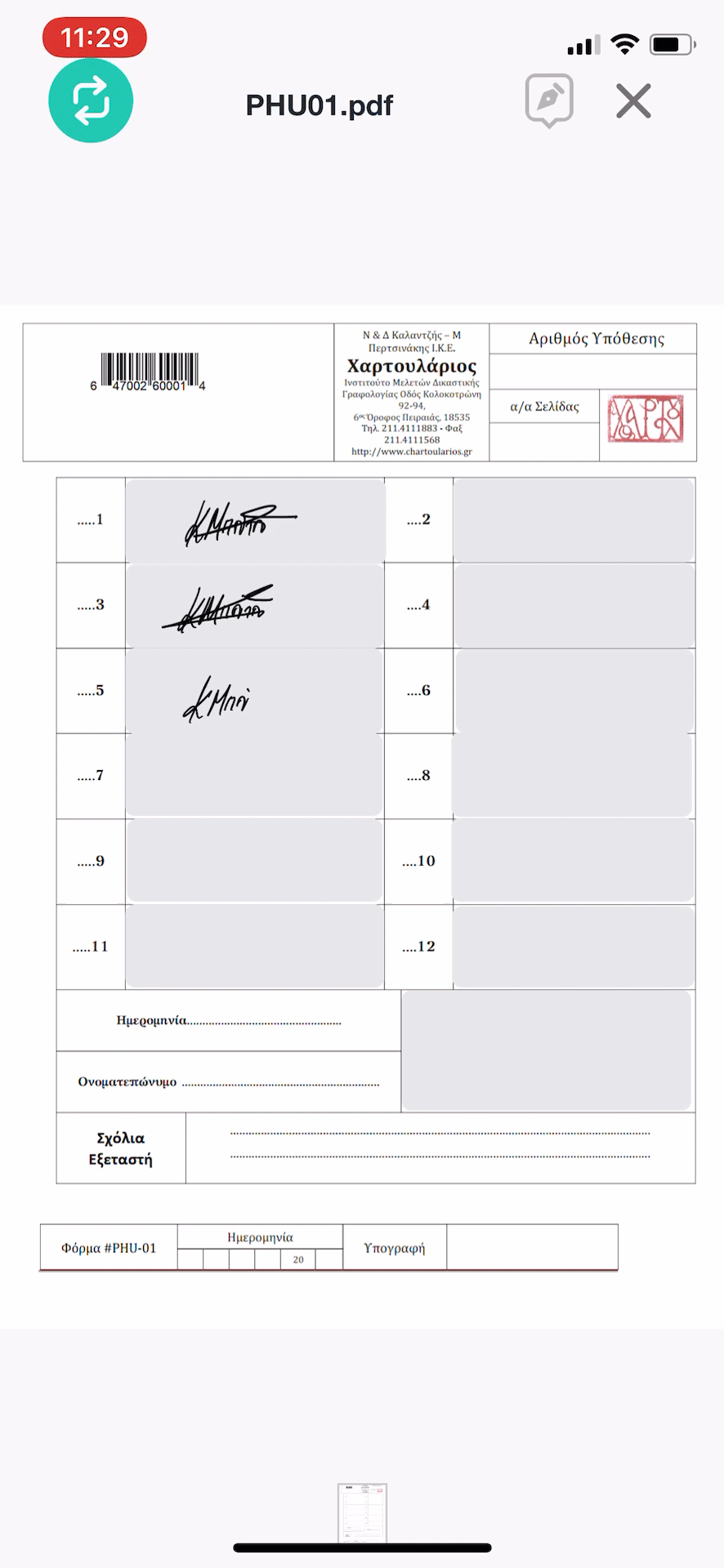
Figure 3
Paired smart device screen during sample collection with the PHU-111. The image of the DCS captured appears on screen in the corresponding area in real time.
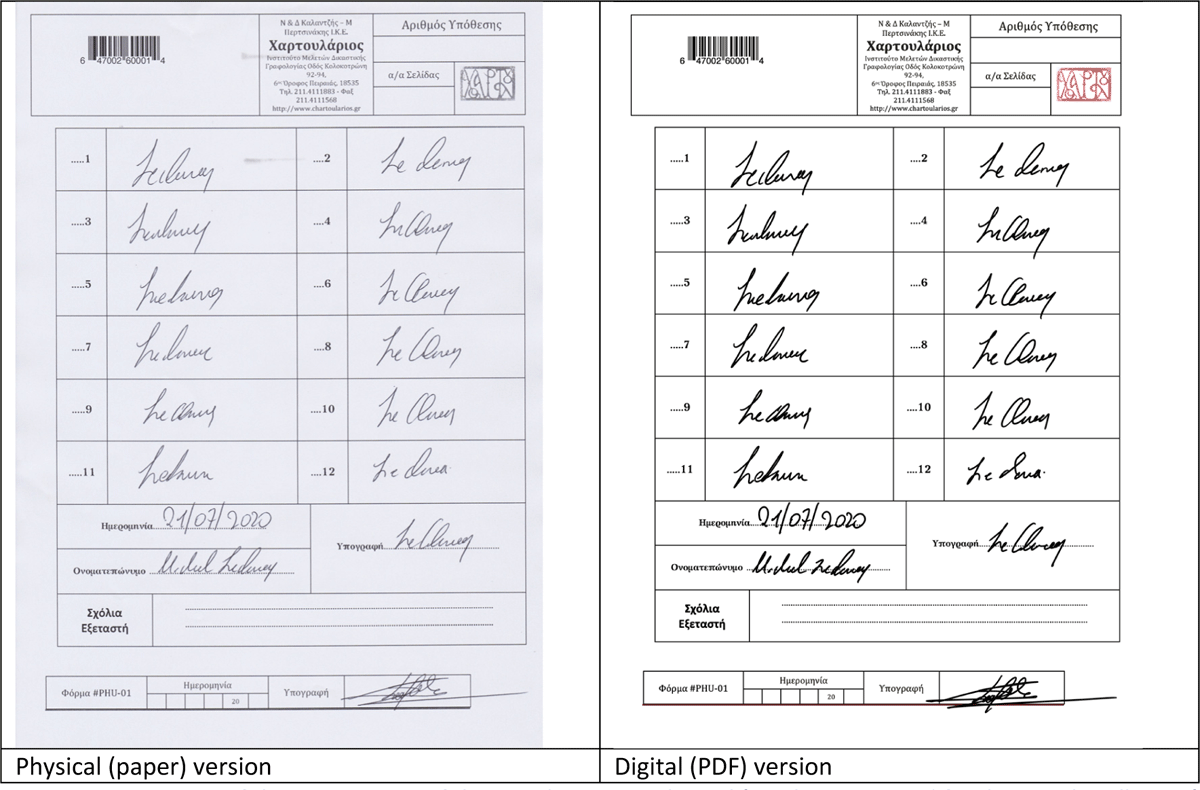
Figure 4
Juxtaposition of the two versions of the sample—one is physical (i.e. the paper used for the sample collection) and one is digital (in the form of a PDF that includes all the visual information but also includes encrypted the biometric data captured from the collection areas).
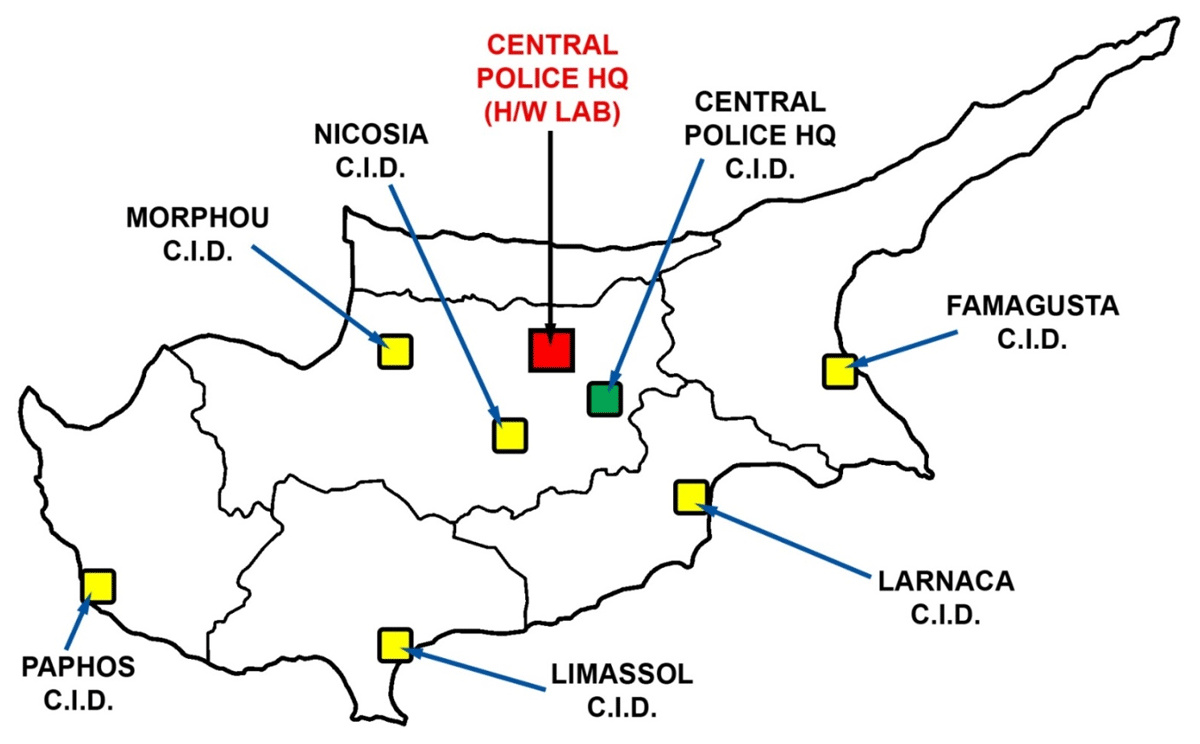
Figure 5
Cyprus map with designation of the different CID areas.
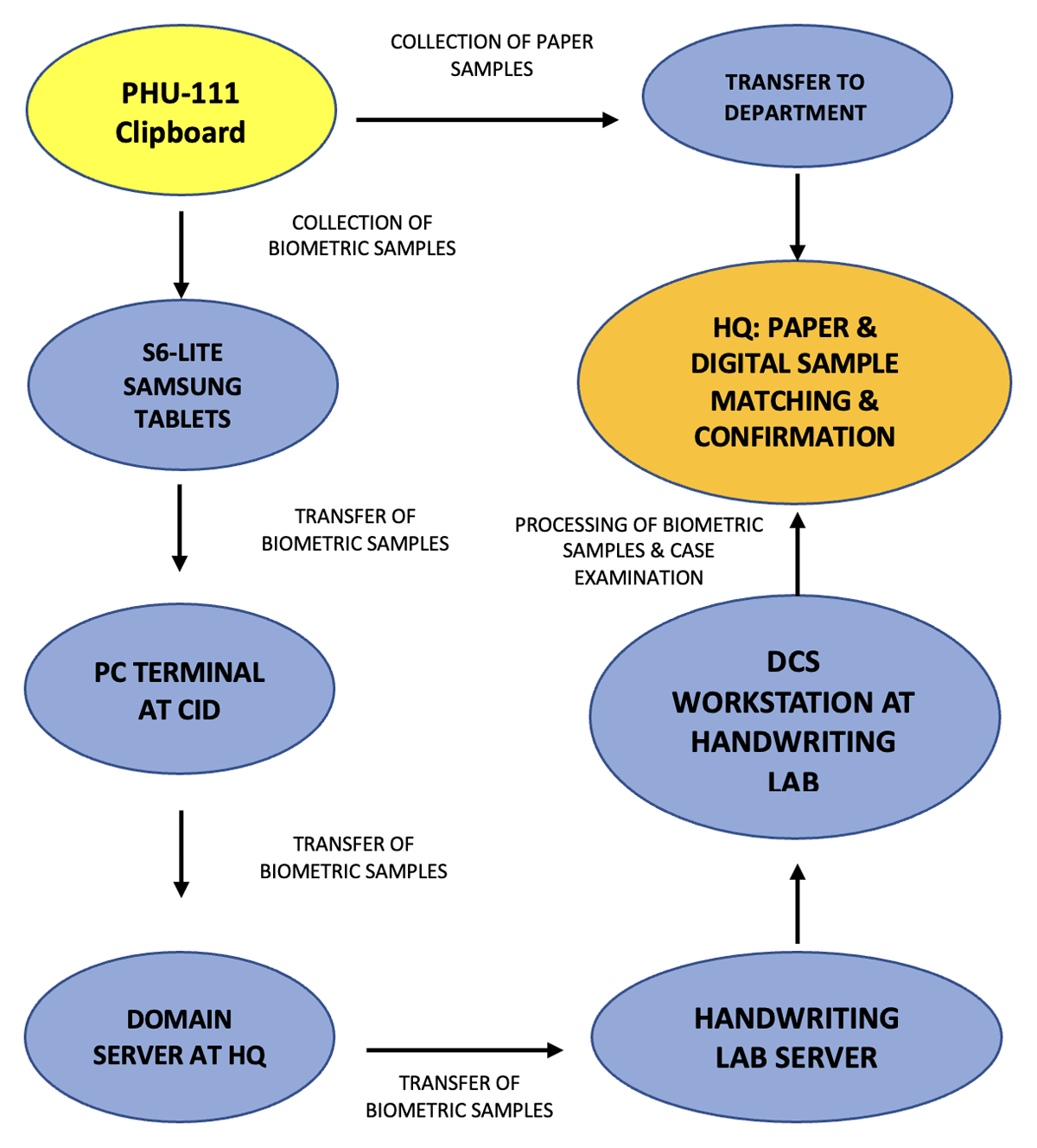
Figure 6
Paper and Biometric sample collection workflow.
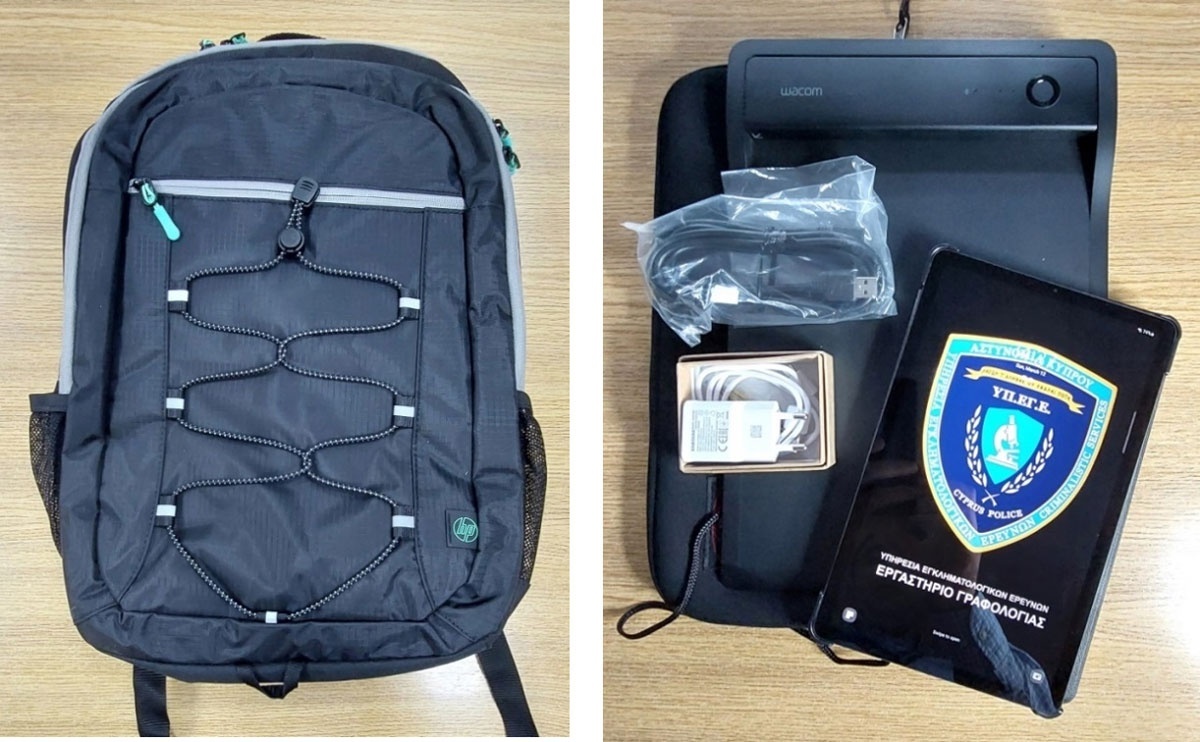
Figure 7
Portable equipment kit.