
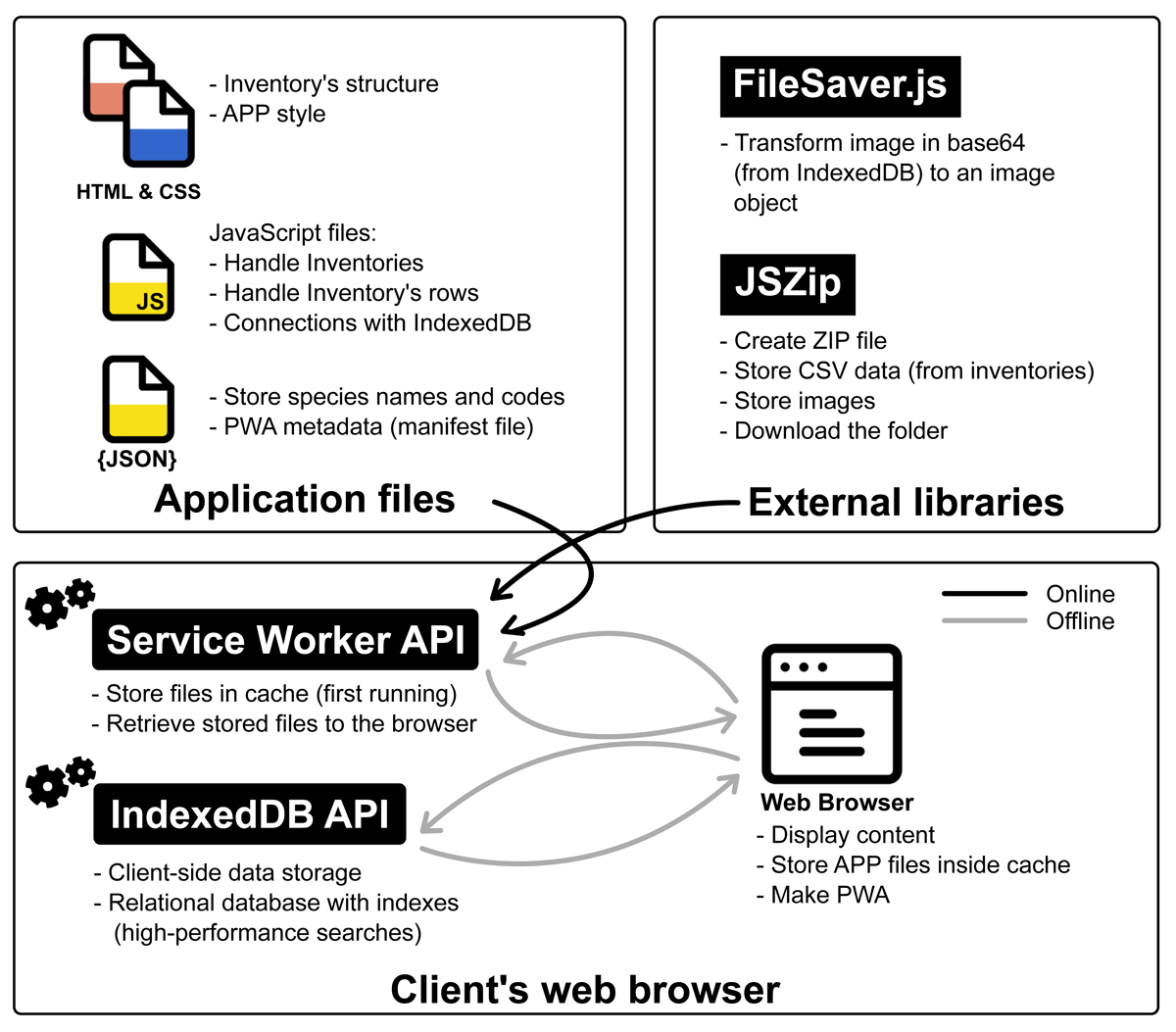
Figure 1
Application schema: application and external API files are retrieved once and cached by the Service Worker API. Subsequent requests are served from the cache.
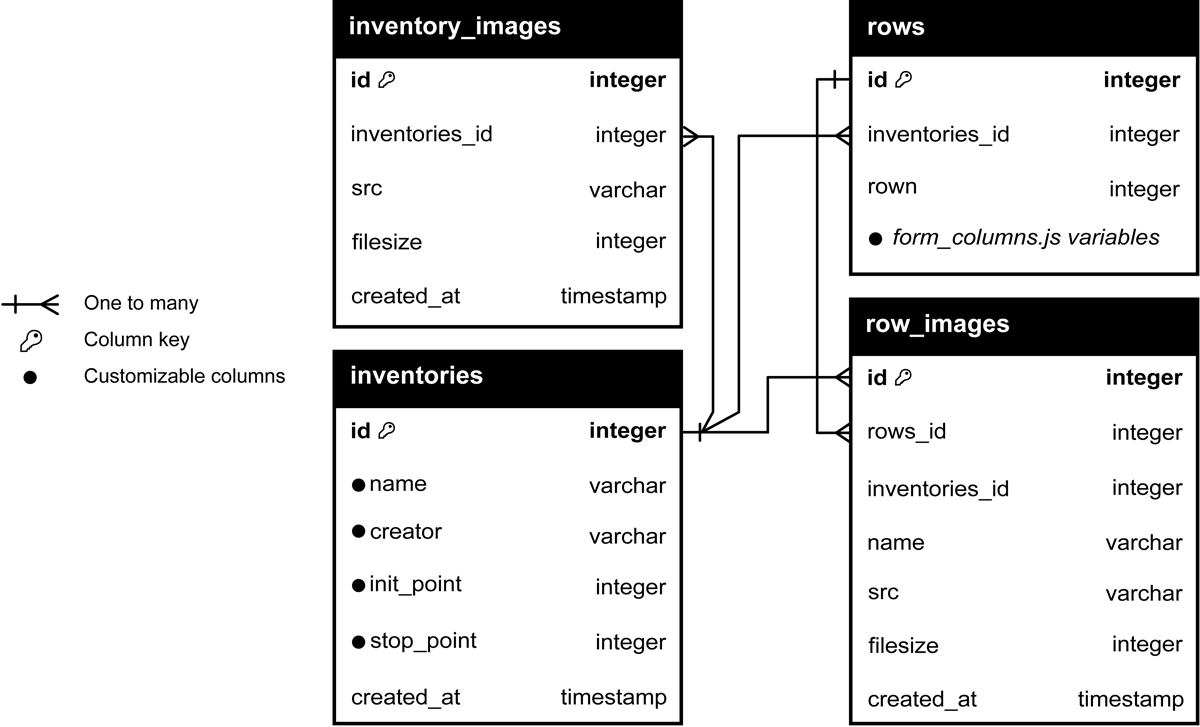
Figure 2
Database schema: tables, columns, and data types used by the application.
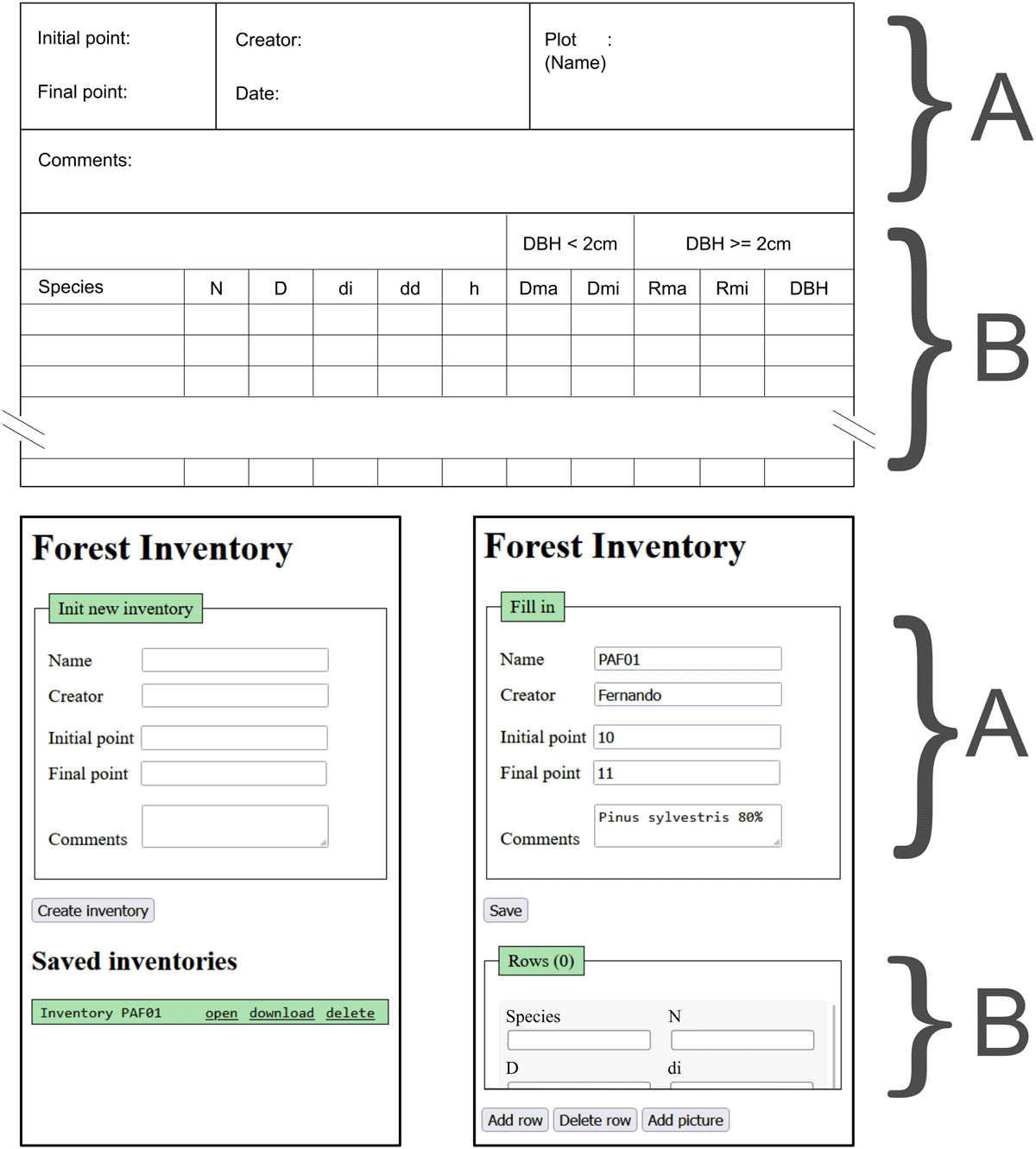
Figure 3
MIFCSheet interface. The top section shows the paper sheet layout that the application emulates. Bottom left: new inventory view with stored inventories listed. Bottom right: an open inventory with rows for data entry.
Table 1
Application functions.
| FUNCTION | DESCRIPTION |
|---|---|
| Create inventory | Initialize a new inventory. |
| Open inventory | Load a saved inventory and display its rows. |
| Download inventory | Export inventory metadata, rows, and images as a ZIP archive. |
| Delete inventory | Remove an inventory from local storage. |
| Add row | Insert a new blank row in the open inventory. |
| Delete row | Delete selected row(s) from local storage. |
| Add picture | Capture an image and store it. If a row is selected, link it to that row; otherwise link it to the inventory. |
| Close inventory | Close the current inventory and return to the main page. |
Table 2
Web browsers and versions compatible with the application.
| WEB BROWSER | VERSION |
|---|---|
| Google Chrome | 133 |
| Google Chrome for Android | 132 |
| Firefox | 134 |
Table 3
Parameters supported in inventory_header.js.
| PARAMETER | DESCRIPTION |
|---|---|
| custom_name | Label shown in the UI. |
| form_type | Field type: input, select, or textarea. |
| input_type | For input: text or number. |
| required | Whether the field is mandatory (boolean). |
| display_col | Field used to describe an inventory in the inventory list. |
Table 4
Parameters supported in form_columns.js.
| PARAMETER | DESCRIPTION |
|---|---|
| description | Tooltip text shown at the bottom of the page. |
| form_type | Field type: input or select. |
| input_type | For input: text or number. |
| number_type | For numeric input: integer or float. |
| values | For select: list of allowable values (e.g., [‘N’,‘S’]). |
| meanings | Descriptions for each value (e.g., [‘North’,‘South’]). |
| autocomplete | Enable autocomplete (boolean); requires entries in species.js. |
| autocomplete_code | If true, display the code associated with autocomplete values. |
| autocomplete_value | Column key storing the value corresponding to the displayed code. |
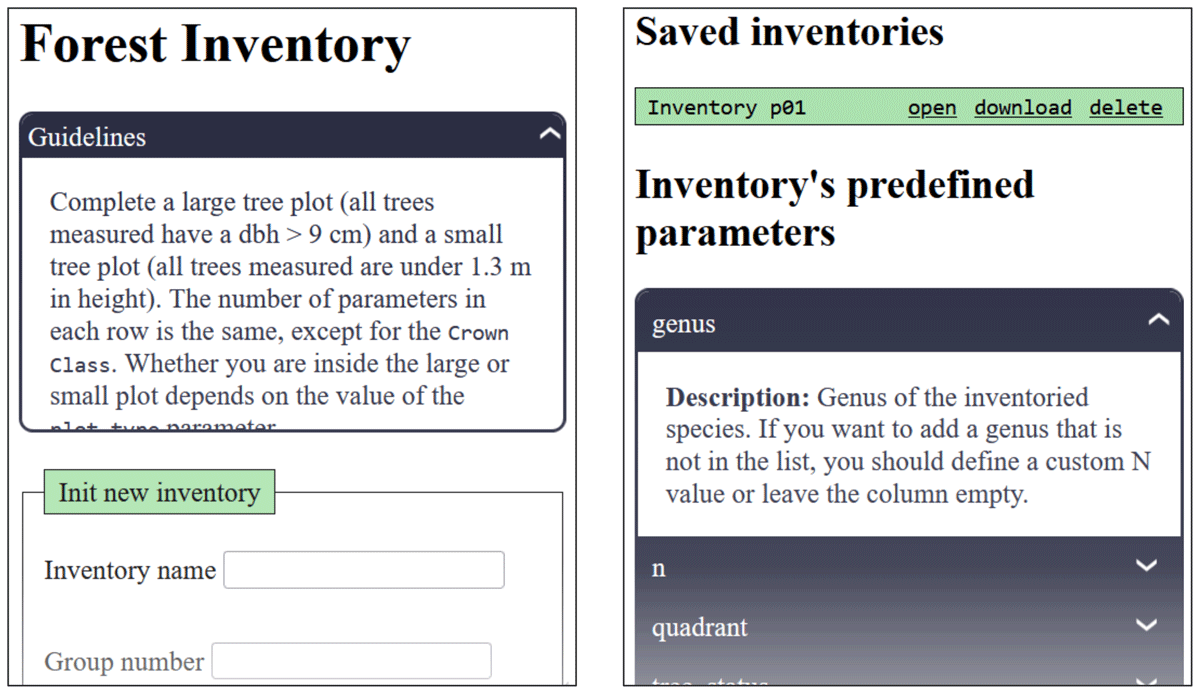
Figure 4
MIFCSheet tooltips. Top left: guideline panel. Bottom right: variable descriptions and option meanings.
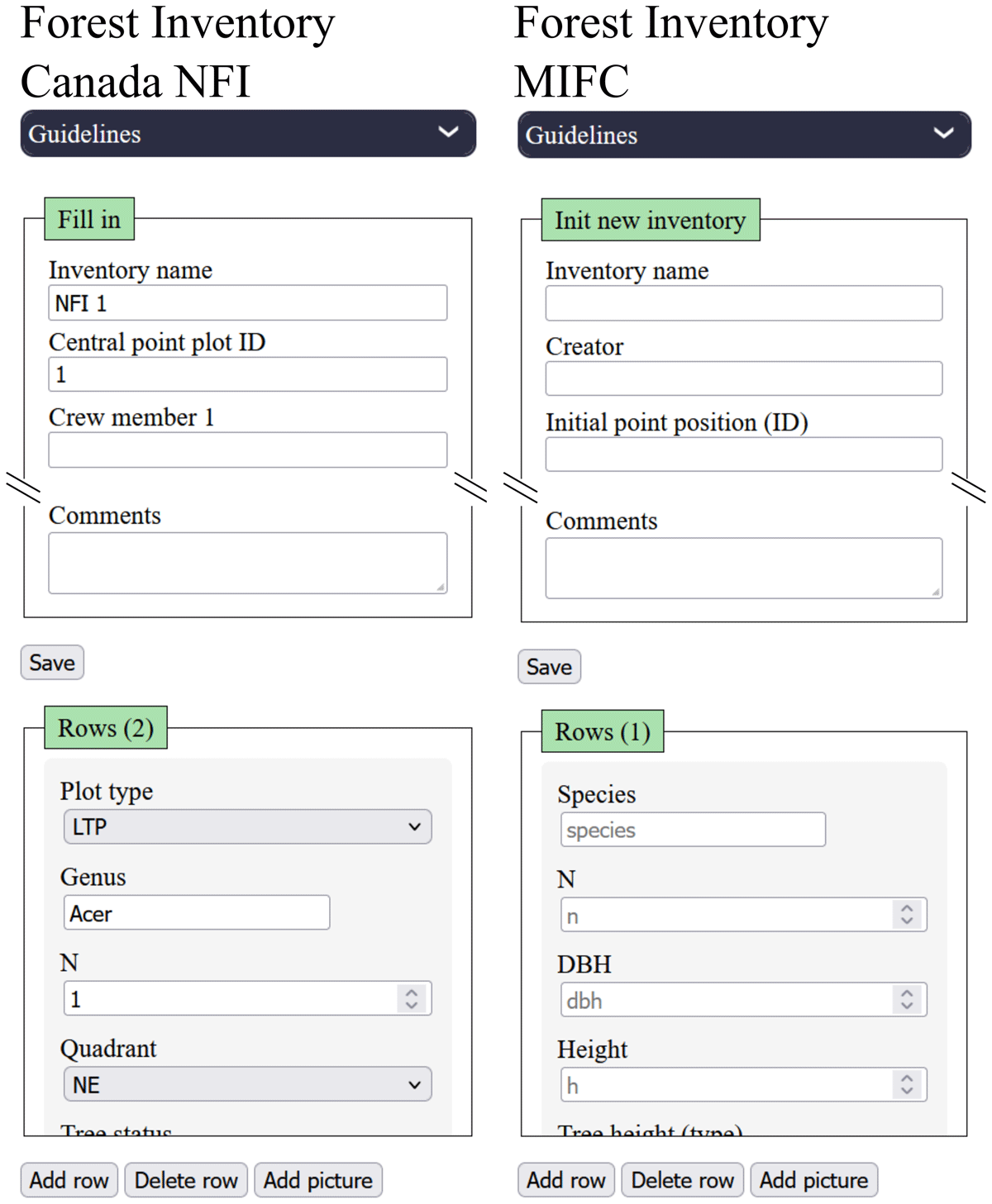
Figure 5
Comparison of the Canadian NFI adaptation (left) and the MIFC adaptation (right).