
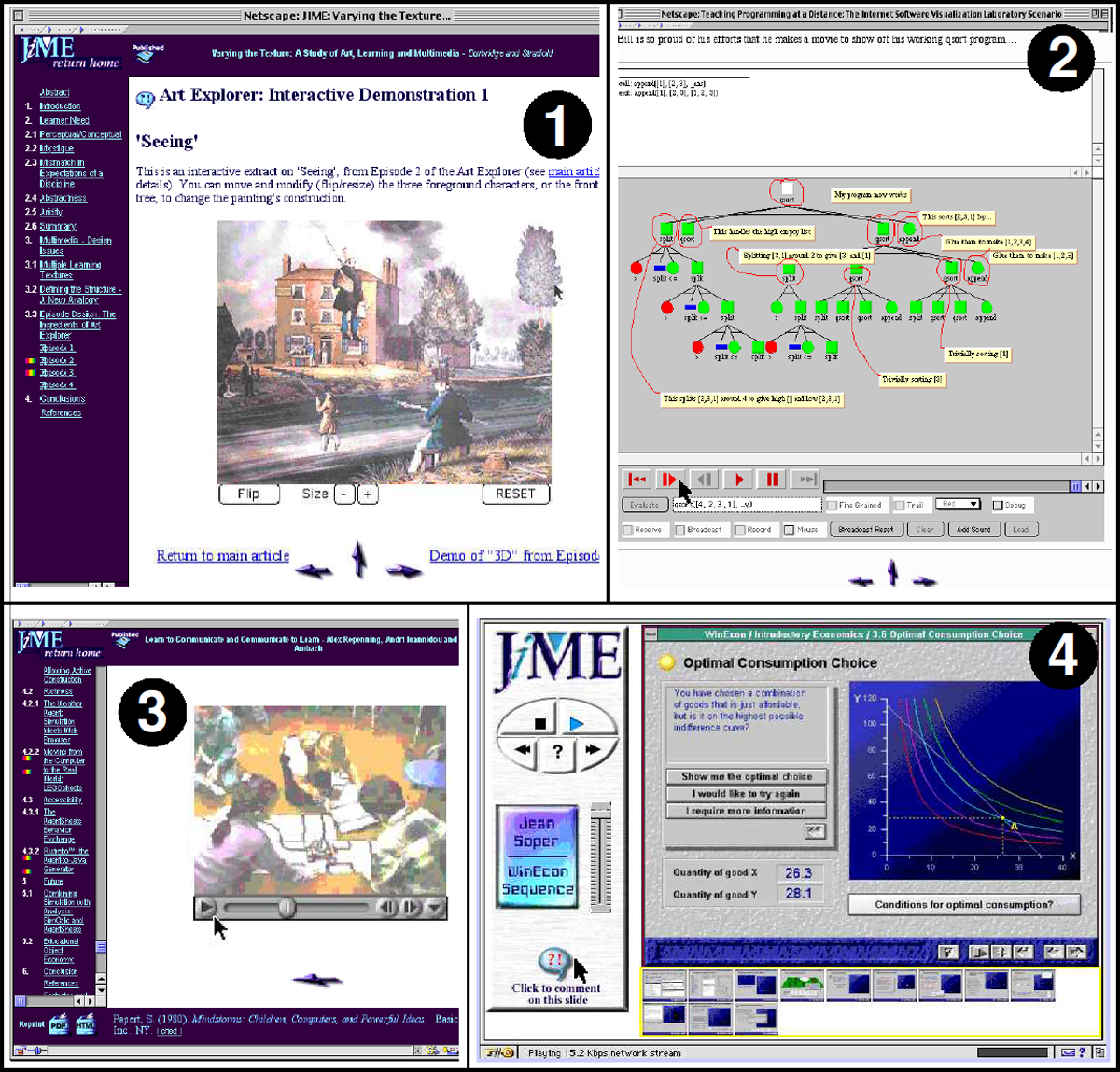
Figure 1
Interactive multimedia embedded in JIME articles rendered in a web browser. (1) Interactive extract from an art history CD-ROM that enables readers to play with the construction of a painting (Durbridge & Stratfold, 1996); (2) interactive Java applet for visualizing code execution over the internet (Domingue & Mulholland, 1997); (3) extract of video showing children programming a robot (Repenning, et al. 1998); (4) introductory walkthrough of an economics package with commentary from the author (Soper, 1997).
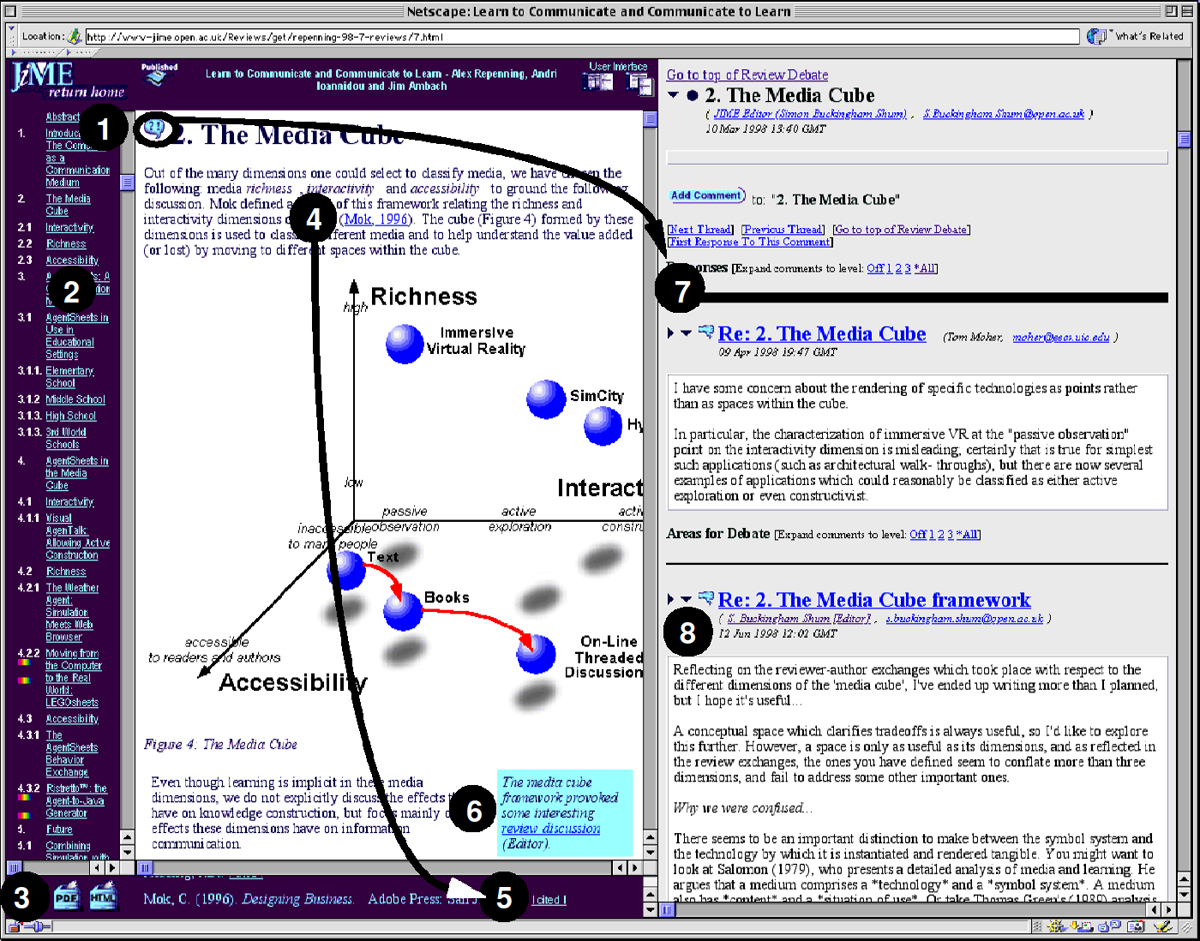
Figure 2
JIME’s document interface. On the left is the Article Window, on the right the Commentaries Window showing the top-level outline view of discussion about the document. Key: (1) Comment icon embedded in each section heading linking to section-specific comments; (2) active contents list extracted from the section headings; (3) print versions as HTML and PDF; (4) numeric or author/date citation automatically linked to corresponding reference in footnote window; (5) a reverse hyperlink is inserted for each citation of a reference; (6) an editorial note to draw attention to a controversial issue in the author–reviewer debate that ‘made it’ into the published version; (7) section-specific review comment; (8) an editorial comment summarizing the review discussion and specifying change requirements. (Note that there are two versions of the user interface: one as shown, and for smaller displays, the document and discussion are placed in separate browser windows.)
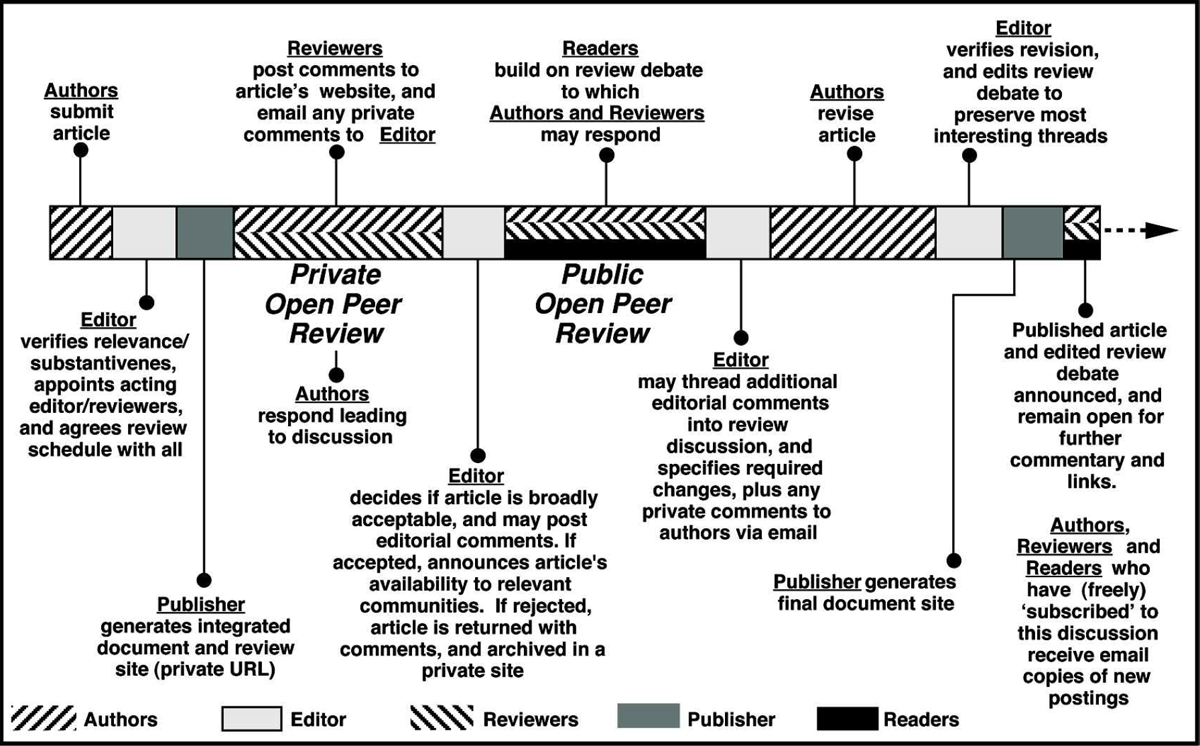
Figure 3
The JIME discourse-centric review process. This cycle includes private and public open peer-review phases, with active stakeholders involved at different points.