
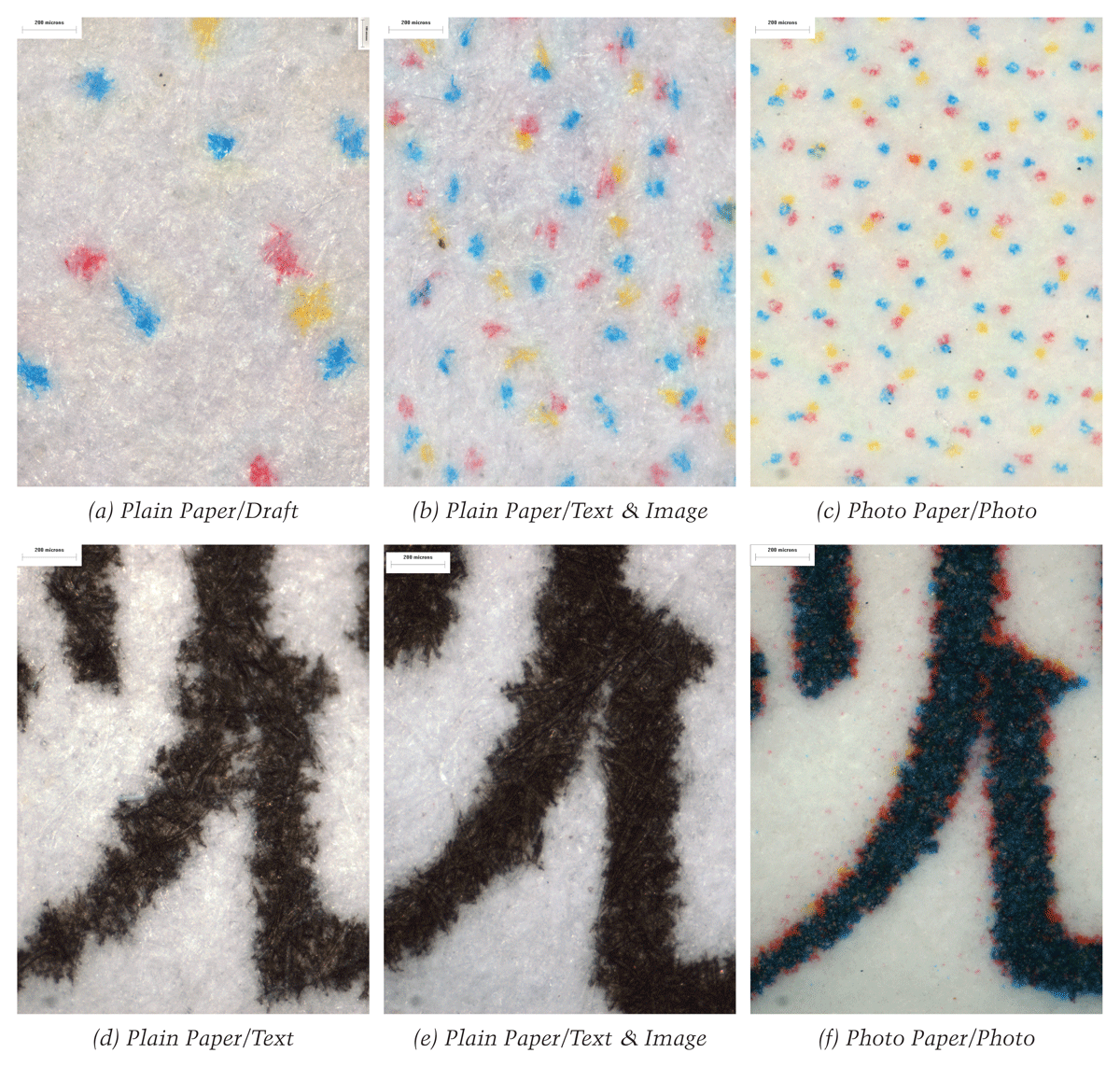
Figure 1
The comparison of the same image area (10% gray level) and the same text (the part of a Chinese character) printed in several print modes by an Epson SC67 printer.
Table 1
A list of inkjet models used to produce the experimental samples.
| Epson | Hewlett Packard | Canon |
|---|---|---|
| Stylus Color 20 | Deskjet 640c | BJC-8200 |
| Stylus Color 460 | Deskjet 656c | BJC-210SP |
| ME 1 | Deskjet 880c | BJC-255 sp |
| ME 1+ | Deskjet 1180c | BJC-1000 sp |
| Stylus Color 480 | Deskjet 1120c | BJC-265 sp |
| Stylus Color 41 | Deskjet 1125c | BJC-4310 sp |
| Stylus Color 43 | Deskjet 920c | BJC 4650 |
| Stylus Color 61 | Deskjet 930c | BJC F-360 |
| Stylus Color 65 | Deskjet F388 AIO | S100 |
| Stylus Color 67 | Deskjet 3325 | S200 |
| Stylus Photo EX | Deskjet 3820 | S6300 |
| Stylus Photo EX3 | Deskjet 3748 | S900 |
| Stylus Color 80 | Deskjet 3938 | i70 |
| Stylus Photo 1200 | Deskjet 3918 | i455 |
| Stylus Photo 830 | Deskjet 3658 | i950 |
| Stylus Photo 710 | Deskjet 9808 | i6100 |
| Stylus Photo 790 | Deskjet 9868 | PIXMA iP 1000 |
| Stylus Photo 1270 | Deskjet D4168 | PIXMA iP 1200 |
| Stylus Photo R230 | Deskjet 1280 | PIXMA iP 1600 |
| Stylus Photo R310 | Officejet 5510 AIO | PIXMA iP 1980 |
| Stylus Photo R250 | Officejet 5608 AIO | PIXMA iP 2000 |
| Stylus Photo 925 | Photosmart 2110 | PIXMA iP 2200 |
| Stylus Photo 950 | Photosmart 1406 | PIXMA iP 2680 |
| Stylus CX 5100 | Photosmart 1218 | PIXMA iP3680 |
| Stylus CX 3500 | Photosmart 7550 | PIXMA iP 4000 |
| Stylus Photo R1390 | Photosmart 7660 | PIXMA MX 338 |
| Photosmart 7150 | PIXMA iX 4000 |
Table 2
Print mode options’ names of different printer makes.(The “-” indicates the print mode does not exist.)
| Make | HP | Canon | Epson |
|---|---|---|---|
| Print Mode | Fast/Fast Draft | Draft | Draft |
| Fast Normal | - | Text | |
| Normal | Standard | Text & Image | |
| Best | Best | Photo |
Table 3
The data of the increment of paper feed obtained from the samples printed by six selected inkjets in different print modes (Unit: mm)
| Print Mode | Part of Print | Canon iP 1880 | Canon S200sp | HP Deskjet C1120 | HP Deskjet D4168 | Epson CX5100 | Epson SC 43 |
|---|---|---|---|---|---|---|---|
| Plain Paper/Full-color/Fast | Black | 13.50 | 4.50 | 12.75 | 14.00 | 25.33 | 3.17 |
| Color | 8.00 | 1.66 | 5.40 | 8.50 | 8.20 | 3.17 | |
| Plain Paper/Full-color/Normal | Black | 13.50 | 4.50 | 1.375 | 3.95 | 6.44 | 0.50 |
| Color | 4.00 | 0.83 | 1.375 | 3.95 | 2.07 | 0.50 | |
| Plain Paper/Full-color/Best | Black | 2.00 | 0.83 | 0.625 | 1.00 | 1.00 | 0.23 |
| Color | 2.00 | 0.83 | 0.625 | 1.00 | 1.00 | 0.23 |
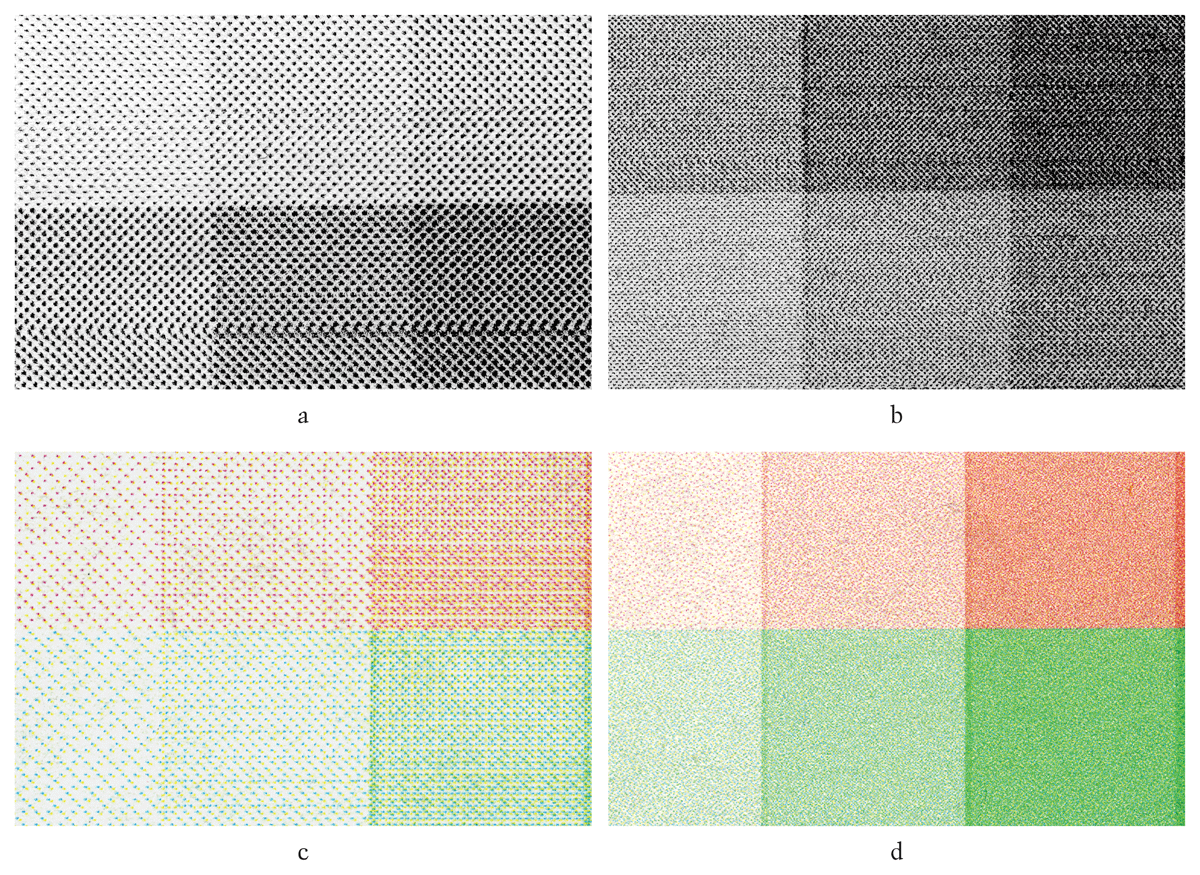
Figure 2
The halftone images produced by HP DJ 930c (scanned images): a) fast/black-only/plain-paper mode; b) normal/black-only/plain-paper mode; c) fast/color/plain-paper mode; and d) normal/color/plain-paper mode.
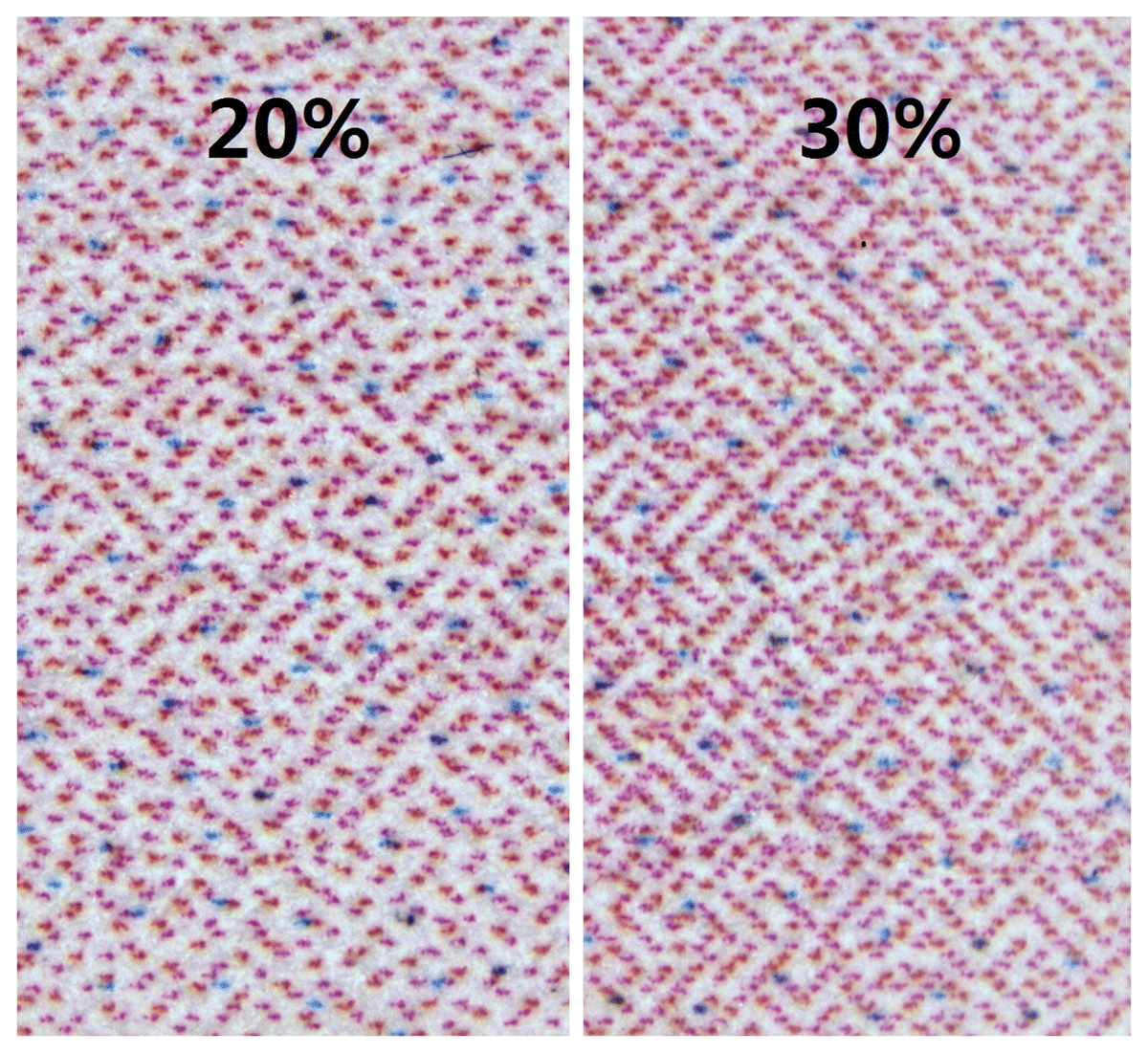
Figure 3
Examples of the structure artifact produced by HP Deskjet 3938 in fast mode (scanned image, ‘20%’ and ‘30%’, which refer to the gray scales of the images, were labeled on by the author).
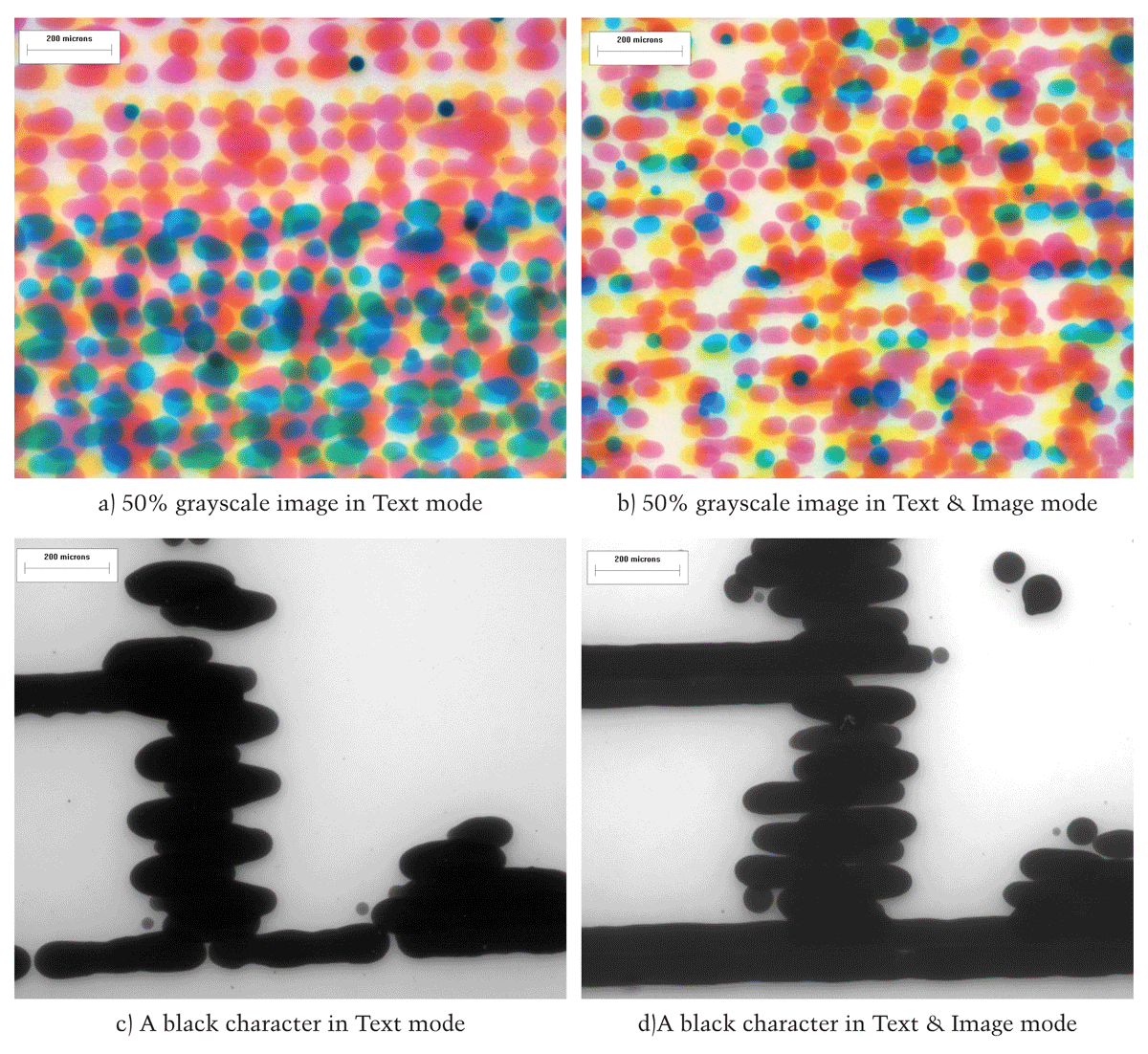
Figure 4
The comparison of the microscopic photos from images and characters printed in different modes by an Epson CX5100.
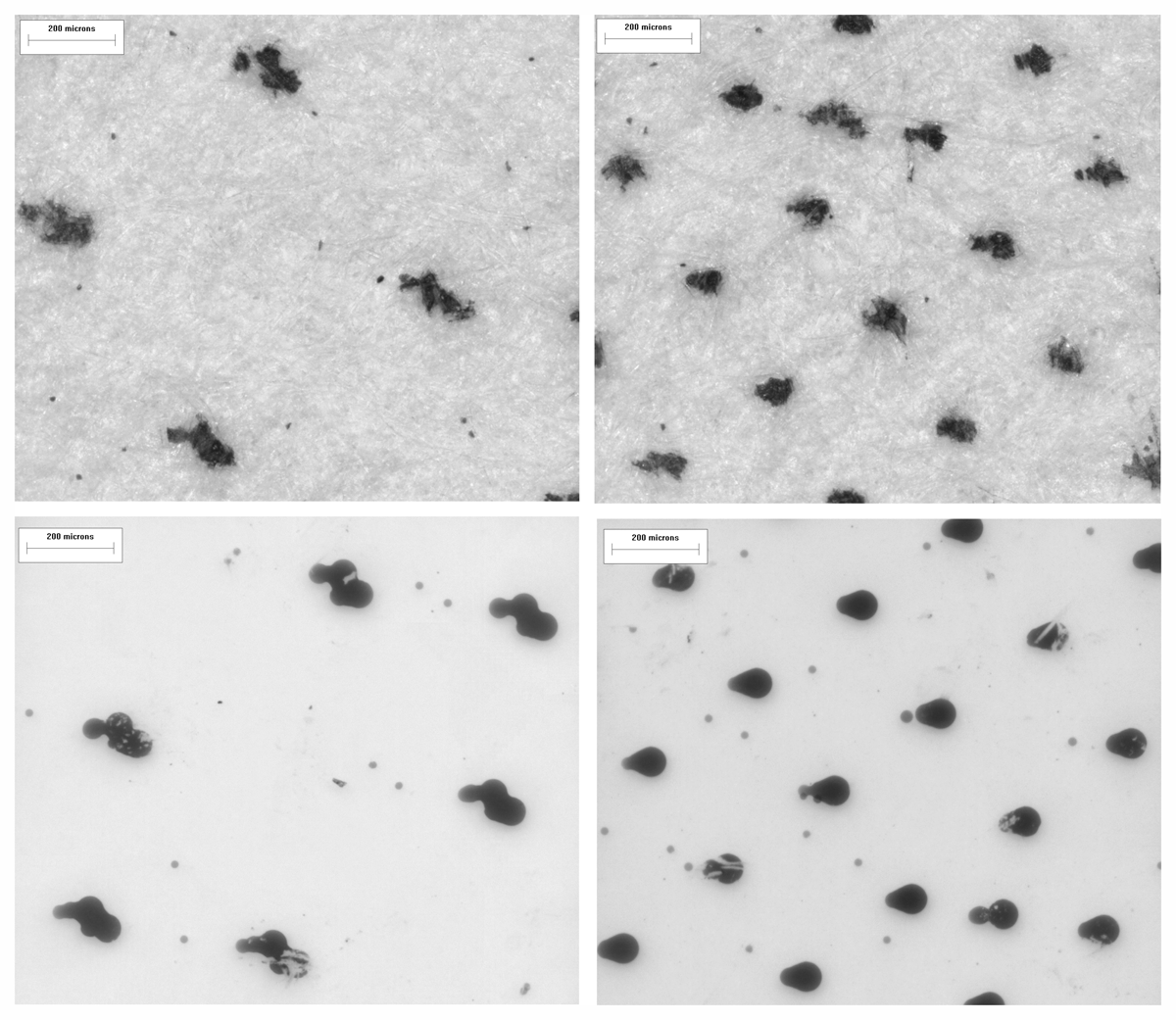
Figure 5
Halftone dots produced in draft (left) and standard (right) modes by a Canon iP2680 (The upper pictures were on plain paper, the lower were on photo paper).
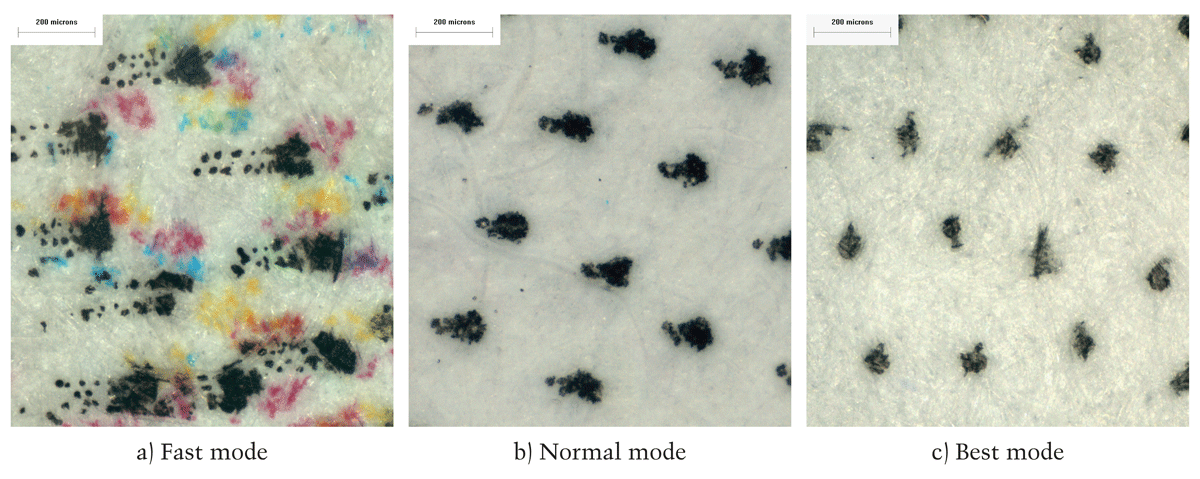
Figure 6
The comparison of satellites and halftone dots produced in different modes by an HP DJ D4168 device.
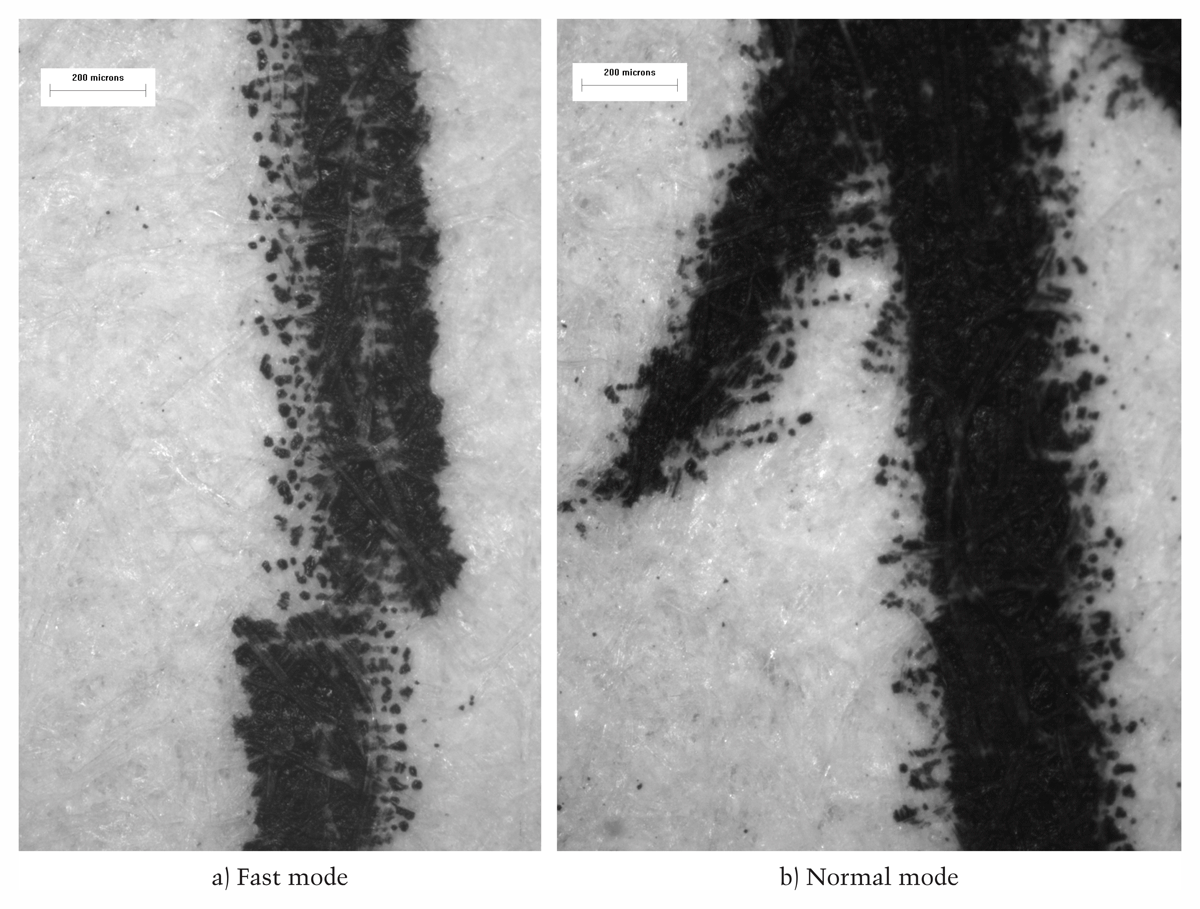
Figure 7
The distribution of satellites in texts produced by an HP DJ D4168 printer in different modes.
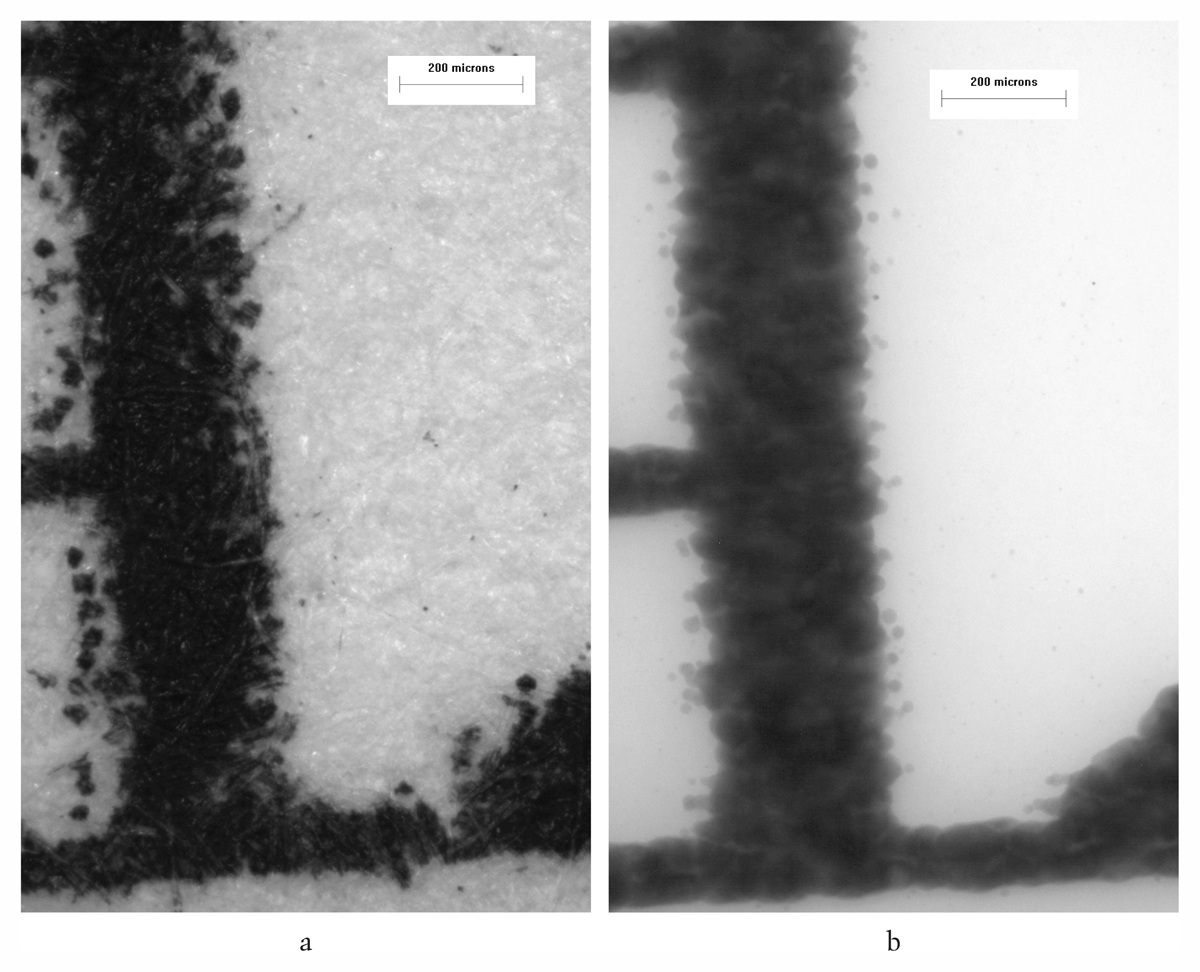
Figure 8
The ink marks of the same black character printed by a Canon MX 338 in different print modes: a) plain-paper/standard mode; and b) photo-paper/photo mode.
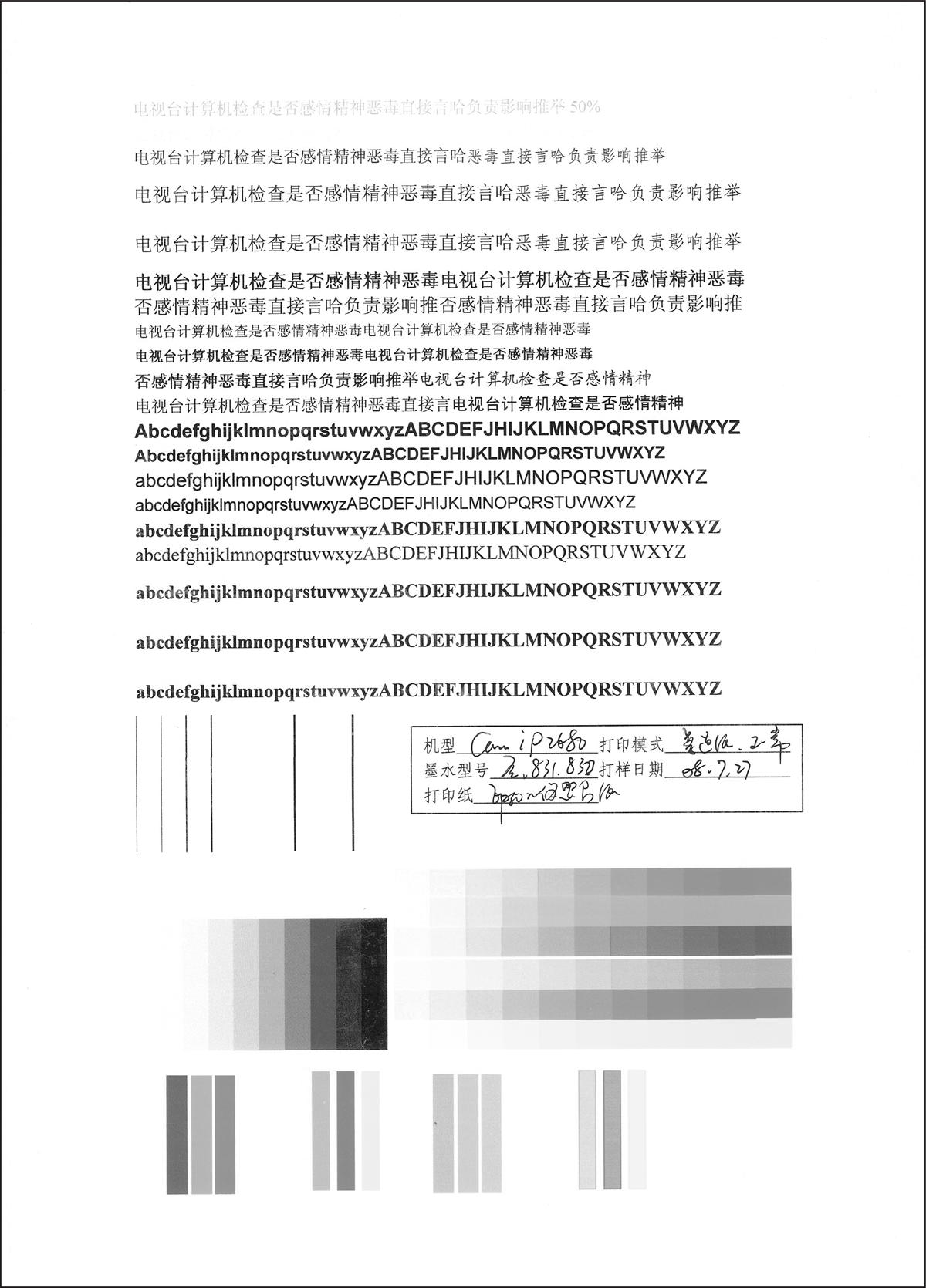
Figure 9
A page of standard sample in the study.