
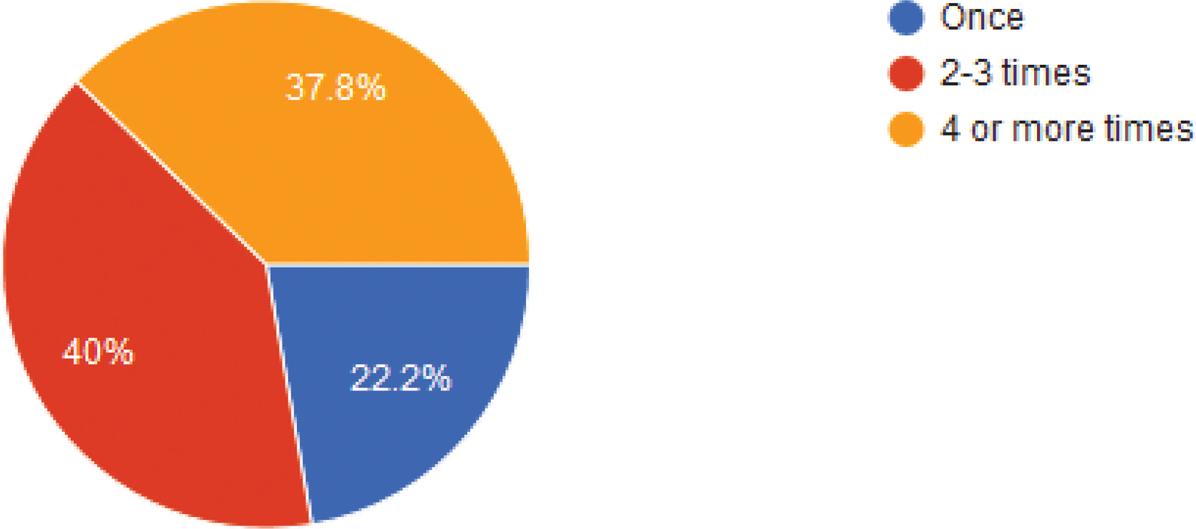
Figure 1
How often have you received feedback from your instructor on writing assignments?
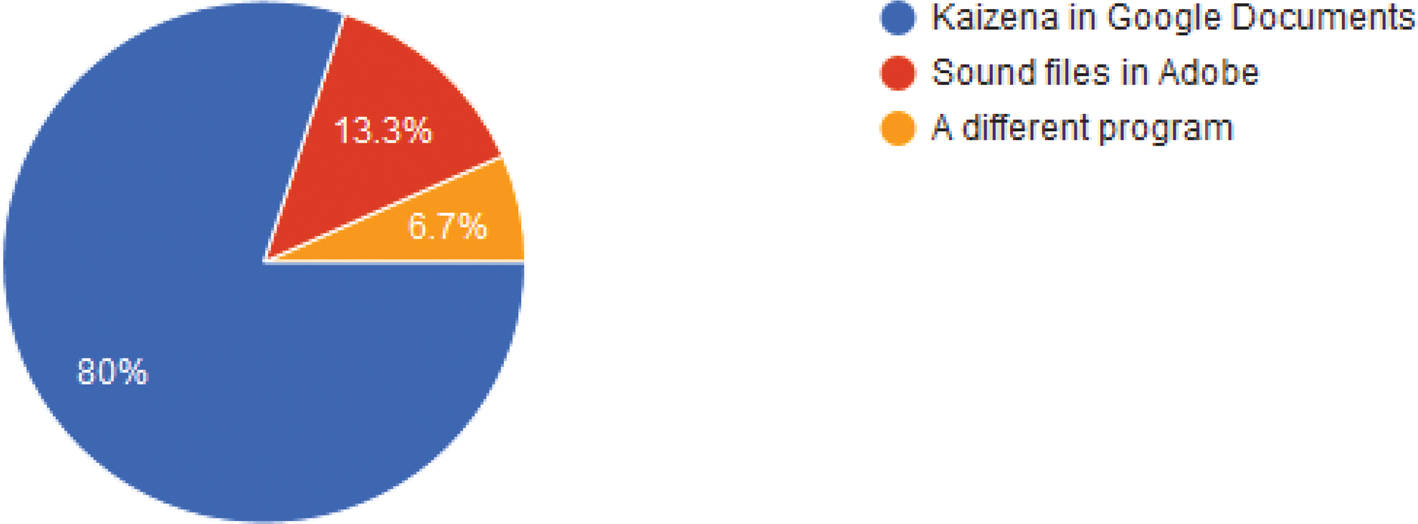
Figure 2
Do you know which program was used to deliver your voice feedback?
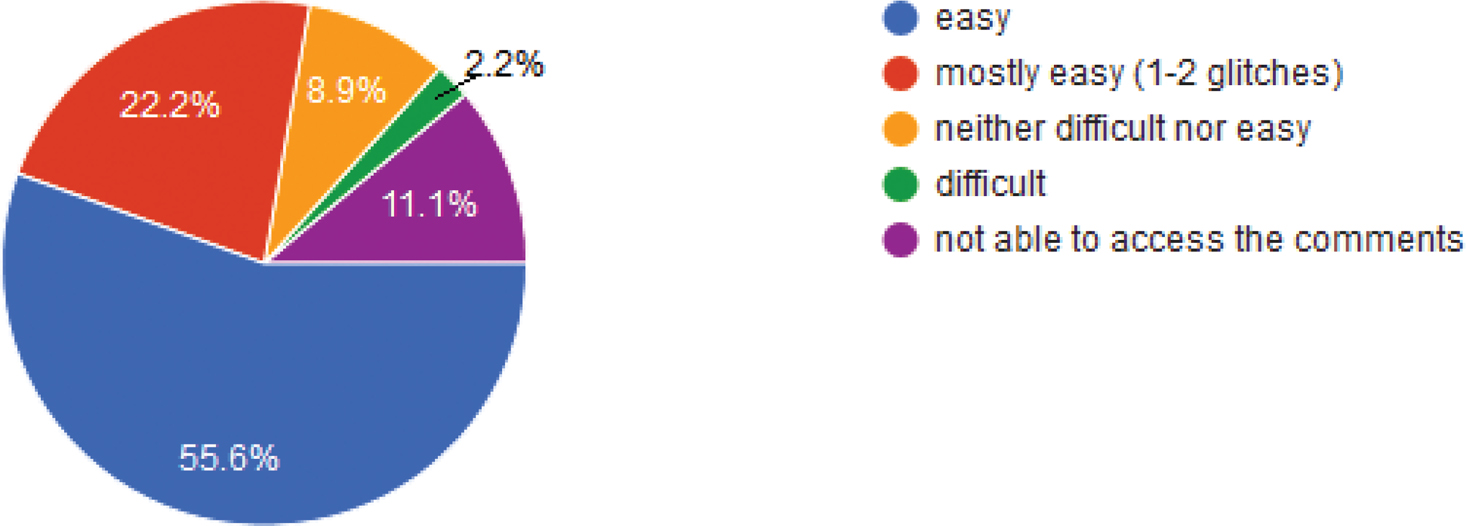
Figure 3
How easily did you access the voice feedback?
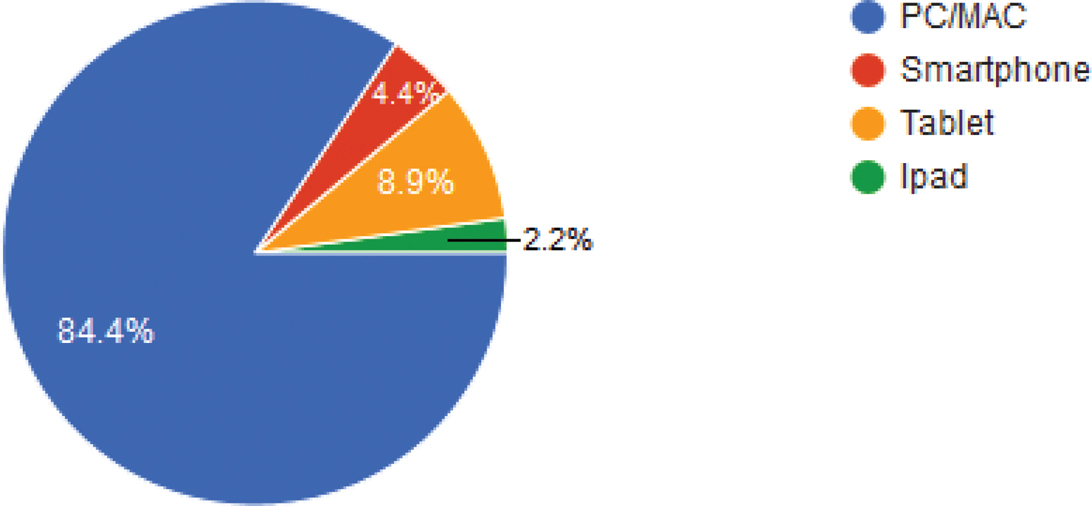
Figure 4
What device/technology did you use to access the feedback?

Figure. 5
What browser did you use to access the feedback?
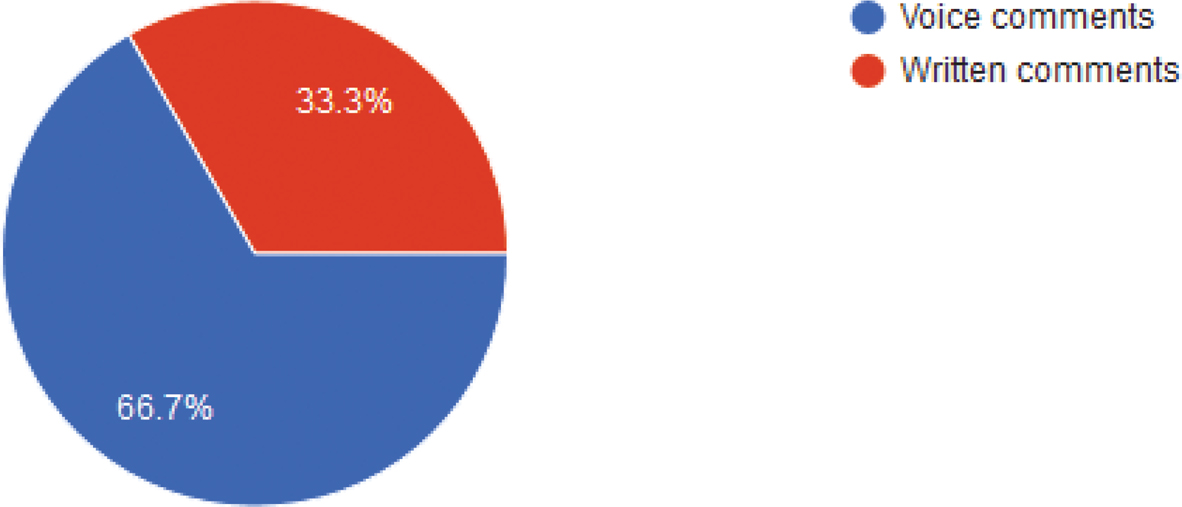
Figure 6
Do you prefer voice comments or written comments from your instructor or writing coach?
Table 1
Question #3 Kaizena Responses
| Kaizena ease of access | number of students | prefer voice comments | prefer written comments |
|---|---|---|---|
| Easy | 22 | 16 | 6 |
| Mostly easy | 10 | 6 | 4 |
| Neither difficult nor easy | 4 | 3 | 1 |
| Difficult | 0 | 0 | 0 |
| Not able to access (iPad) | 1 | 0 | 1 |
| Total | 37 | 25 | 12 |
[i] Note: Out of 37 students receiving Kaizena voice comments, 12 preferred written comments and 25 preferred voice comments. One student could not access the voice comments using an iPad. Four found access neither difficult nor easy. Ten found access mostly easy and the largest percentage (n=22) found easy access.
Table 2
Question #3 Adobe Acrobat Responses
| Adobe Acrobat ease of access | number of students | prefer voice comments | prefer written comments |
|---|---|---|---|
| Easy | 2 | 2 | 0 |
| Mostly easy | 1 | 0 | 1 |
| Neither difficult nor easy | 0 | 0 | 0 |
| Difficult | 1 | 0 | 1 |
| Not able to access | 2 | 0 | 2 |
| Total | 6 | 2 | 4 |
[i] Note: Out of 6 students receiving Adobe Acrobat comments, 2 preferred written comments.