
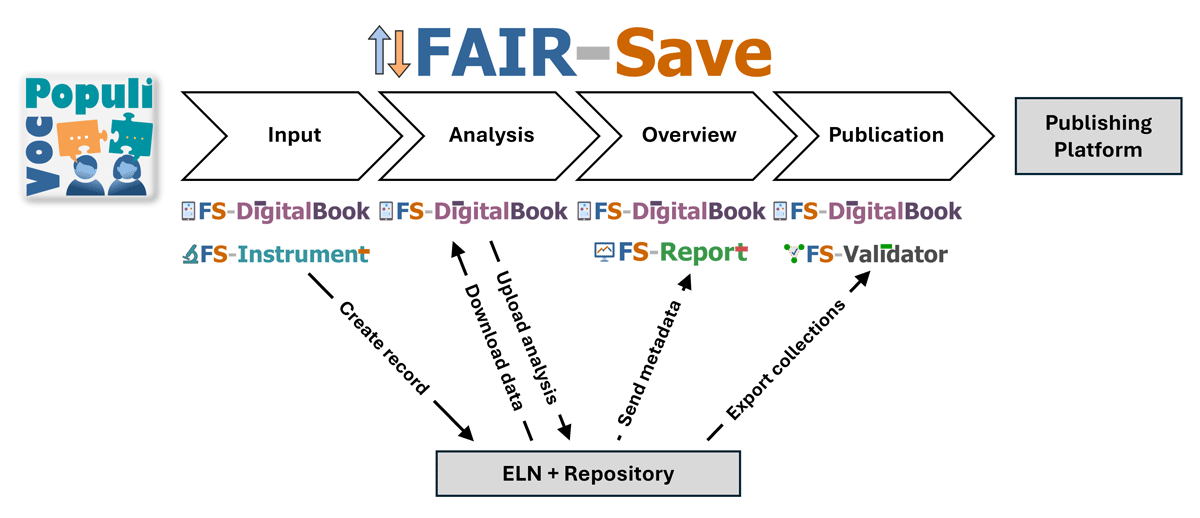
Figure 1
Scheme of the FAIR-Save framework linking controlled vocabularies, structured ELN documentation, metadata analysis, validation, and FAIR data publication.
Table 1
FAIR-Save components and apps, their functions, and their benefits for the user.
| APP | HOW DOES A USER USE IT? | WHAT IS THE USER’S BENEFIT? |
|---|---|---|
| VocPopuli [21] | Manage controlled vocabularies | Ensures standardized, reusable, and shareable metadata published in Flachmann et al.’s (2025c) work |
| Provide metadata schema | Exports vocabulary in a usable format for all subsequent apps | |
| FS-DigitalBook | Create forms | Drag-and-drop form creation with all approved fields. Possibility to enter notes and hints, prefill fields and requirements (Further explanation in Supplemental Information A1) |
| Create records | Timestamped comments, QR code scanning, process photos, standardized inputs with explanations, metadata mapping Automatic enforcement of group conventions, for example, permissions and tags (further explanation in Supplemental Information A2 and A3) | |
| Create labels | Prepares labels with QR codes, titles, and IDs understandable for humans and computers | |
| Create collections | Creates collections applying our rules | |
| View record files and links | Optimized graphical user interface, structural overview of collections and record, data navigation | |
| Analyze record data | Linked raw data and software for processing and visualization with GitLab/GitHub integration | |
| Publish collections | Exports anonymized FAIR-compliant data ready to publish (An example for published collections from the FAIR-Save can be found on Zenodo (Flachmann et al., 2023)) | |
| Offline mode on tablets | Works without internet and synchronize later | |
| FS-Instrument | Run in the background of LabVIEW program | Automatically creates records and uploads experimental data |
| FS-Report | Visualize metadata | Understands experiment context and compares results, comprehends metadata of all records |
| FS-Validator | Check metadata for correctness | Automated coherence check against the latest published version of our controlled vocabulary (Flachmann et al., 2025c), uncovers inconsistencies and helps correct mistakes |
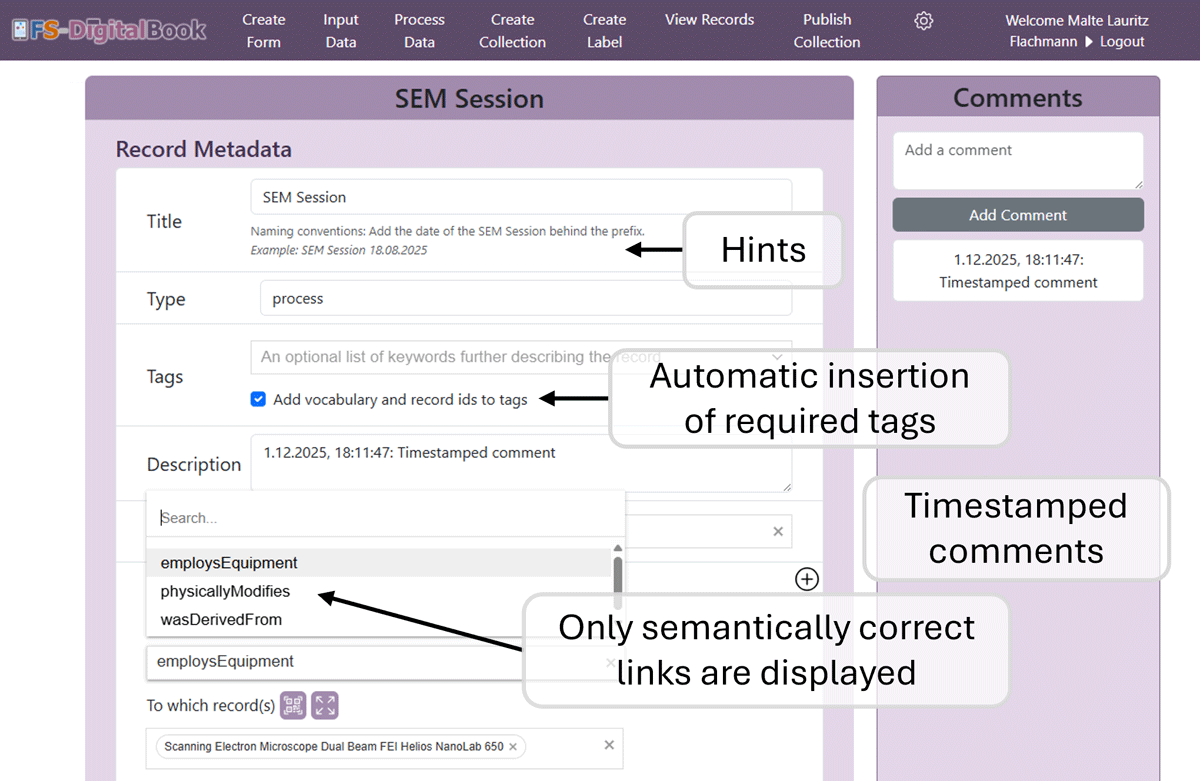
Figure 2
Screenshot of a landing page in FS-DigitalBook. The opened form displays hints for the user, timestamped comments, and automated suggestions.
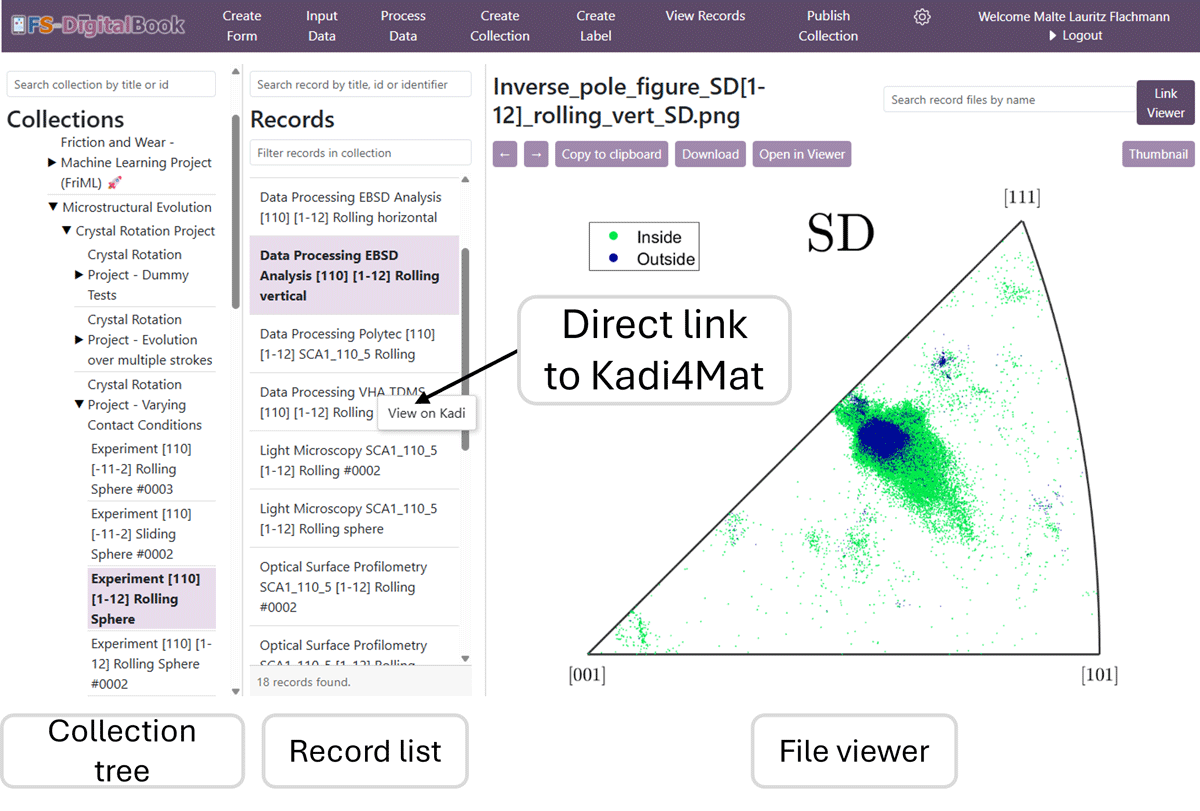
Figure 3
Screenshot of the ‘record viewer page’ displaying the ‘file viewer interface’ with focus on the file content showing navigation, record selection, and direct file preview.
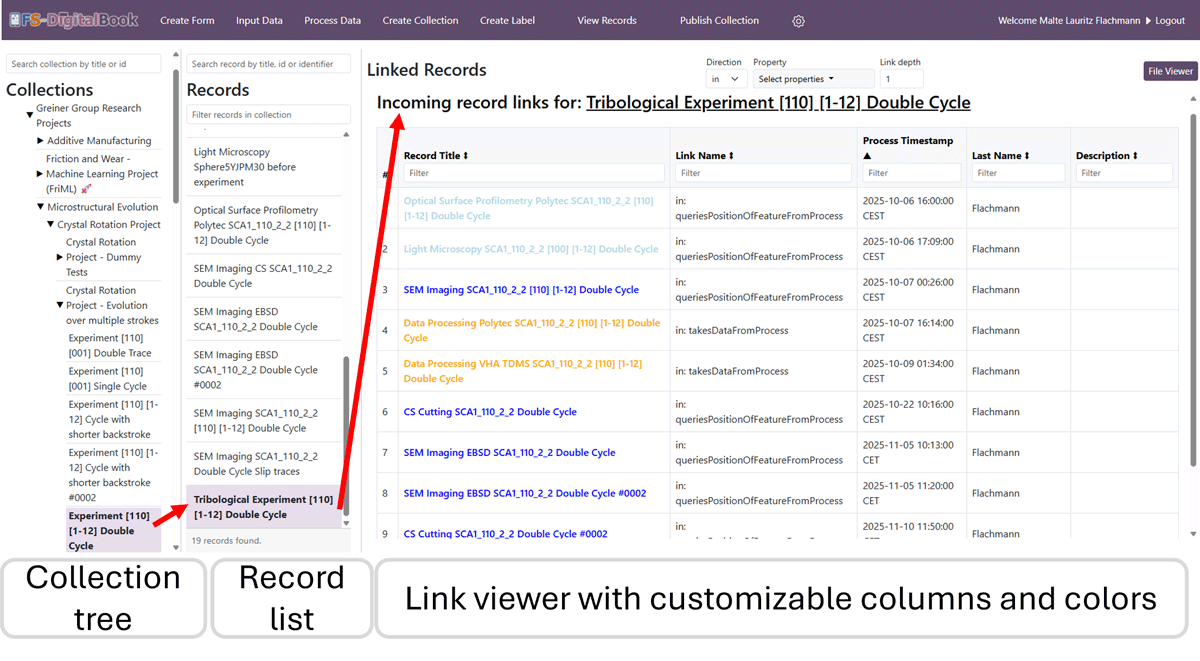
Figure 4
Screenshot of the ‘record viewer page’ showing the ‘link viewer’ with focus on the fast overview of key metadata for structured navigation and record comparison.
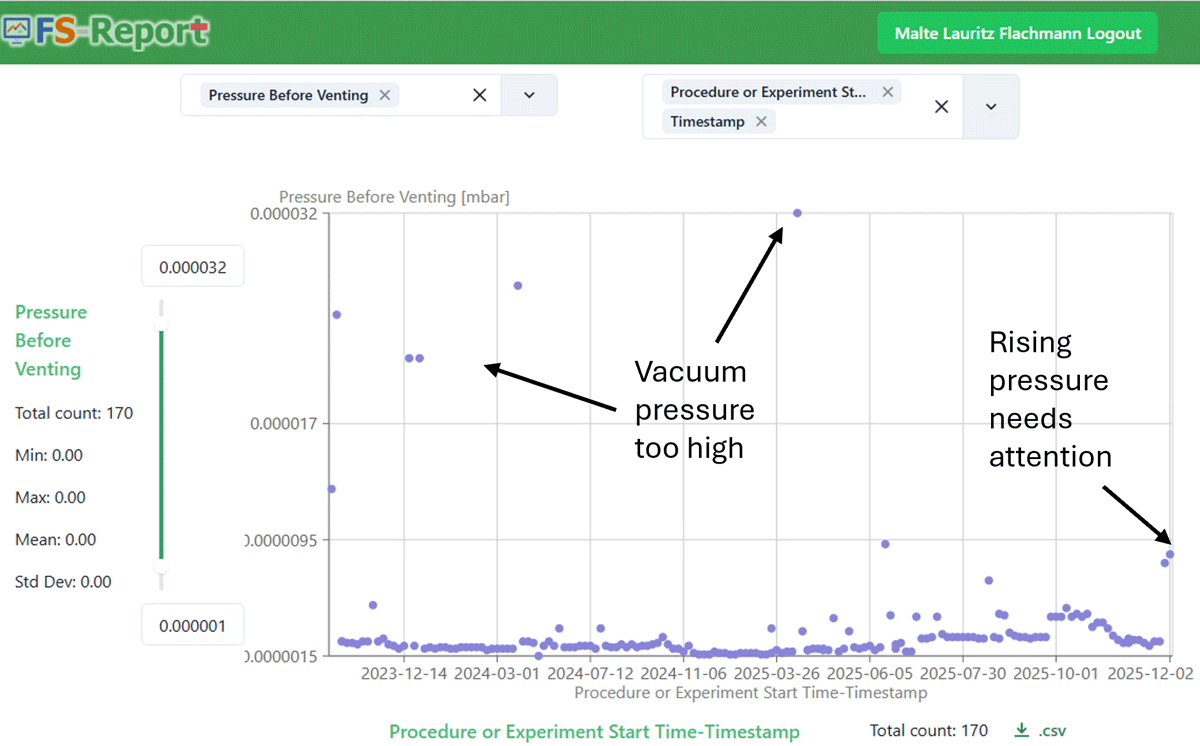
Figure 5
Screenshot of FS-Report displaying a time-series analysis of metadata across laboratory activities.
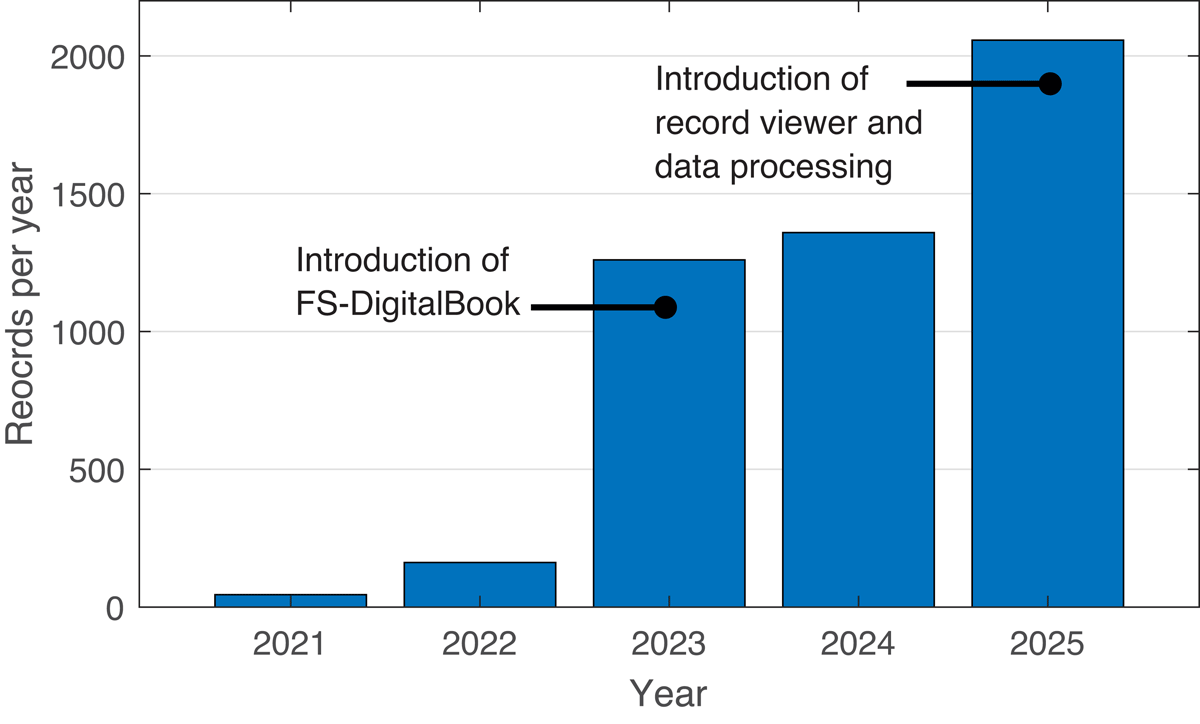
Figure 6
Total number of records per year created by the Greiner Research Group.