
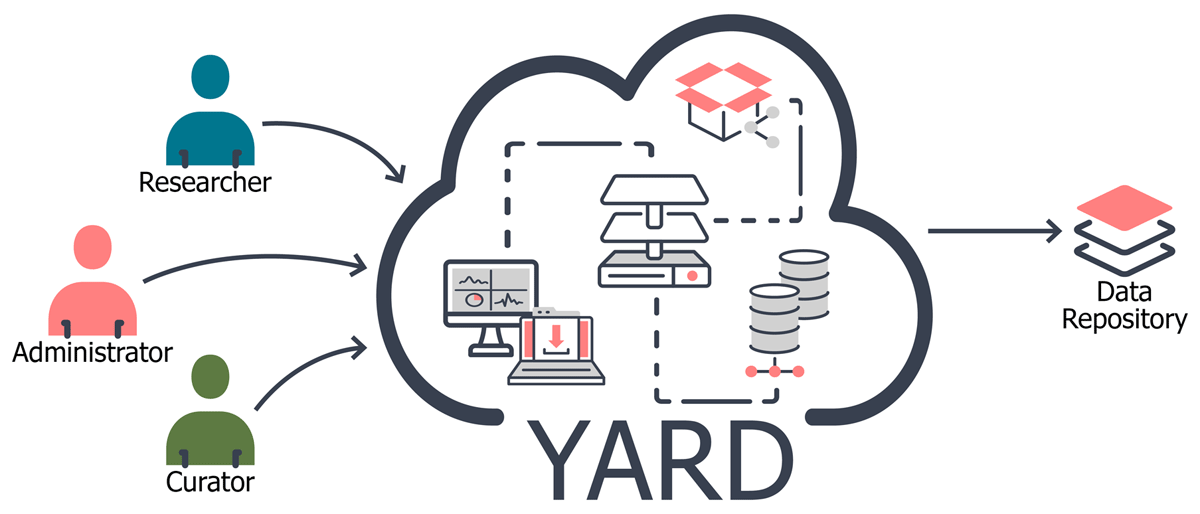
Figure 1
YARD is a workflow tool for reviewing and enhancing research outputs and delivering them into a repository.
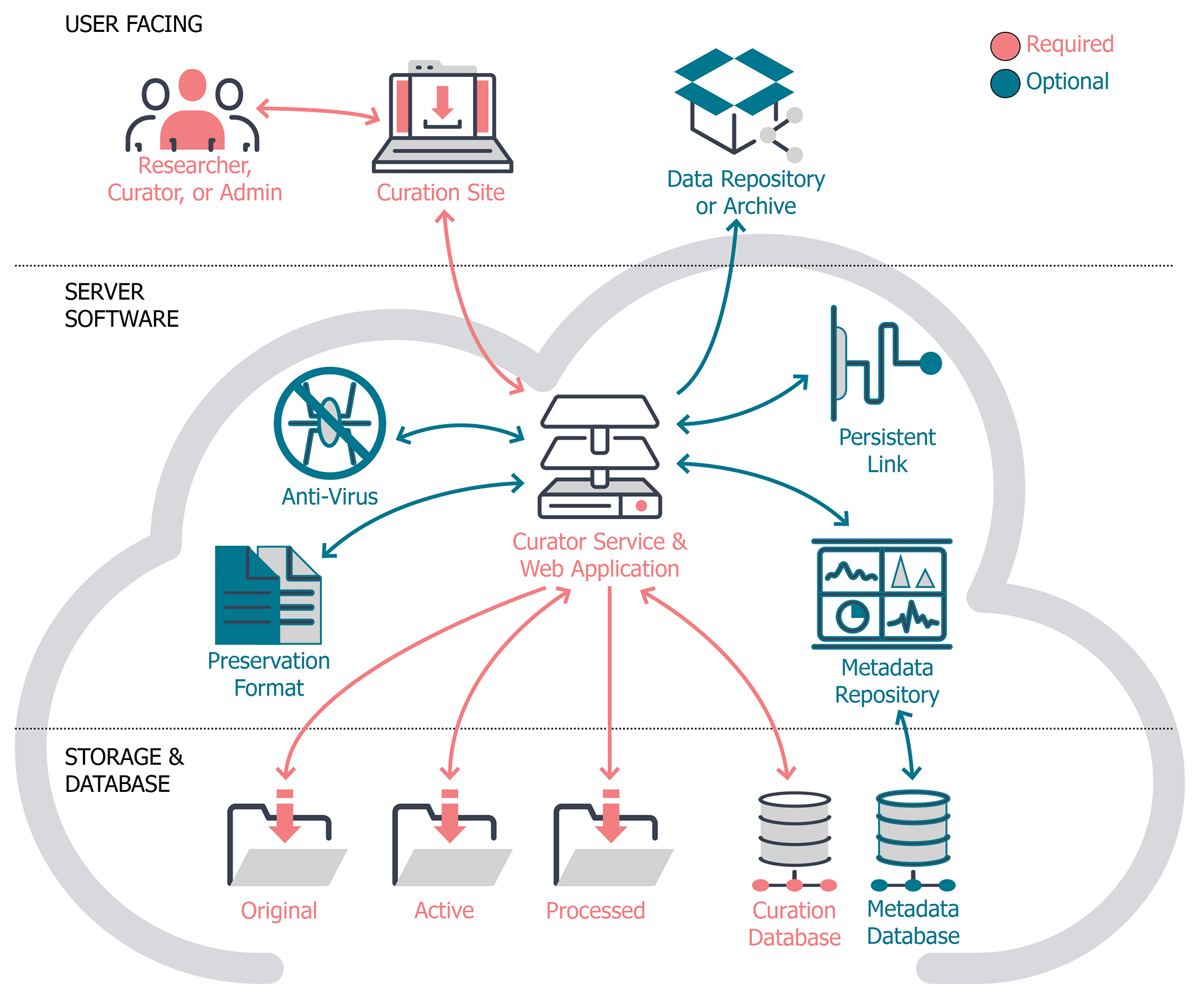
Figure 2
Curation tool components, required and optional.
Table 1
Curation Tool Components.
| Component | Function | License | YARD implementation | Alternate Component options |
|---|---|---|---|---|
| Required components | ||||
| Curation Web Application | Web interface for the Curation Service | AGPL 3.0 | Curation Web Application | |
| Curation Service | Data deposit and curation | AGPL 3.0 | Curation Service | |
| Curation Database | Storage for curation tool data | Proprietary | Microsoft SQL | Postgres, MySQL |
| File storage | Storage for files | Yale Service | Network attached local service (storage@Yale) | Any file storage (requires read/write access) |
| Optional components | ||||
| Metadata Repository | Captures, generates, and versions DDI Lifecycle metadata | Proprietary | Colectica Repository | Repository software that generates metadata |
| Metadata database | Stores variable-level metadata | Proprietary | Microsoft SQL | Postgres, MySQL |
| Anti Virus | Virus scan for deposited files | GPL | ClamAV | Any Antivirus software |
| File Conversion | Creates csv copies of data files | Proprietary | StatTransfer | Any statistical or custom software |
| Persistent Link | Persistent Link | Yale Service | Yale Handle service | Any persistent linking service |
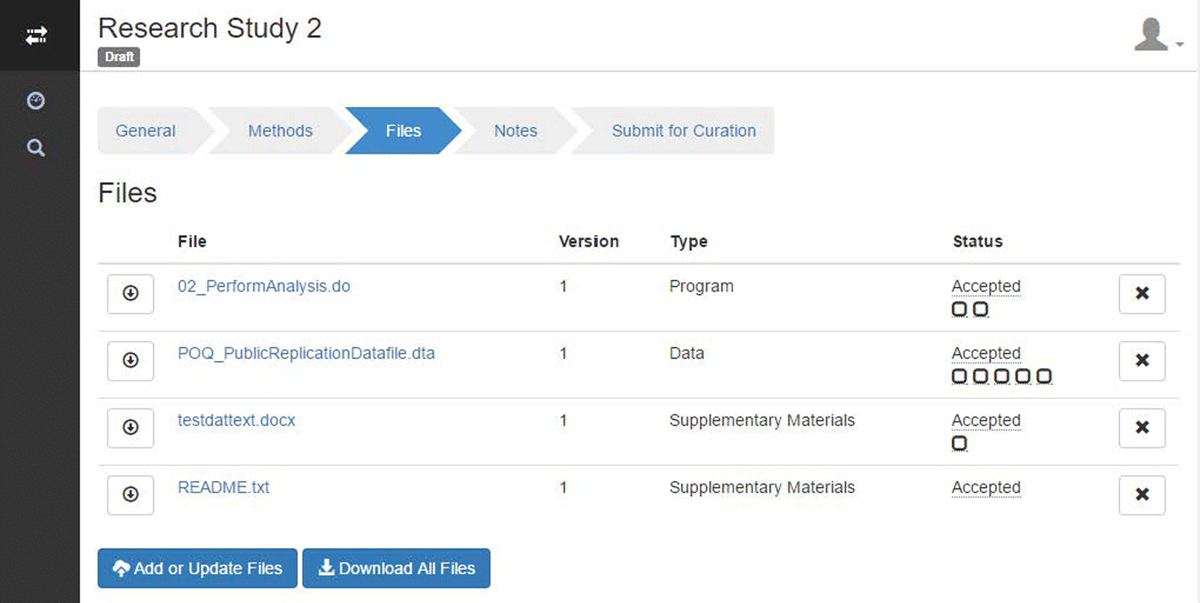
Figure 3
The Depositor view of the file list after initial upload, as seen in the user interface.
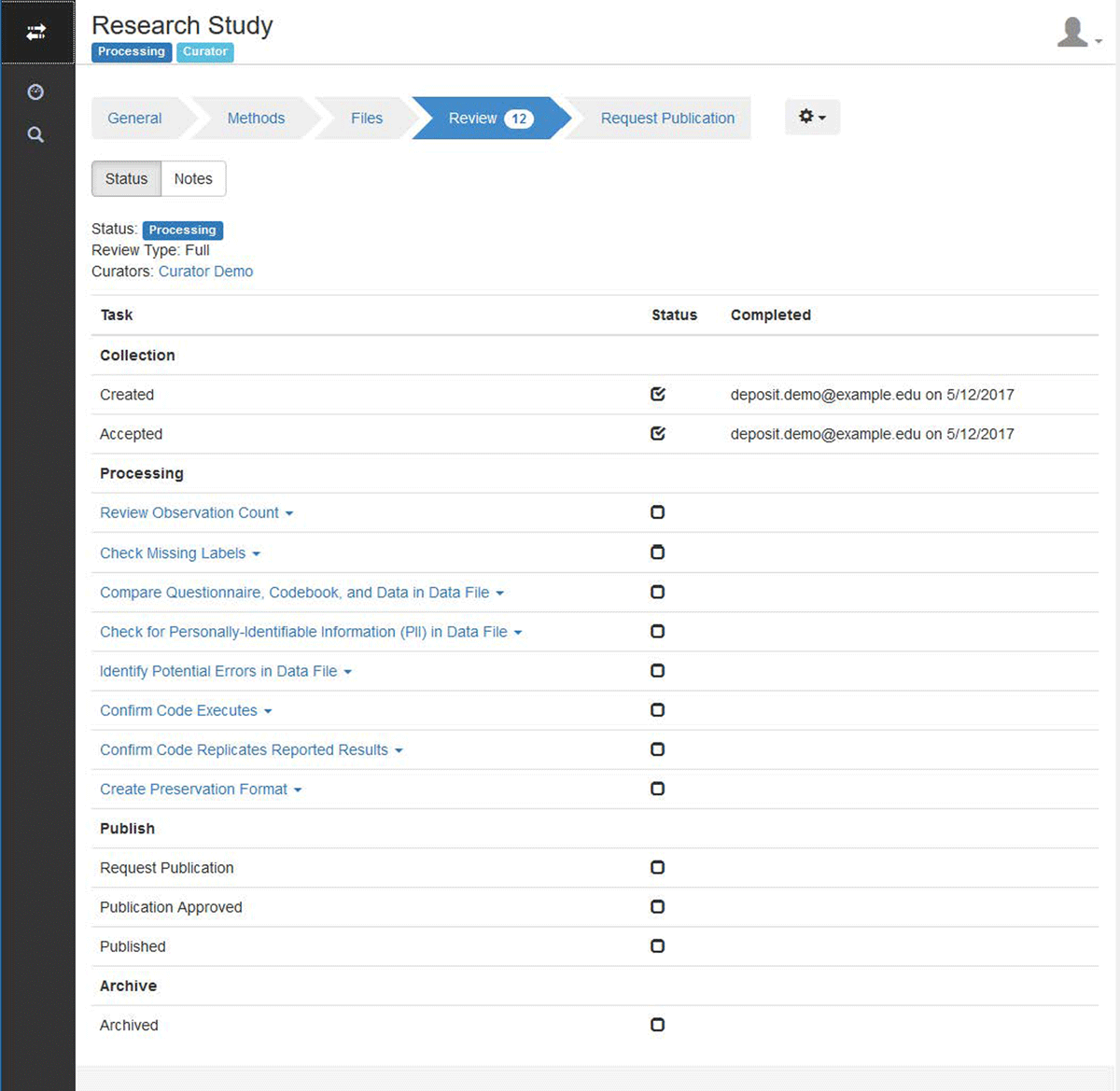
Figure 4
The Curator view of the curation tasks for the assigned record, as viewed in the user interface.
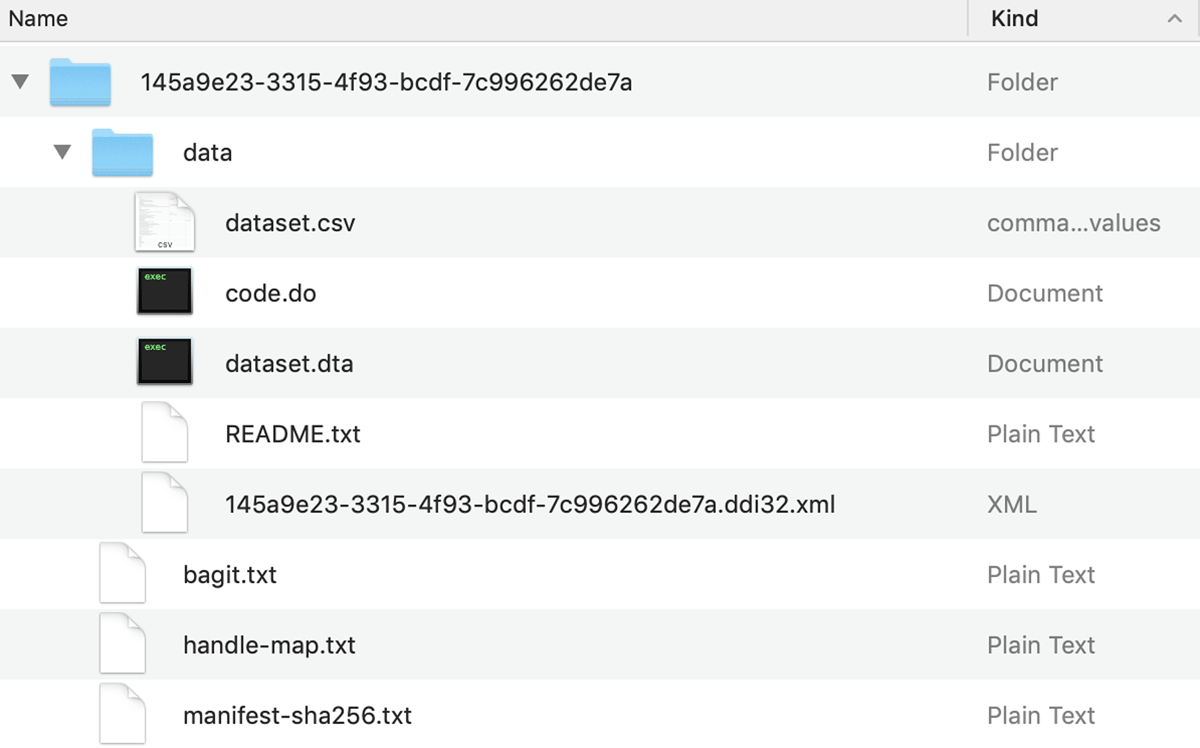
Figure 5
An example archive directory for a catalog record after curation and final approval.
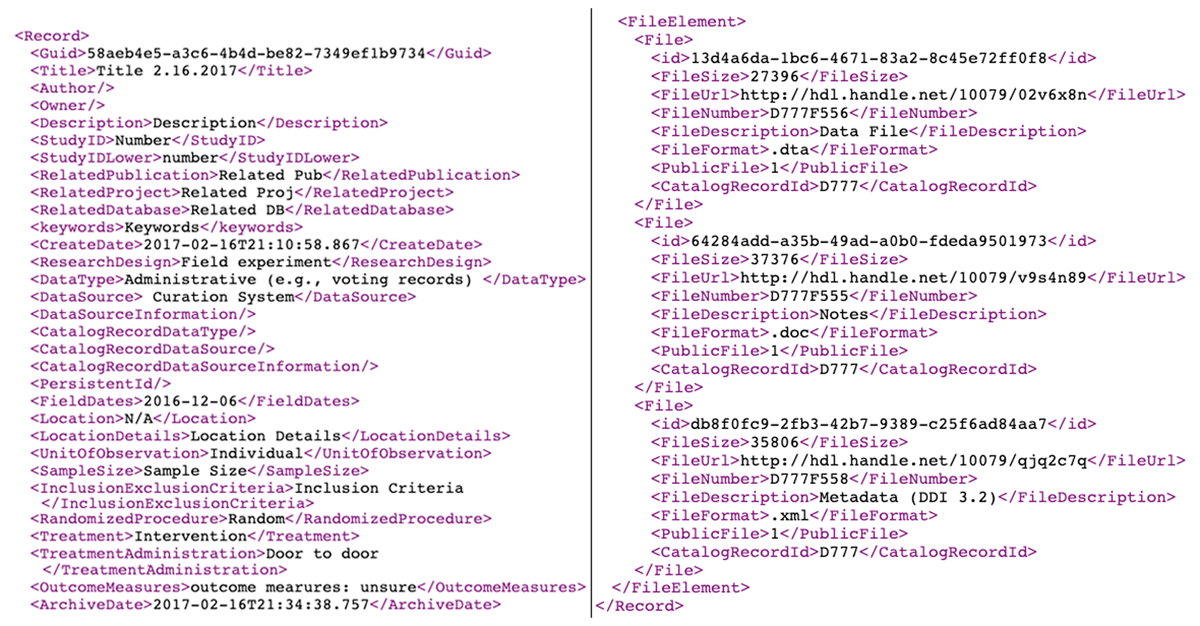
Figure 6
An example XML feed produced by YARD showing the metadata for a catalog record.