
Figure 1
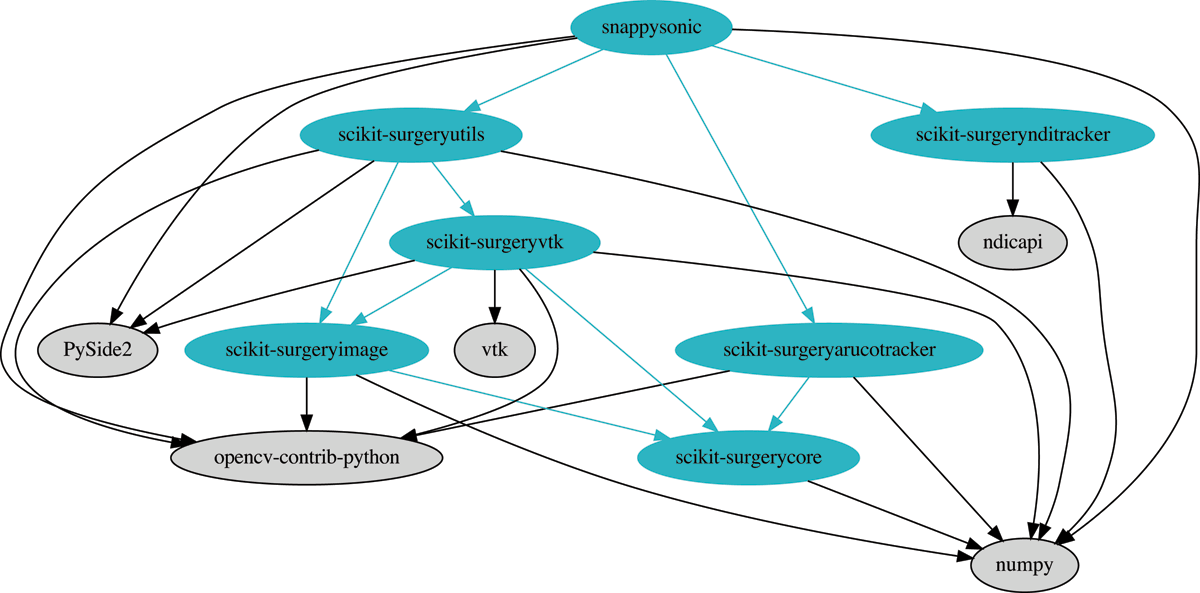
Dependency graph for SnappySonic. All dependencies are from the Python Package index. Dependencies in blue are developed by the authors of this paper and have any further dependencies shown. External dependencies do not have further dependencies shown.
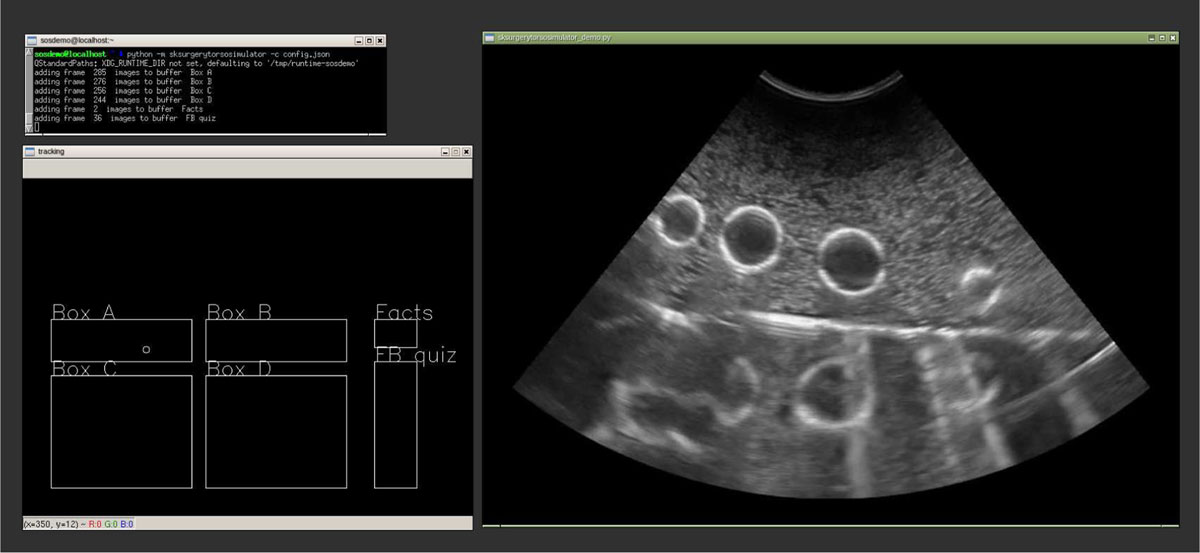
Figure 2
A screen shot of the system in use, top left is the command line and console output. Bottom left a window showing the tracker position with respect to the different parts of the video buffer. At right is the recorded ultrasound image. In this example the image is of a latex glove filled with water, which the user is trying identify by moving the probe around in “Box A”.
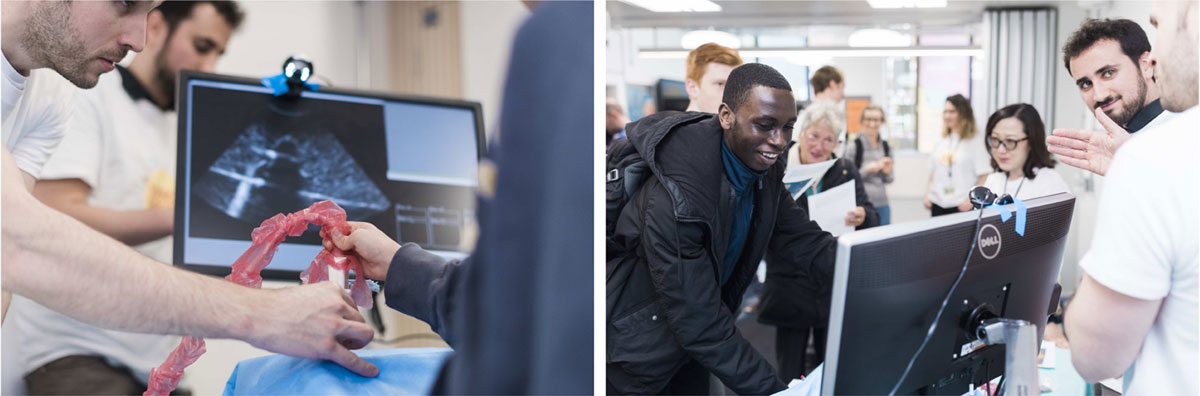
Figure 3
The software in use during our “Science of Surgery” event. We attached a printed ArUco tag to an obsolete ultrasound probe to provide a sense of realism. The user moves the probe over a plastic torso phantom, the probe is tracked by a webcam on top of the monitor, and the ultrasound image shown changes depending on where the probe is over the phantom. Images by James Tye.
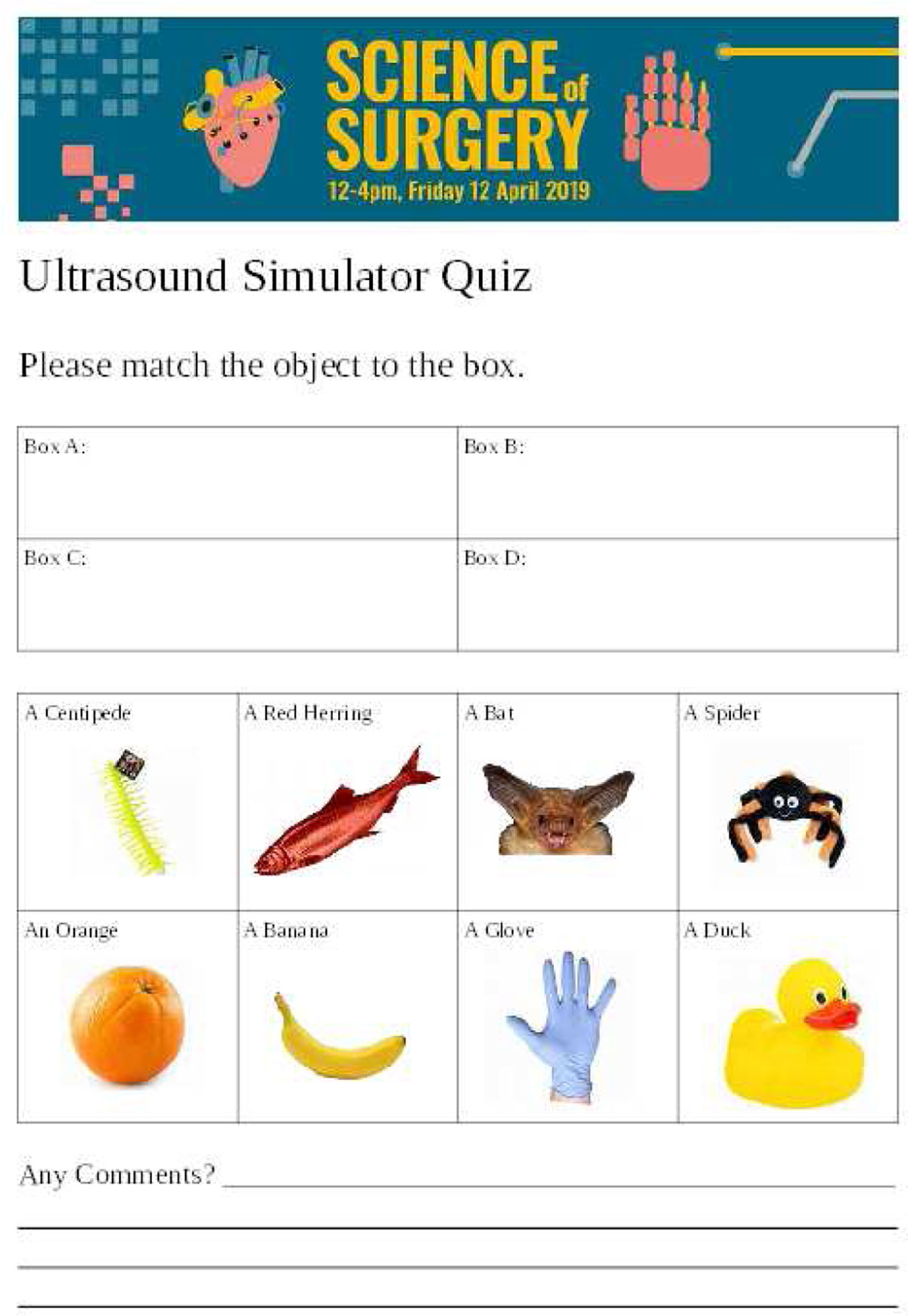
Figure 4
We evaluated the functional performance of the ultrasound simulator during a public engagement event. We asked participants to use the system to identify what household object was “in the box”, from a selection of eight possible objects shown on this form.