
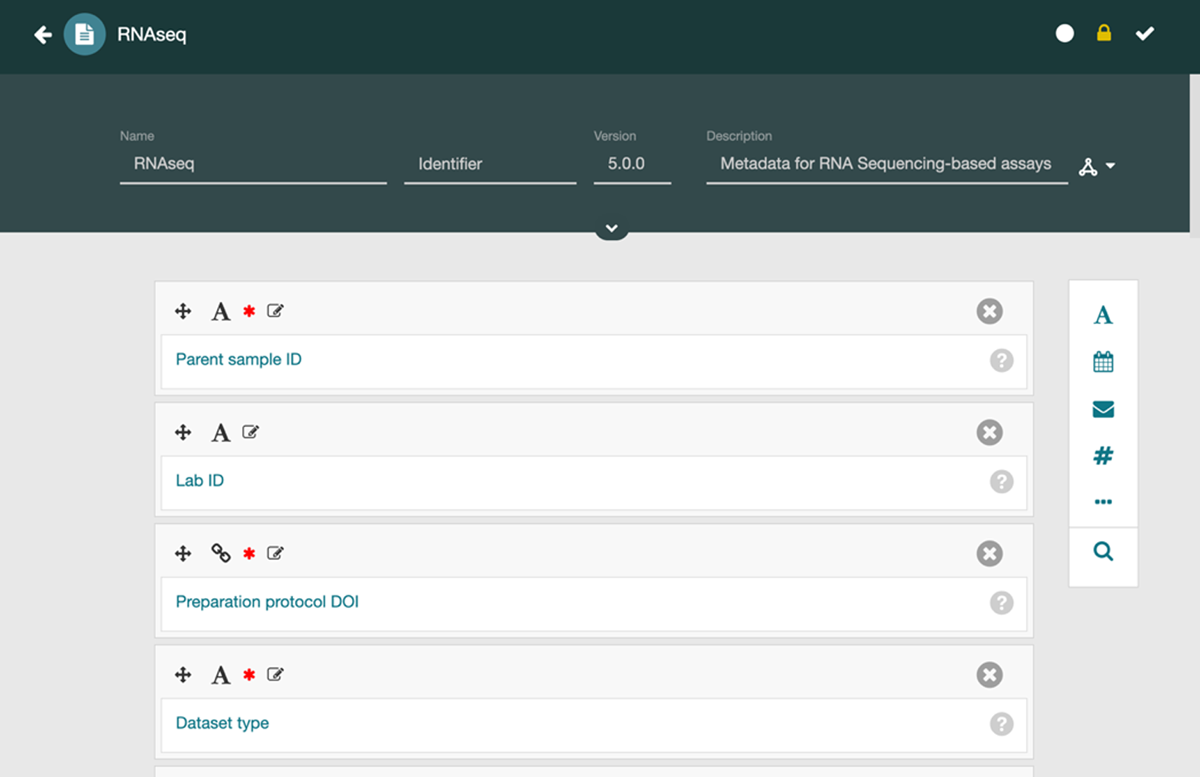
Figure 1
A CEDAR template in the Template Designer tool. Template authors can use the Template Designer to interactively build templates to describe metadata reporting guidelines. Here, the template describes metadata for an RNAseq-based assay.
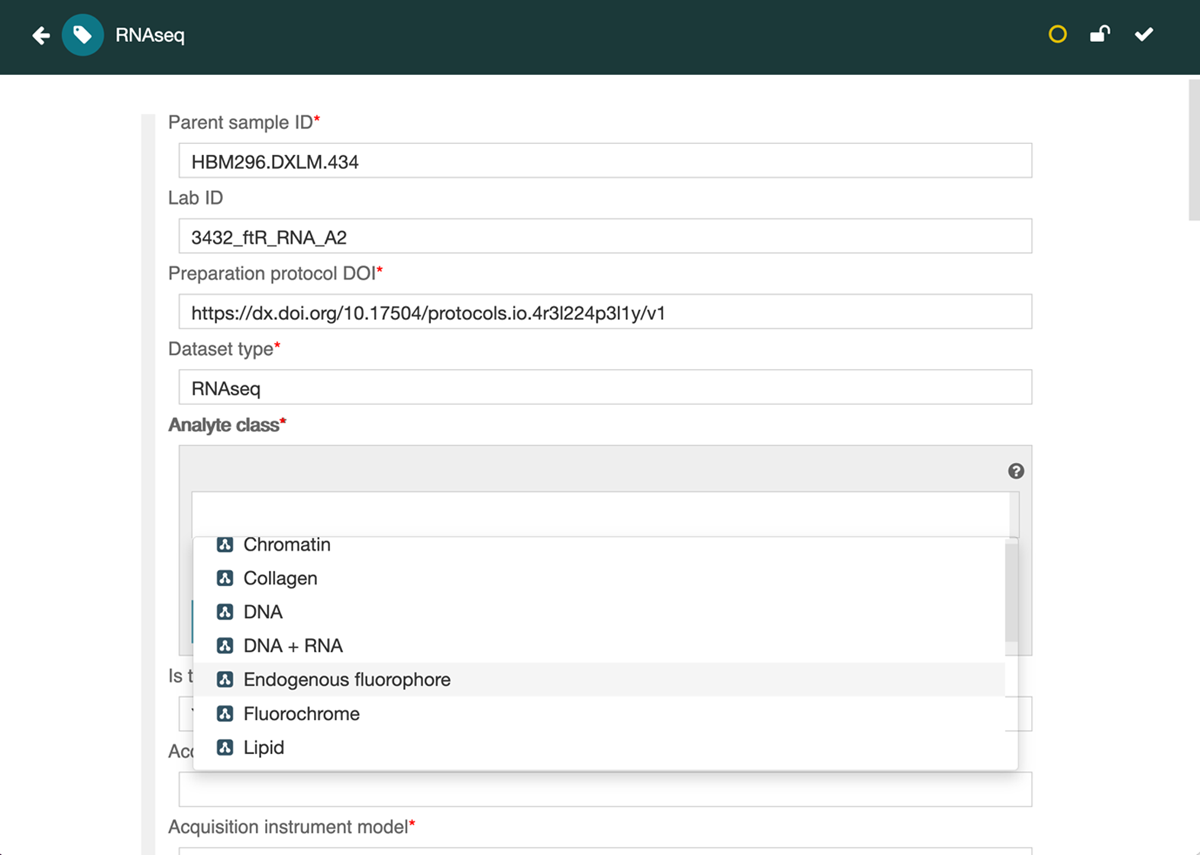
Figure 2
CEDAR-generated web-based form illustrating how metadata can be acquired from users in the Metadata Editor tool. Here, the form is generated automatically from a template that specifies metadata for a RNAseq-based biomedical assay. In this case, the metadata author has completed four initial fields and is being presented with a set of choices for a field called Analyte class. Once completed, the user can save the completed form, whereupon it is stored in CEDAR.
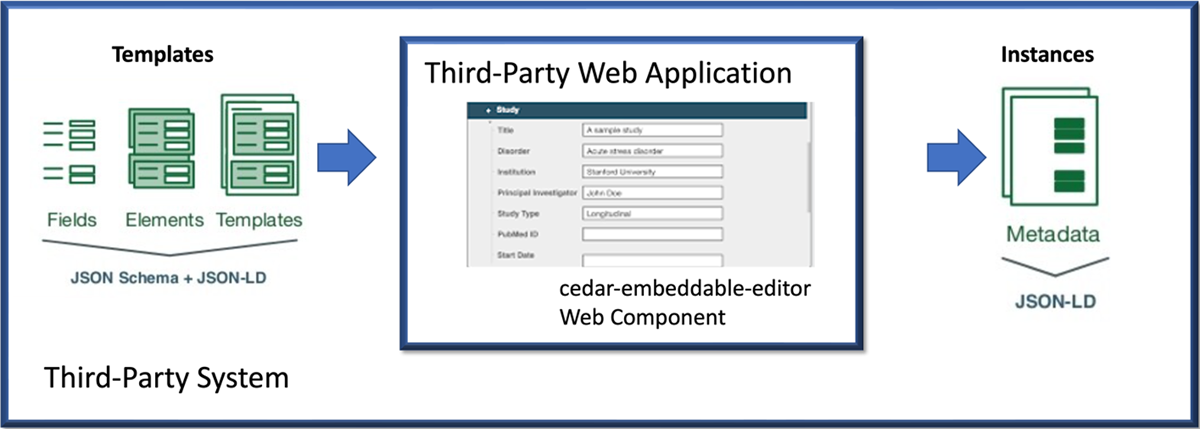
Figure 3
Integration workflow of the CEE within a third-party Web application. On the left, domain-specific metadata templates—composed of fields, elements, and templates defined using JSON Schema and JSON-LD—are created in a third-party system. These templates are rendered in the central component using the cedar-embeddable-editor Web Component, which allows users to input structured metadata directly within the host application. On the right, completed metadata instances are generated in JSON-LD format, ready for storage, reuse, or publication.
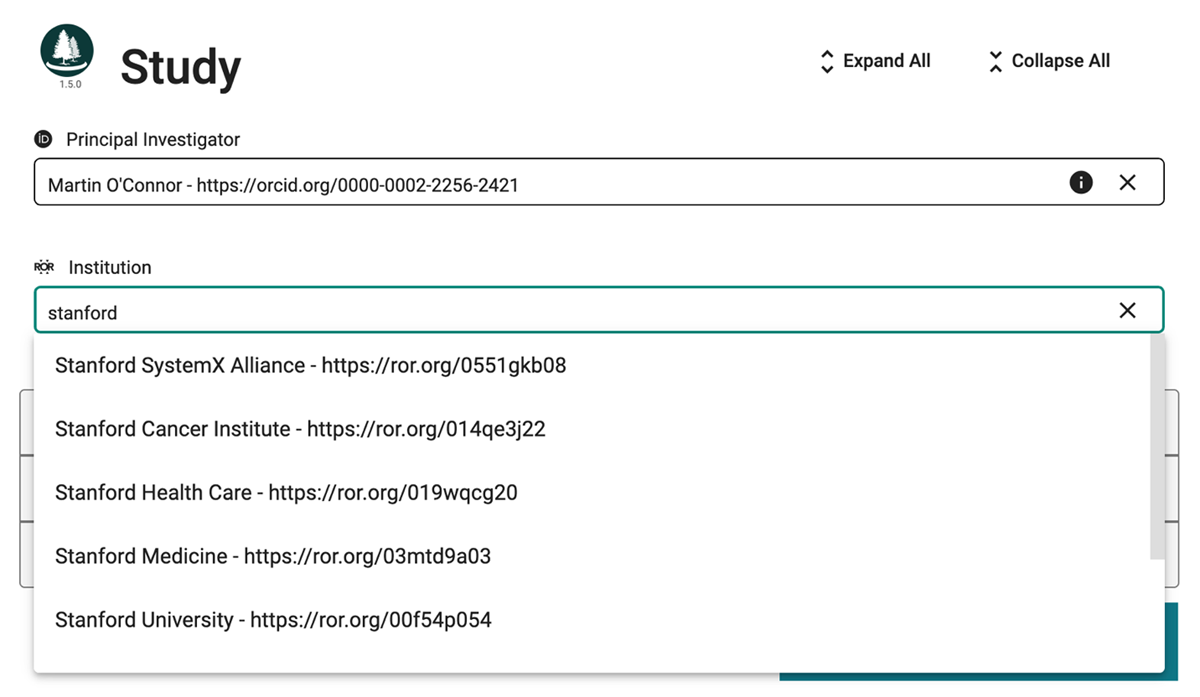
Figure 4
This image shows a metadata entry form rendered by the CEE, with the Principal Investigator field completed using a valid ORCID identifier. Below, the Institution Research Organization Registry (ROR) field shows the CEE’s autocomplete capability, allowing users to search and select standardized institutional identifiers. This external authority integration ensures precise, interoperable metadata by linking to authoritative external registries.
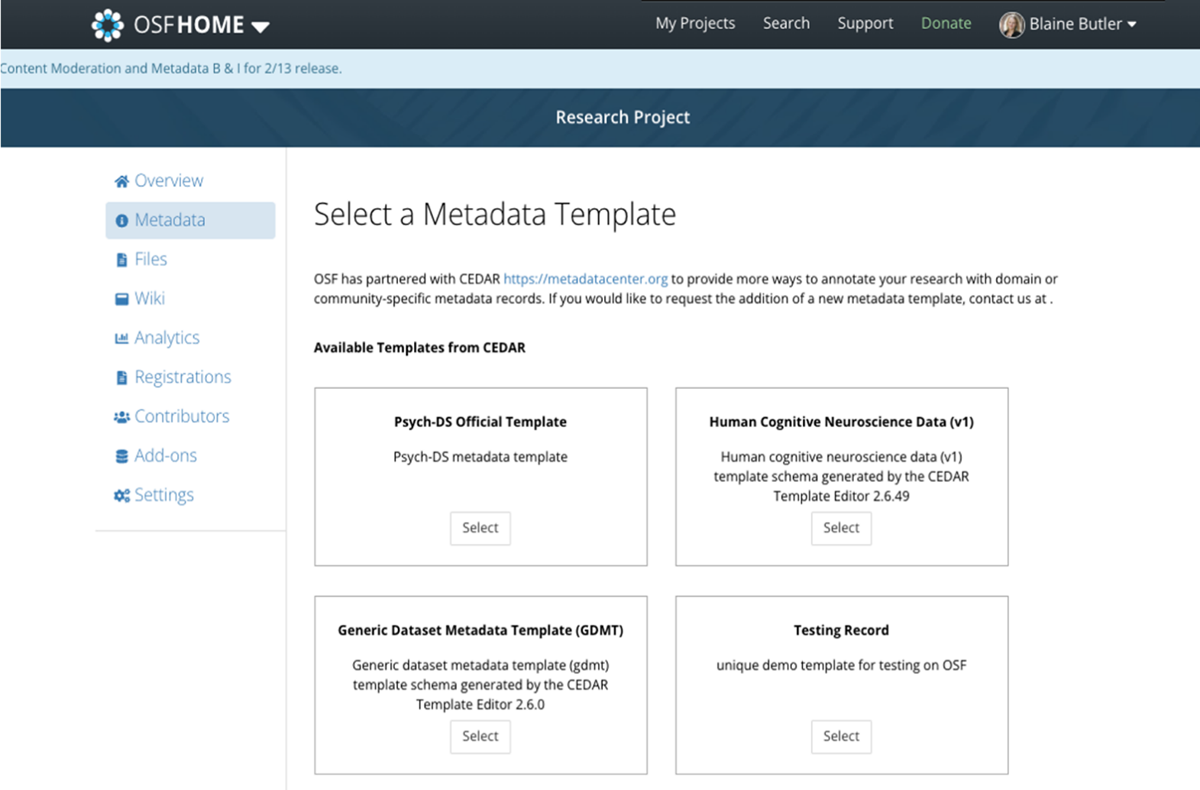
Figure 5
This OSF interface presents users with a selection of metadata templates defined using CEDAR. Each template—such as those for Psych-DS, human cognitive neuroscience data, or generic datasets—encodes a community- or domain-specific metadata standard. Upon selecting a template, users are presented with a structured metadata entry form rendered by the CEE, enabling guided, standards-compliant metadata creation directly within the OSF platform.
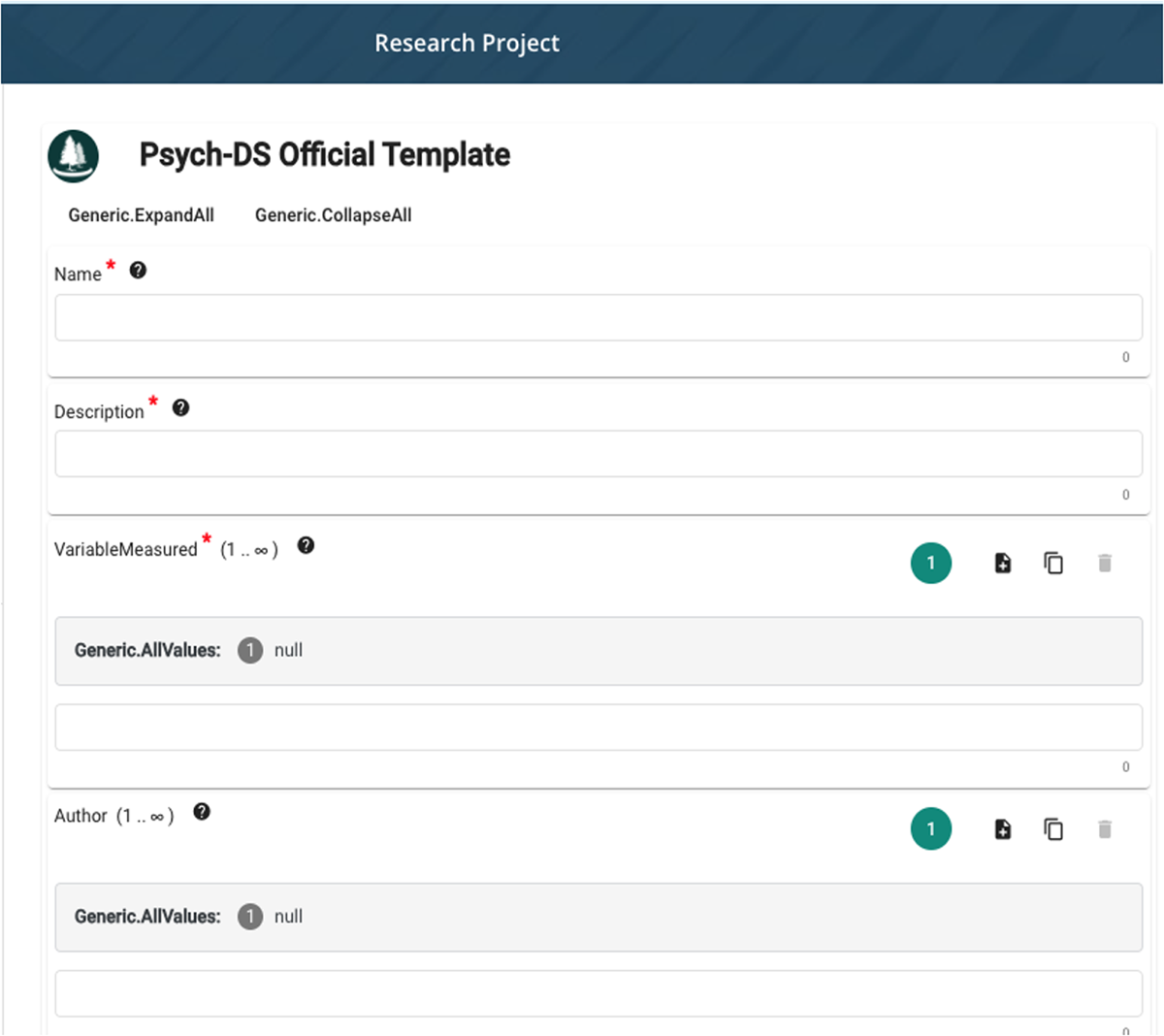
Figure 6
Psych-DS template rendered within the Open Science Framework (OSF) using the CEE. The form provides a structured interface for entering metadata fields defined by the Psych-DS metadata standard. By embedding the CEE, OSF enables users to create semantically rich, standards-compliant metadata records directly within their research workflows.
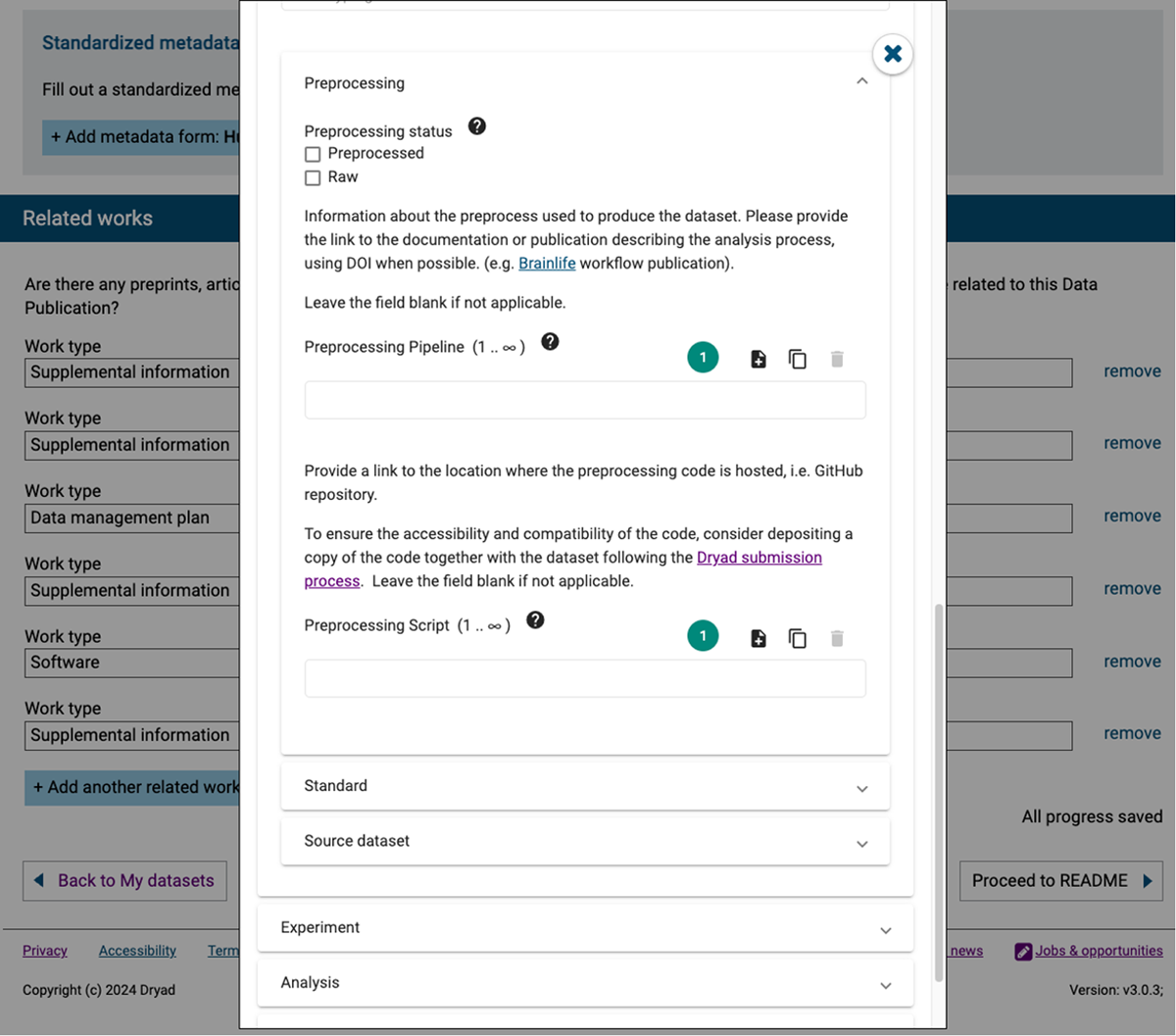
Figure 7
Neuroscience metadata template rendered within the Dryad data repository using the CEE. The displayed section captures structured metadata related to data preprocessing, including status, pipeline references, and script locations. By embedding CEE, Dryad enables researchers to input detailed, standards-based metadata directly within the dataset submission workflow, supporting reproducibility and alignment with open data best practices.