
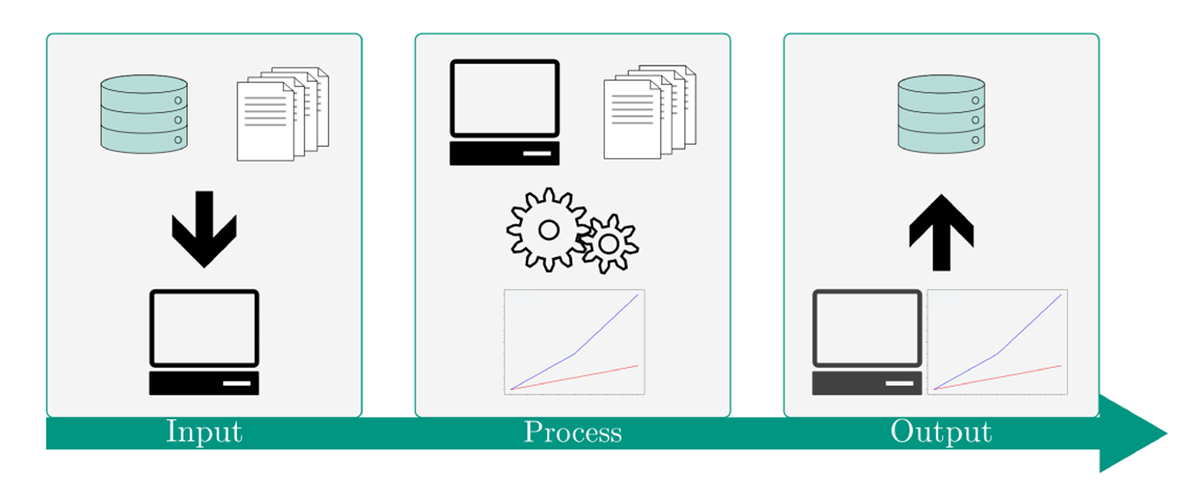
Figure 1
Schematic description of the IPO concept. Through defined inputs a process is parameterised and subsequently executed. The generated results are available via defined outputs.
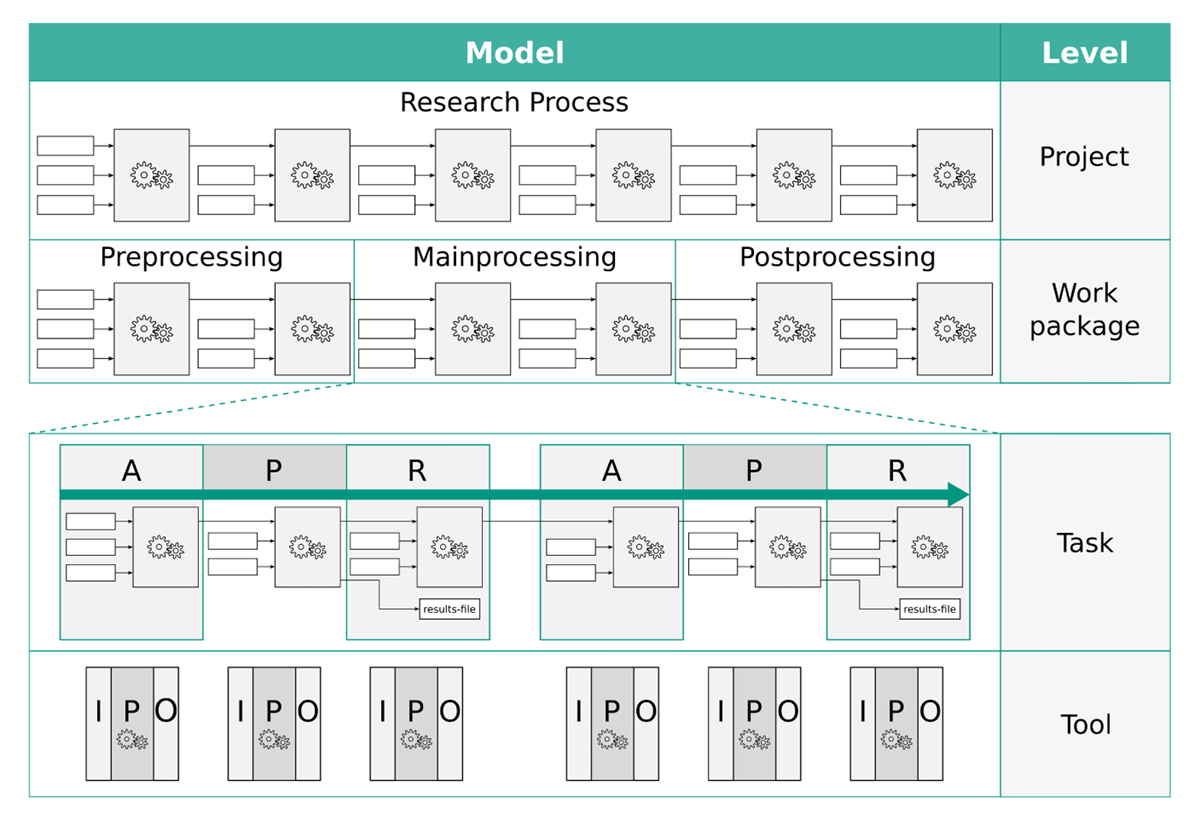
Figure 2
Abstraction of a research process at different levels of detail. Each grey box with gears models a work step while the white boxes represent their parameterisation. APR refers to the description of tasks as data acquisition, data processing, and data routing. Iteratively structuring a research process according to the IPO model ultimately defines it via multiple generic tools.
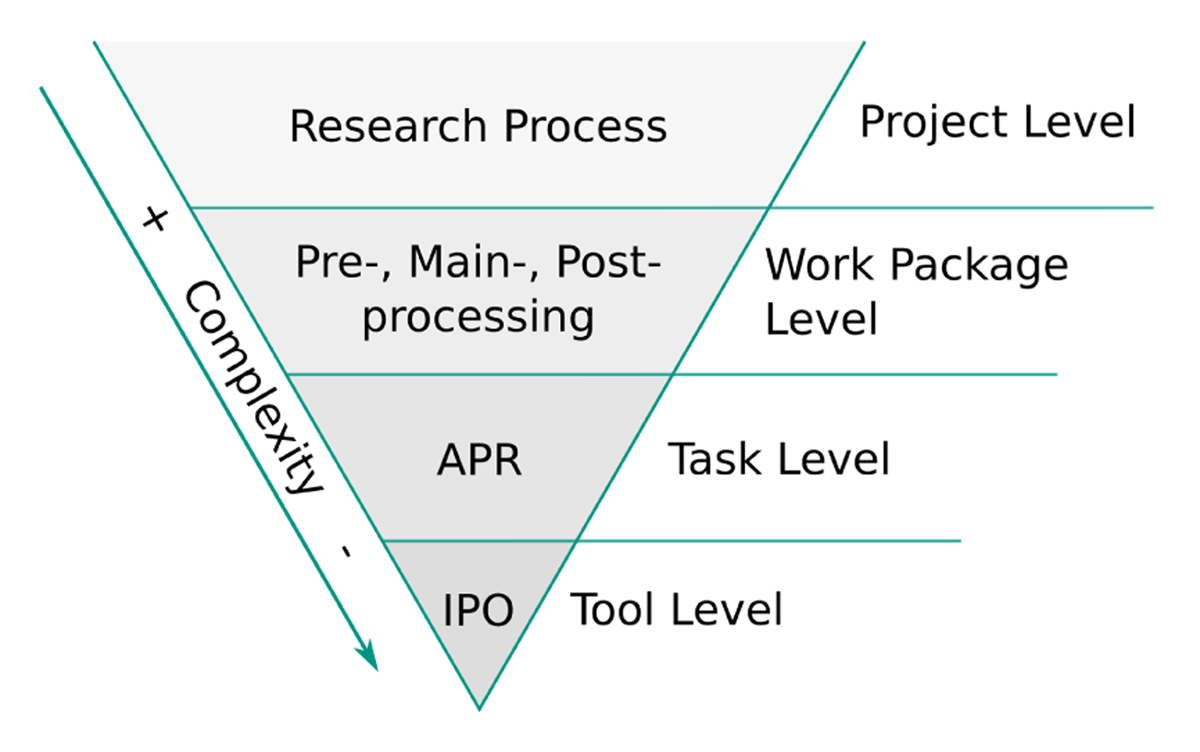
Figure 3
Reducing the process complexity by iteratively applying the IPO model to the identified processes. On each abstraction level, the process can be atomistically described. The tool level description presents a generically usable approach for modelling arbitrary research processes.
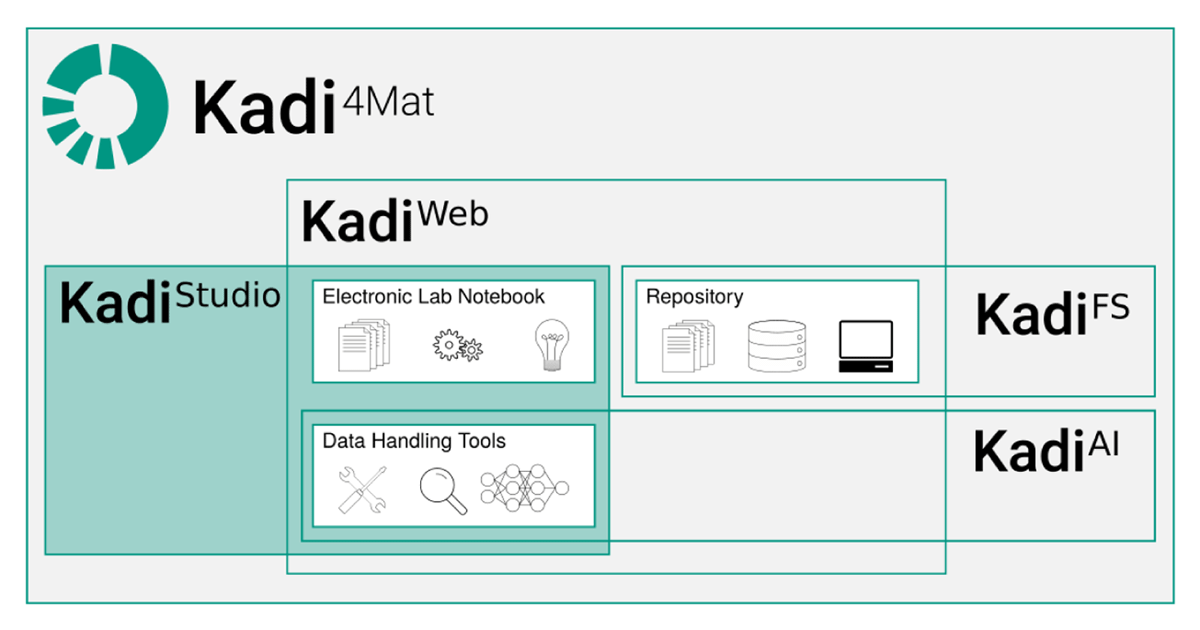
Figure 4
Conceptual overview of Kadi4Mat. Currently two software modules are available: (1) KadiWeb, a web-based virtual research environment incorporating ELN functionalities and repositories and (2) KadiStudio, a desktop-based software version which allows for the formulation and execution of workflows. Further modules such as a machine learning implementation referred to as KadiAI and a desktop-based repository called KadiFS are subject of current developments.
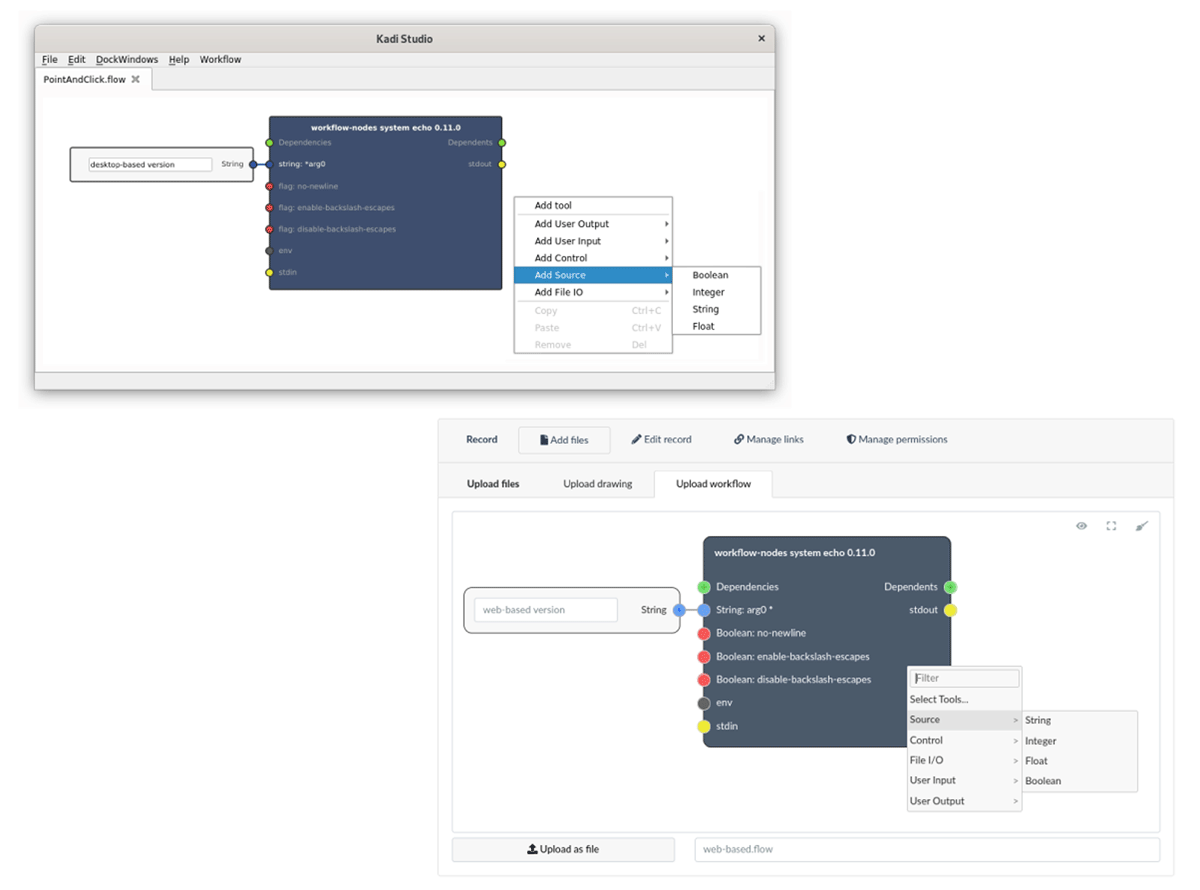
Figure 5
Overview of the available workflow editors, showing the GUI of the desktop (top) and the web-based version (bottom). Workflows can be modelled by adding and connecting nodes using a point-and-click interface.
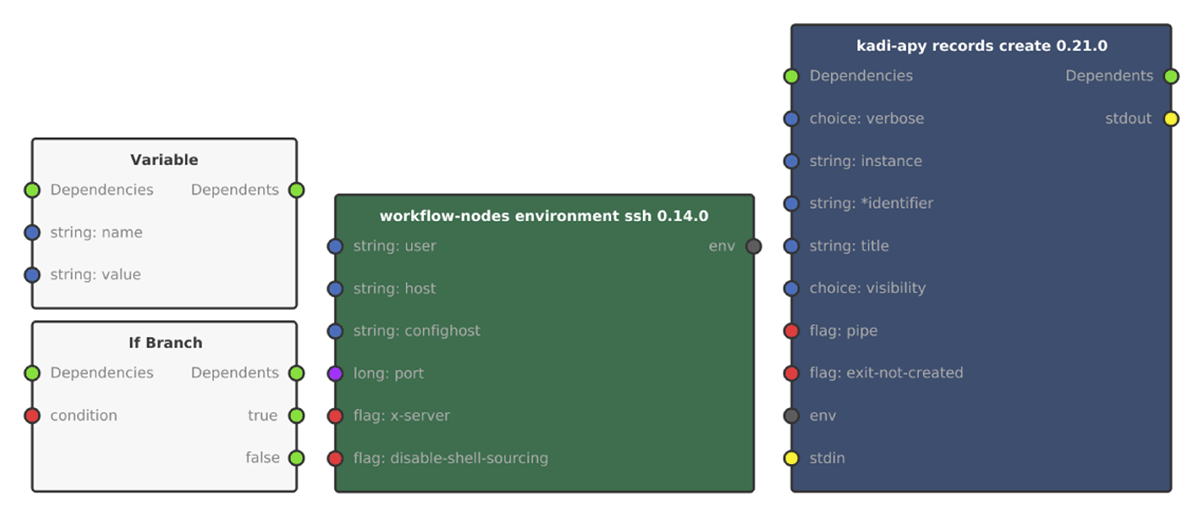
Figure 6
Available node types. Built-in nodes are grey, environment nodes green and tool nodes blue.
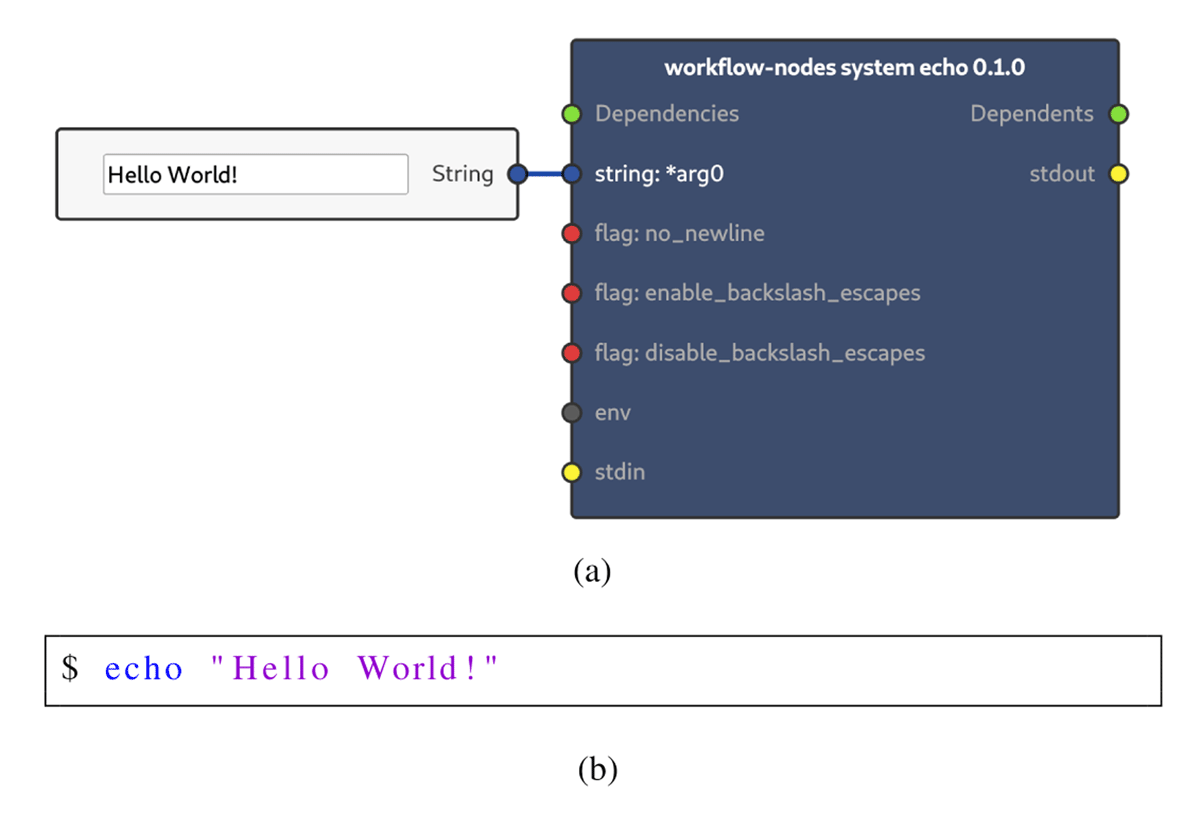
Figure 7
Overview of the node parameterisation. The parameterisation of an echo node using a string source node is shown in (a). this is equivalent to the command shown in (b).
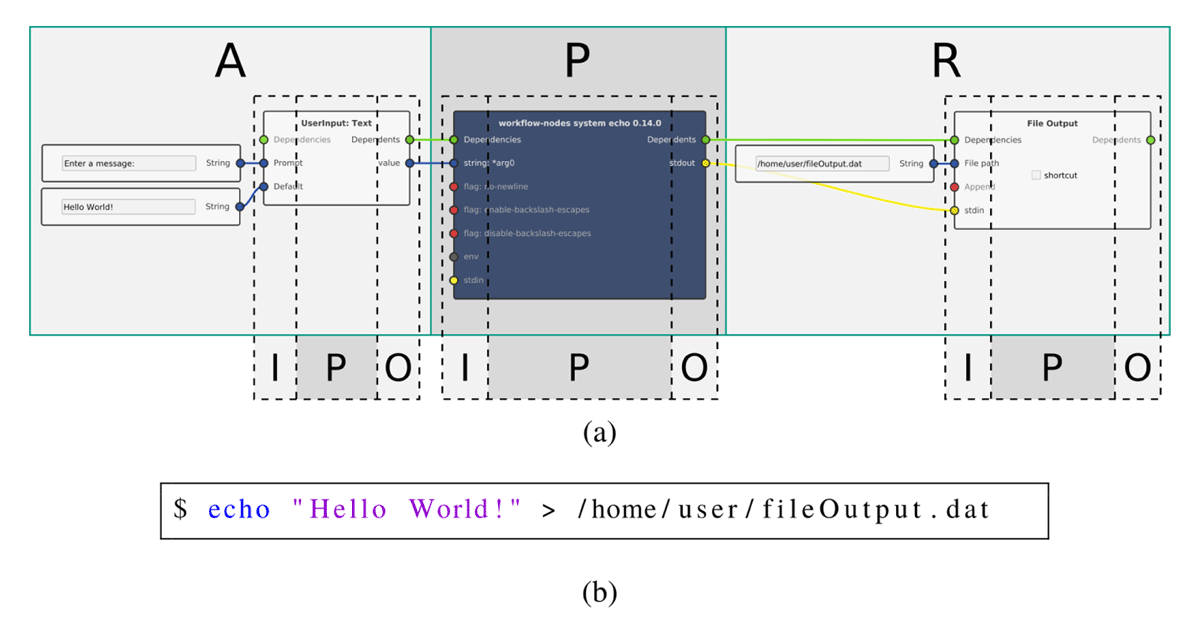
Figure 8
Visualisation of the workflow modelling concept implemented in KadiStudio. Multiple tools are connected according to the APR model forming a simple workflow. Connecting the stdout port to the stdin port as shown in (a) pipes the standard output stream of the tool node into the standard input stream of the File Output node that finally routes them into a file. This demonstrates structuring the tools of a task depending on their purpose in the data flow. This has the same effect as the command shown in (b).
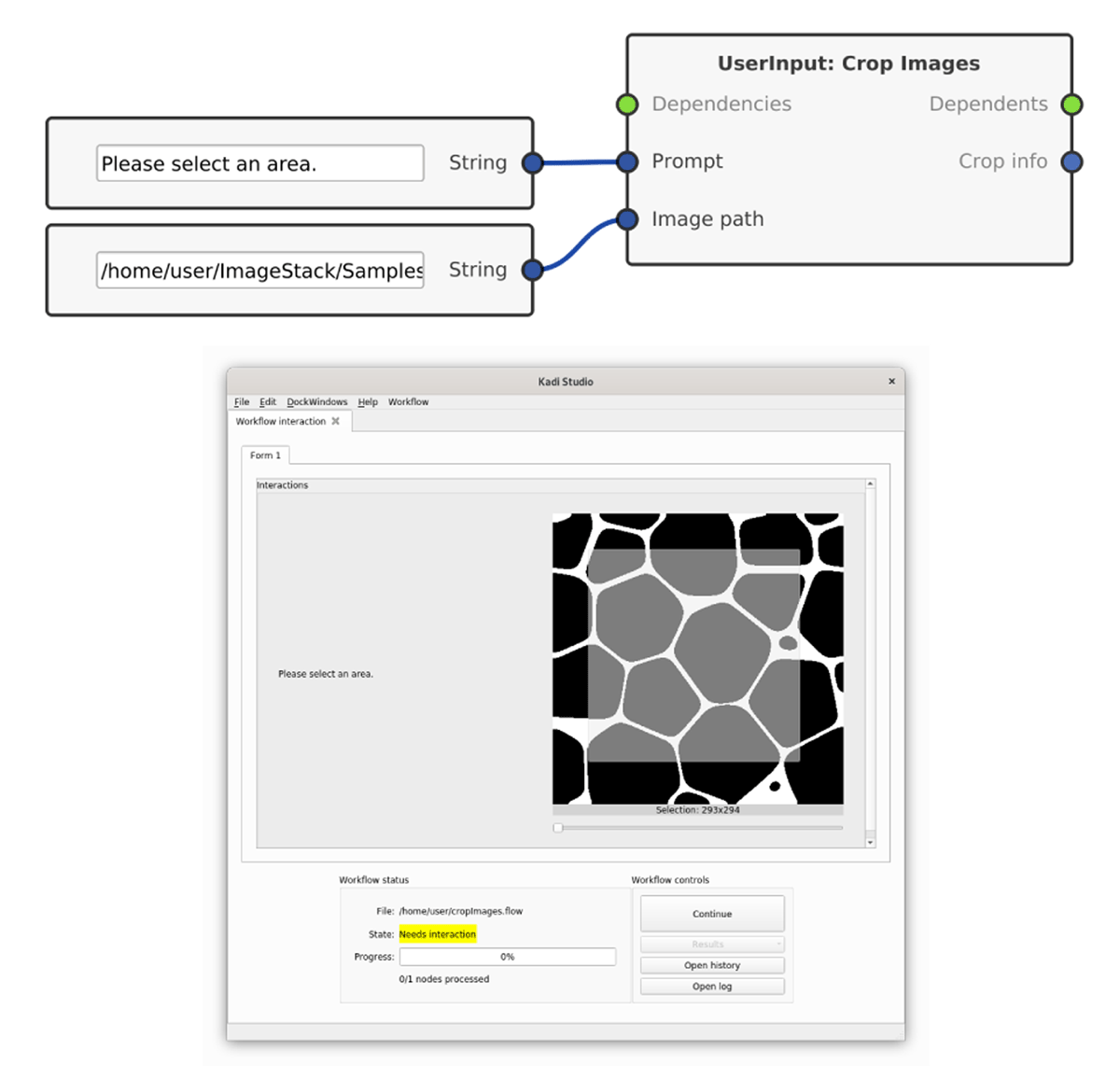
Figure 9
Usage of UserInput nodes. During the execution, the user is prompted for an input, such as to select an image area, as shown in this example. The selected area can then be used in further investigations.
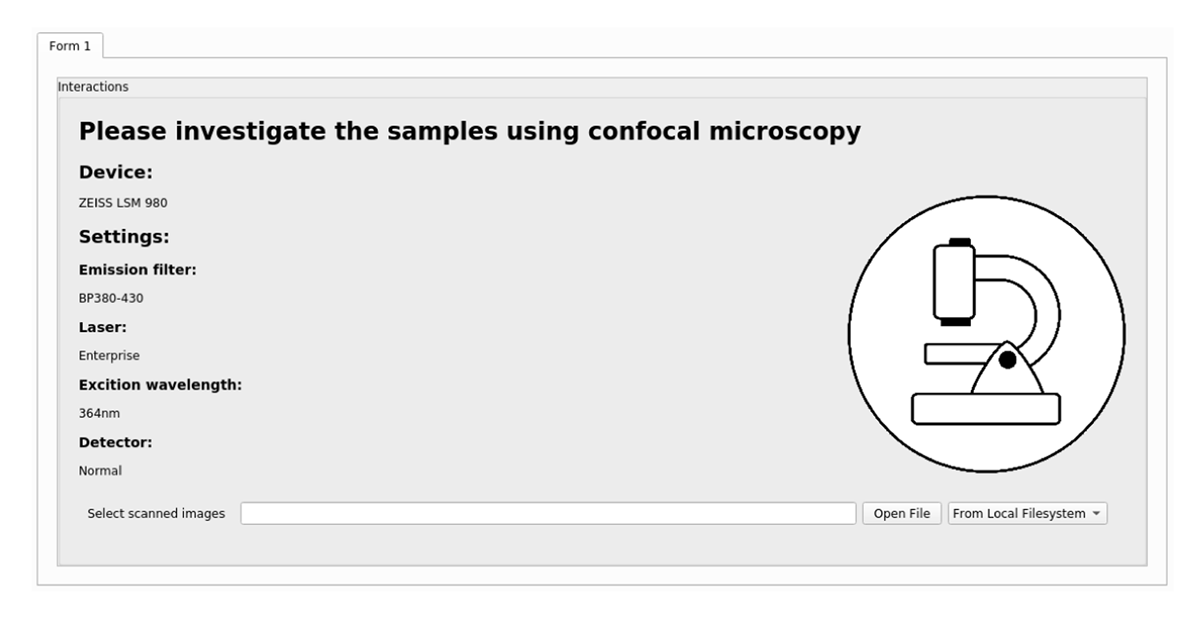
Figure 10
Integrating manual work steps by giving the user all necessary parameters and asking them to select the generated results.

Figure 11
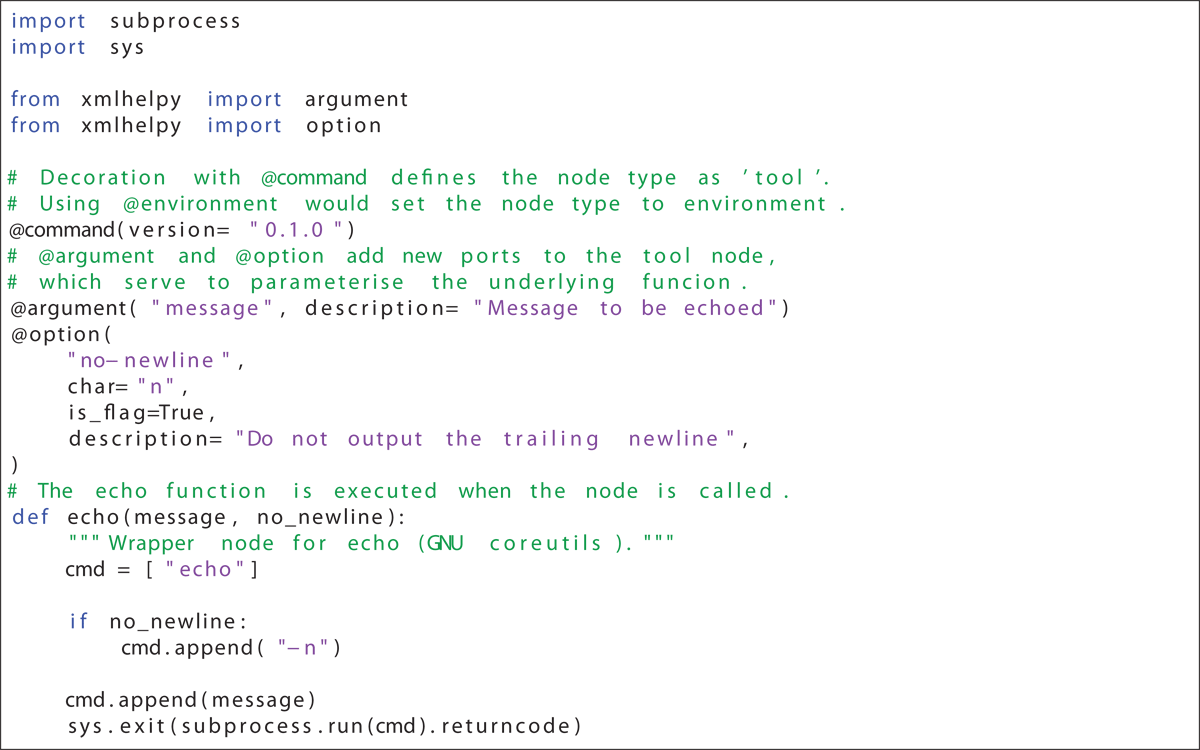
XML output of the wrapper script shown in Listing 1 of appendix A, that is printed when using the --xmlhelp option. The root element program specifies the command as a regular tool. Each of the param elements represents a configurable option of the wrapped command.
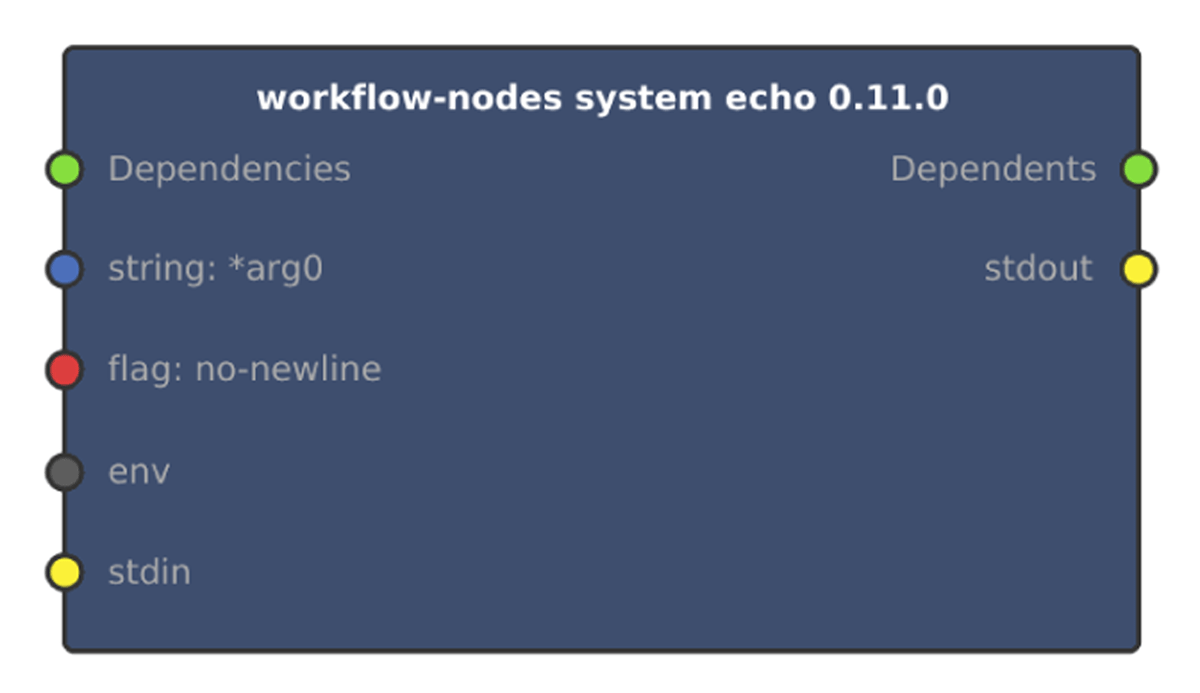
Figure 12
Created echo node. Echo node derived from the XML output shown in Figure 11. Each param is represented by an input port. Tool node specific ports such as env are added automatically.
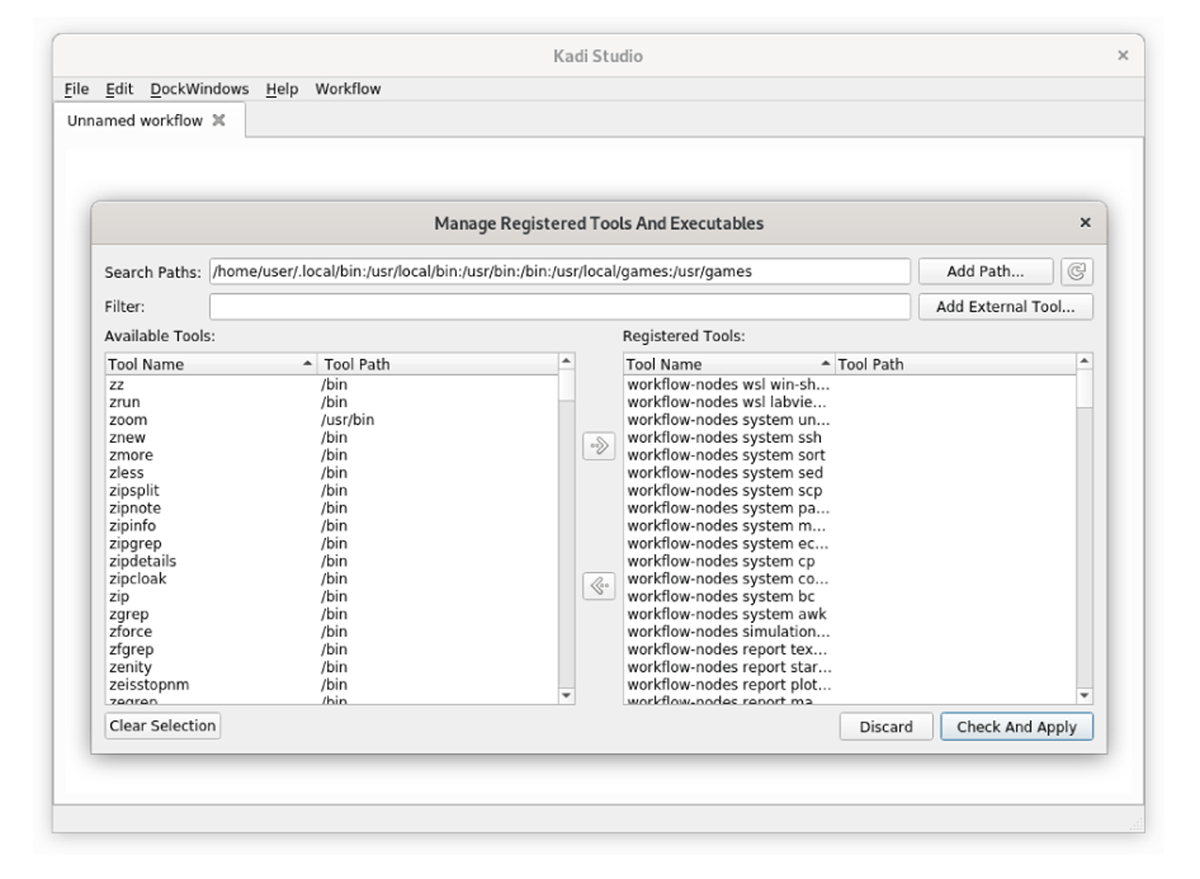
Figure 13
Dialogue for registering tools in the editor of KadiStudio. All executables in the PATH are listed. Commands can be queried and the default search path can be extended by the user.
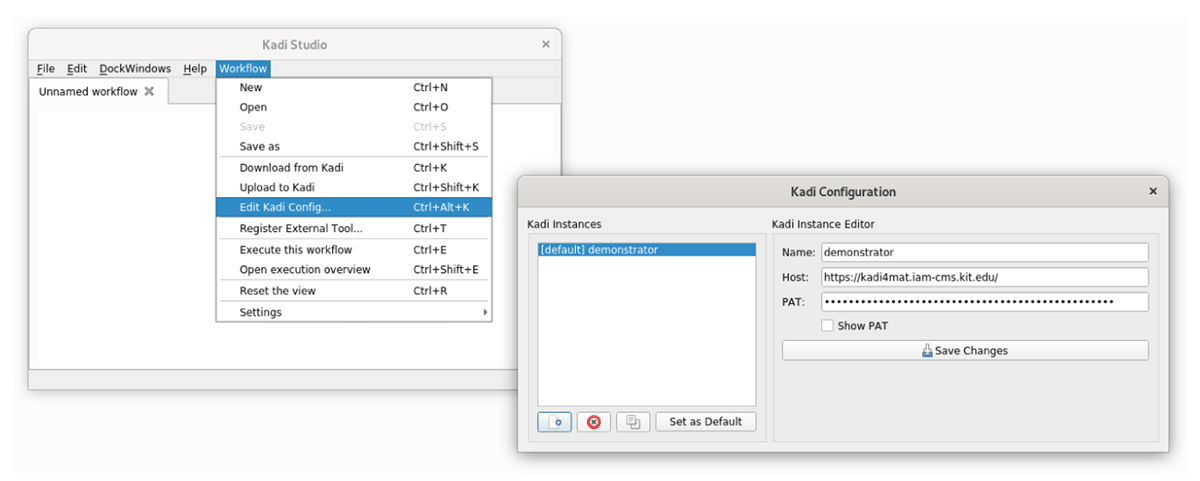
Figure 14
Dialogue for registering Kadi4Mat instances. Registered instances can be accessed during a workflow to use the functionalities of the repository and to exchange data.
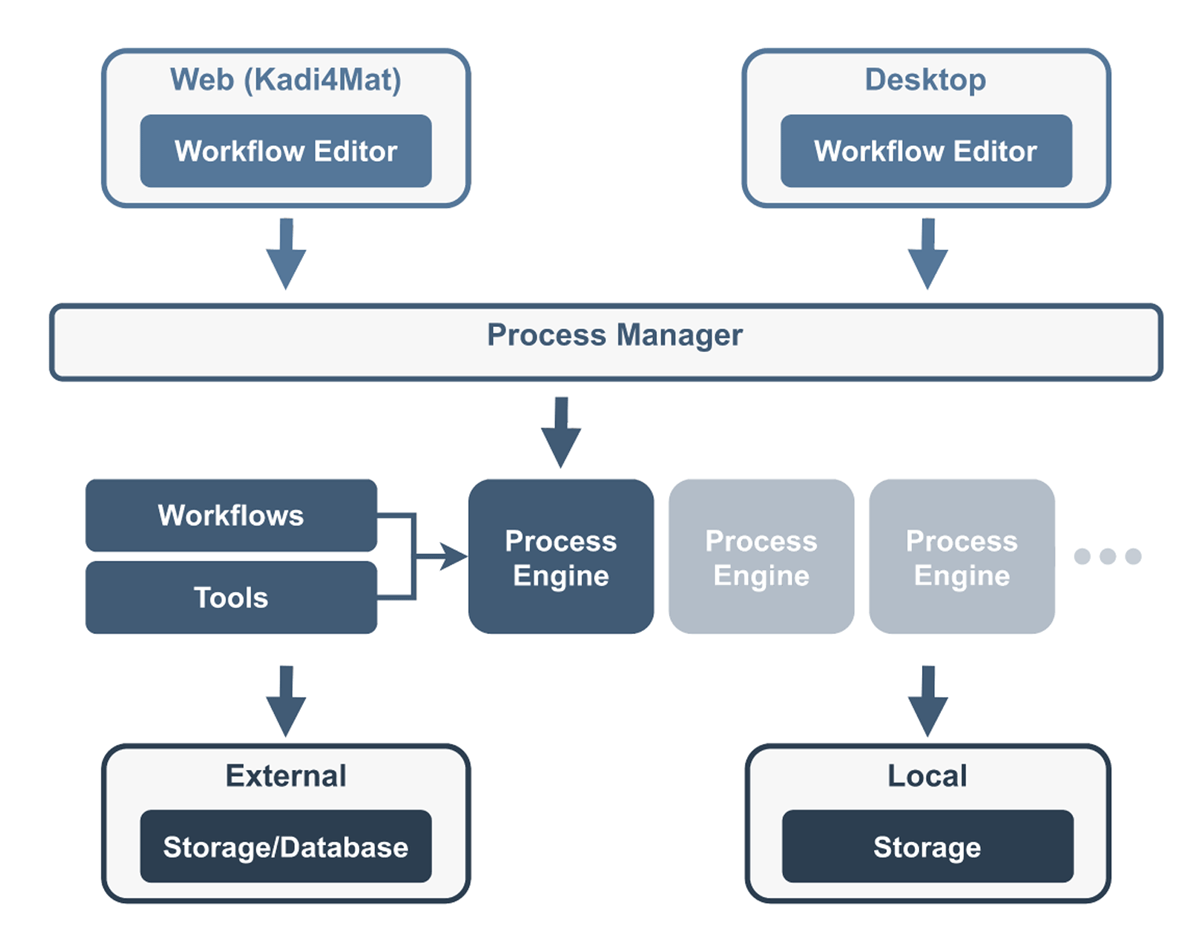
Figure 15
Architecture of the workflow system. Based on Figure 3 (Brandt et al. 2021) (CC BY 4.0). The process manager orchestrates and monitors the execution of workflows by delegating it to a suitable process engine and tracking its status.
Listing 1
Echo node example.