
Table 1
Secure Enclave Features.
| Physical Level | Dedicated Hardware co-Processors |
| System-wide Bus-Address Filters | |
| Trusted Execution Environments | |
| “Airlocks” with Two-Person Rules | |
| Network Level | Virtual Private Networking |
| Time-based One-time Passwords | |
| Encrypted Data Transfer | |
| Workstation Level | Remote Desktop |
| Access Control | |
| Data Level | Encryption (at rest) |
| Homomorphic Encryption | |
| Pseudonymization | |
| Anonymization | |
| Differential Privacy |
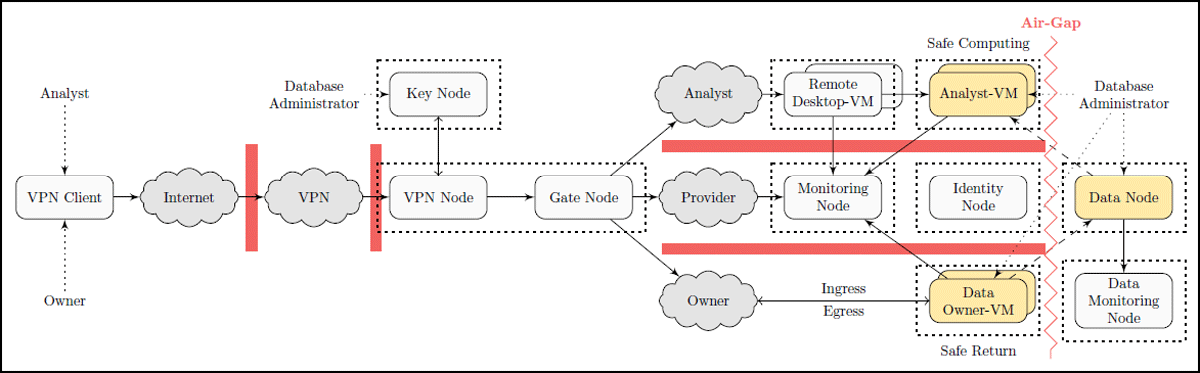
Figure 1
The multiple security layers in our reference implementation. Components in golden color contain sensitive data anytime, red bars are restricted firewall barriers. Dotted boxes denote physical servers on which nodes can be deployed or virtualized (the VPN Node and Gate Node can share a physical server).
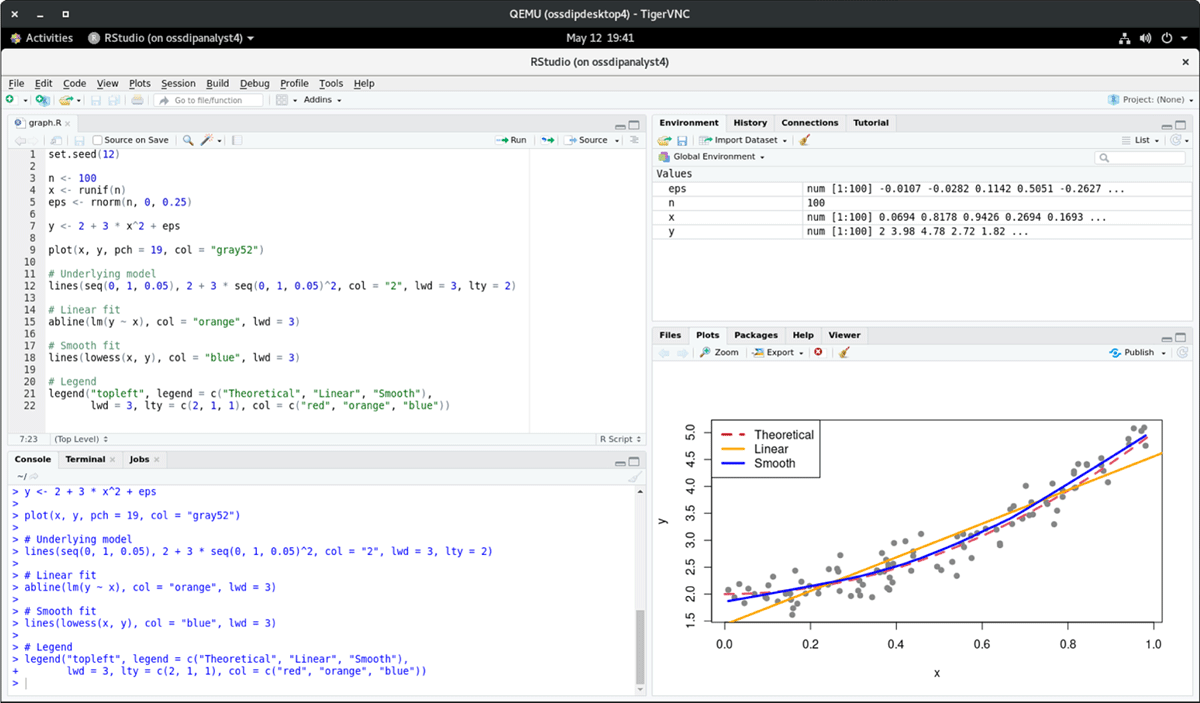
Figure 2
The Analyst can visit sensitive data using e.g. RStudio through the windowing system from the Remote Desktop-VM. The screenshot contains sample data for visualization purposes.
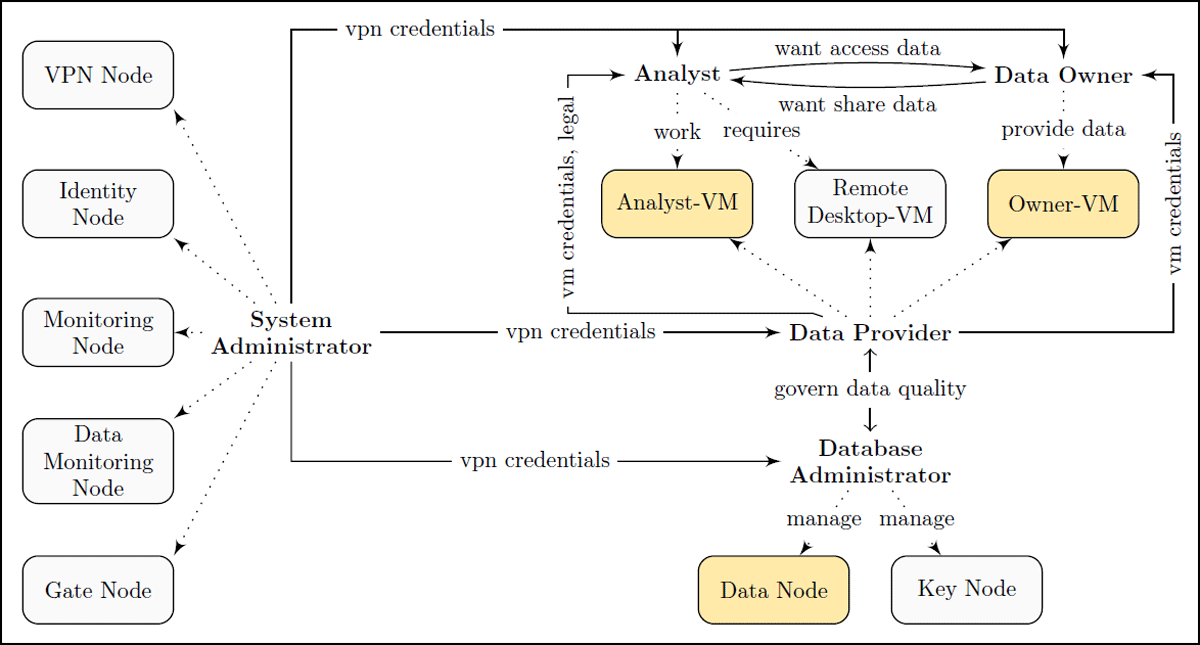
Figure 3
Social architecture of OSSDIP, dotted arrows are tasks that the respective role performs on infrastructure components.
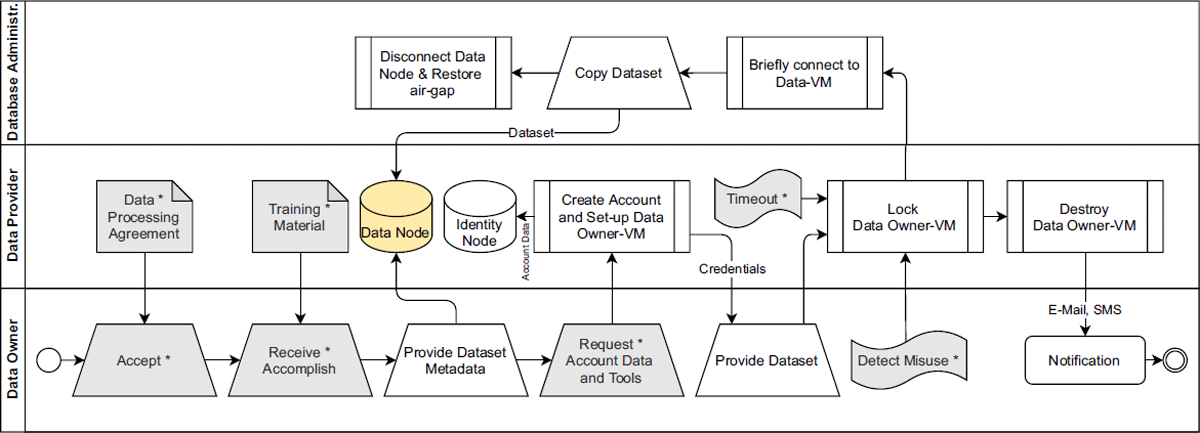
Figure 4
To import data into the infrastructure, the Data Owner must follow the Data Ingress process (steps that are relevant only when the Data Provider is different from the Data Owner are colored gray and marked with an asterisk *). We color the Data Node golden, since it contains sensitive data.
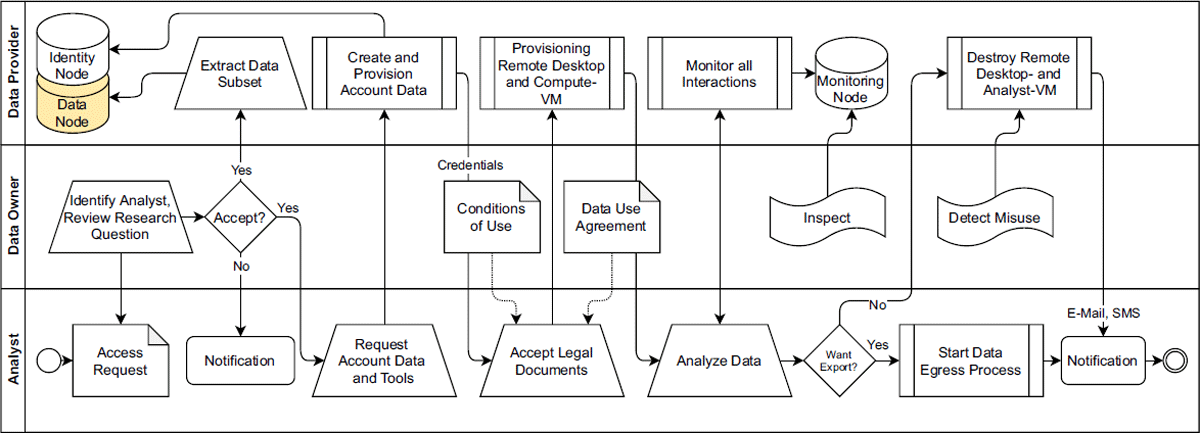
Figure 5
To visit data in the infrastructure, the Analyst must follow the Data Access process. Since the Data Node contains sensitive data, we color it golden.