
Table 1
Examples of infrastructure in digital humanities and digital classics.
| Infrastructure type | Examples in DH and DC |
|---|---|
| Original digital collections | PDL, Papyri.info, NINES, Digital Latin Library, Coptic Scriptorium, Roman de La Rose |
| Linked data providers and gazetteers | Pleiades, PeriodO, Syriaca.org, VIAF, Getty, Trismegistos, DBPedia |
| General purpose platforms, CMS, VREs, tools and services | Omeka, MediaWiki, Heurist, TextGrid, Voyant, Mirador, CollateX, JUXTA, Neatline |
| Domain-specific platforms, CMS, VREs, tools and services | Perseids, Recogito, Symogih, PECE |
| Repositories and service providers | CLARIN, DARIAH, EUDAT, MLA Commons/CORE, HumaNum, Hathi Trust Research Center, California Digital Library |
| Aggregators and portals | Europeana, Digital Public Library of America, HuNi, EHRI |
| APIs and standards | IIIF, OA, TEI, OAUTH, Shibboleth/SAML, CTS |
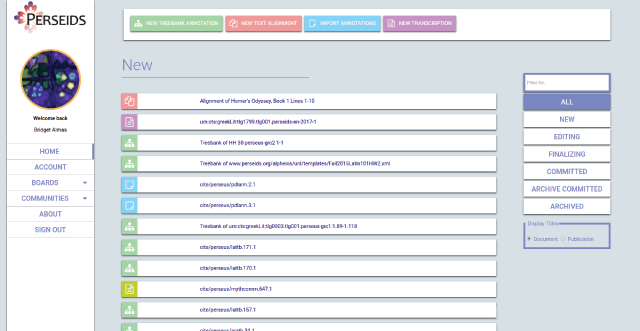
Figure 1
The Perseids home screen, showing a variety of data types and actions.
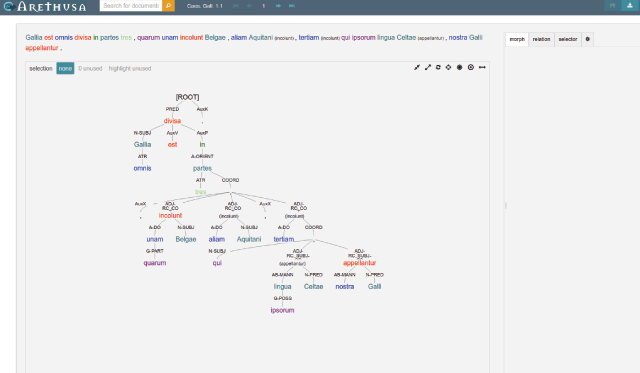
Figure 2
Annotating a Treebank in Arethusa.
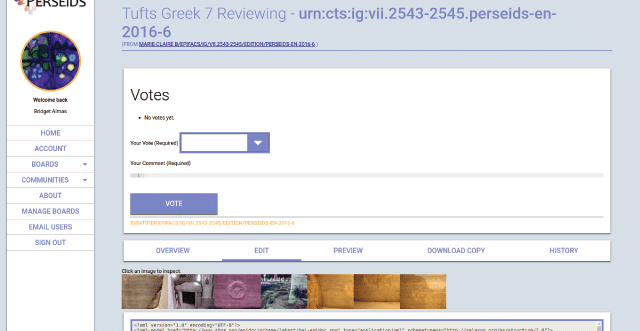
Figure 3
Perseids user interface – voting on a publication.
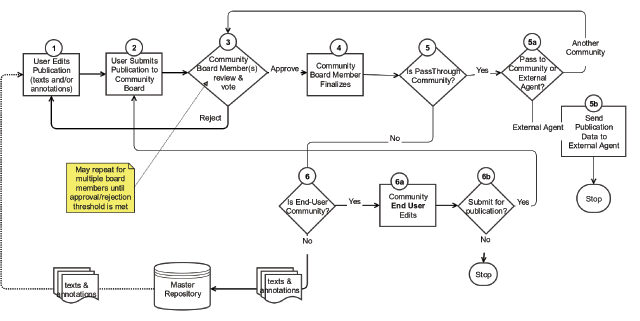
Figure 4
Perseids review workflow.
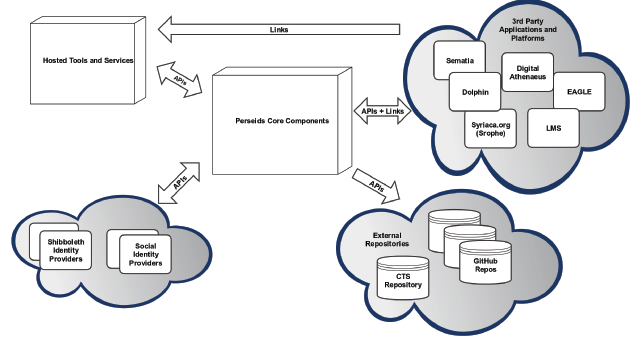
Figure 5
Perseids infrastructure and ecosystem.
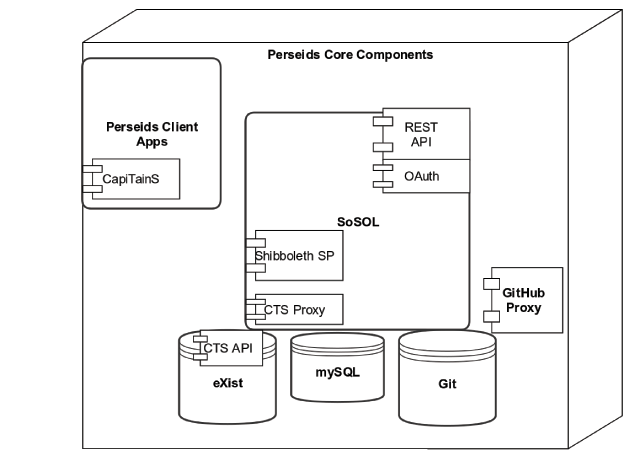
Figure 6
Perseids core components.
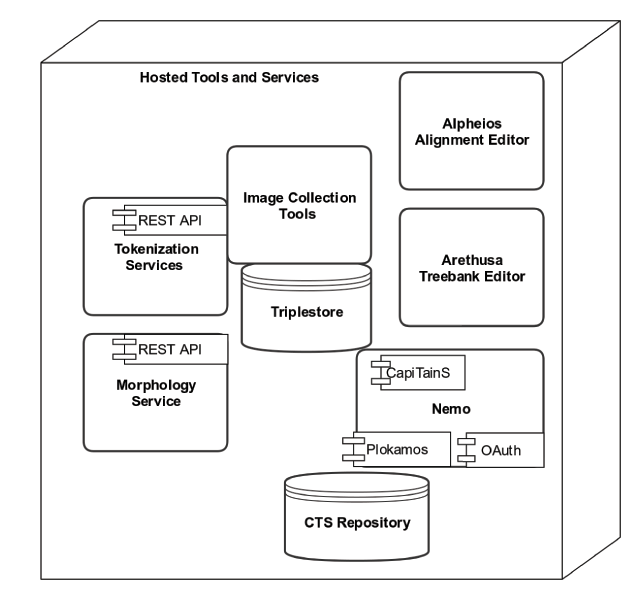
Figure 7
Perseids hosted tools and services.
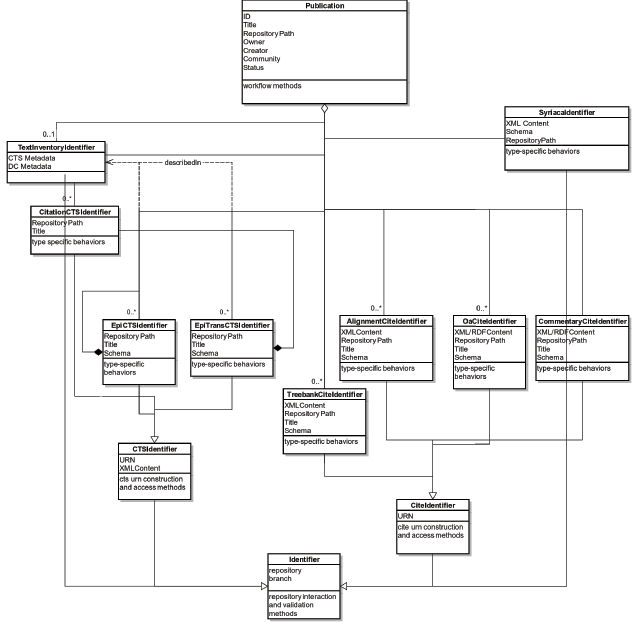
Figure 8
Perseids information model.
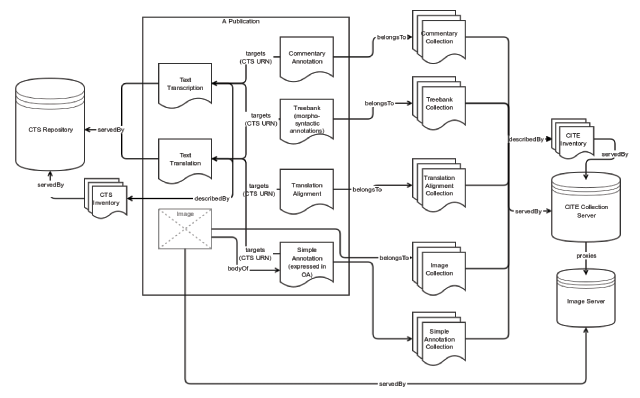
Figure 9
Perseids publication as a CTS focused research object.
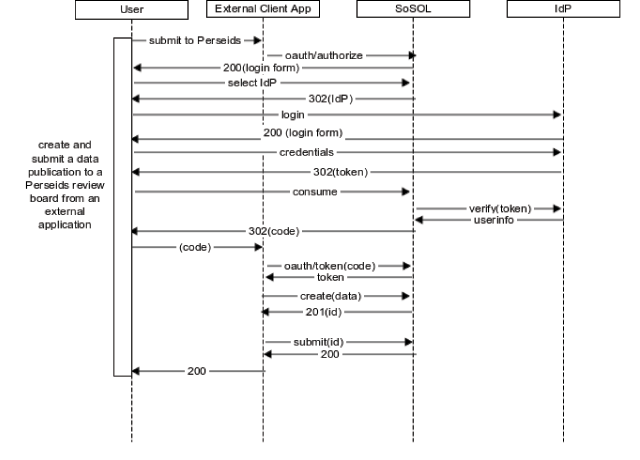
Figure 10
Creating and submitting a publication from an external application using OAuth2.
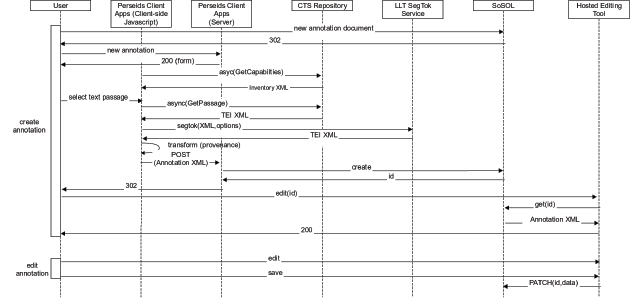
Figure 11
Sequence of API interactions for creating and editing a CTS-focused annotation template using the Perseid Client Apps and a locally hosted editing tool.
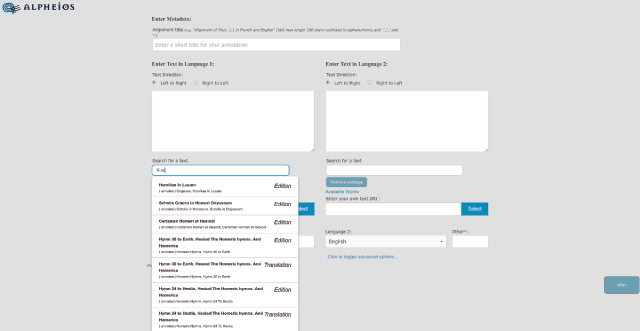
Figure 12
Using the Perseids Client Apps to create a new translation alignment annotation in Perseids for editing via the Alpheios Alignment Editor. Texts available for use are populated via a call to the CTS API.
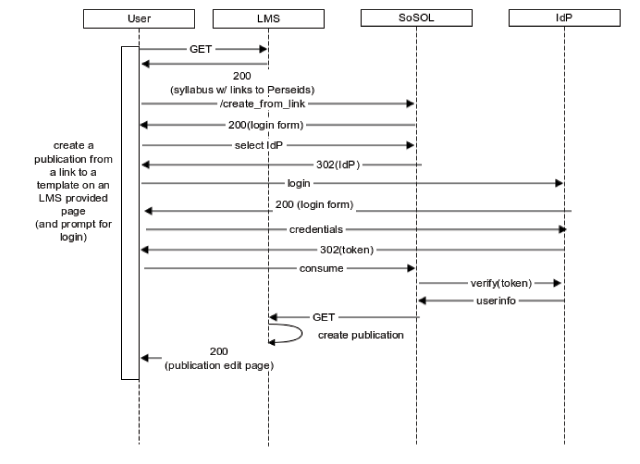
Figure 13
Sequence of actions for creating a publication from an LMS-hosted syllabus and annotation template.
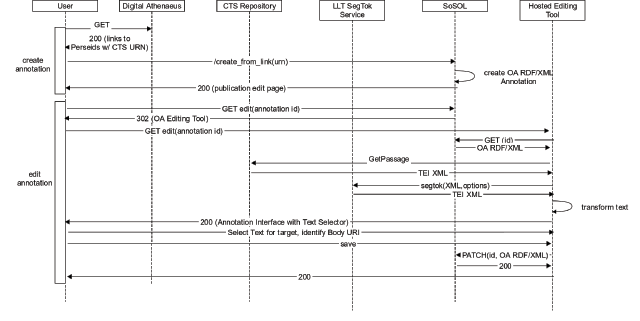
Figure 14
Sequence of actions for creating a CTS targeted text annotation publication from a link from Digital Athenaeus.
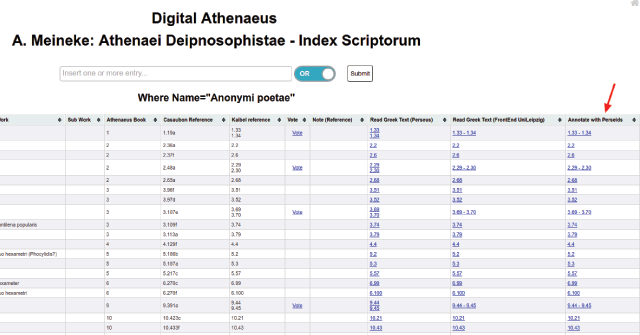
Figure 15
Screenshot of the Digital Athenaeus interface (at http://www.digitalathenaeus.org) showing the links to Annotate in Perseids.
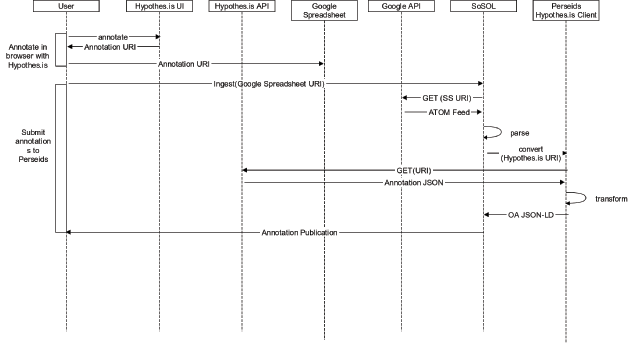
Figure 16
Perseids Hypothes.is workflow.
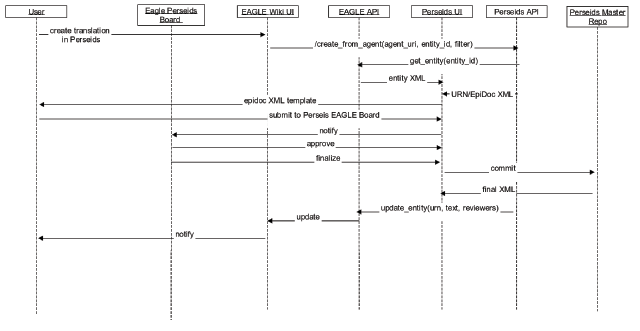
Figure 17
Perseids/EAGLE workflow.
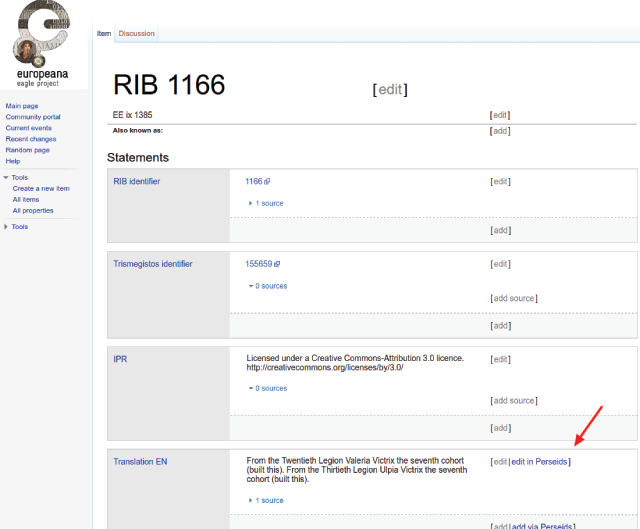
Figure 18
Screenshot of the EAGLE Portal (http://www.eagle-network.eu/wiki) showing a link to edit a translation in Perseids.