
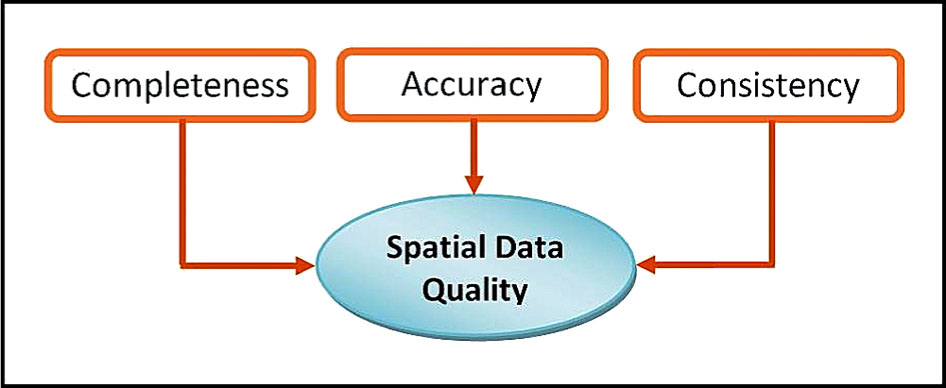
Fig. 1
Data quality parameters.
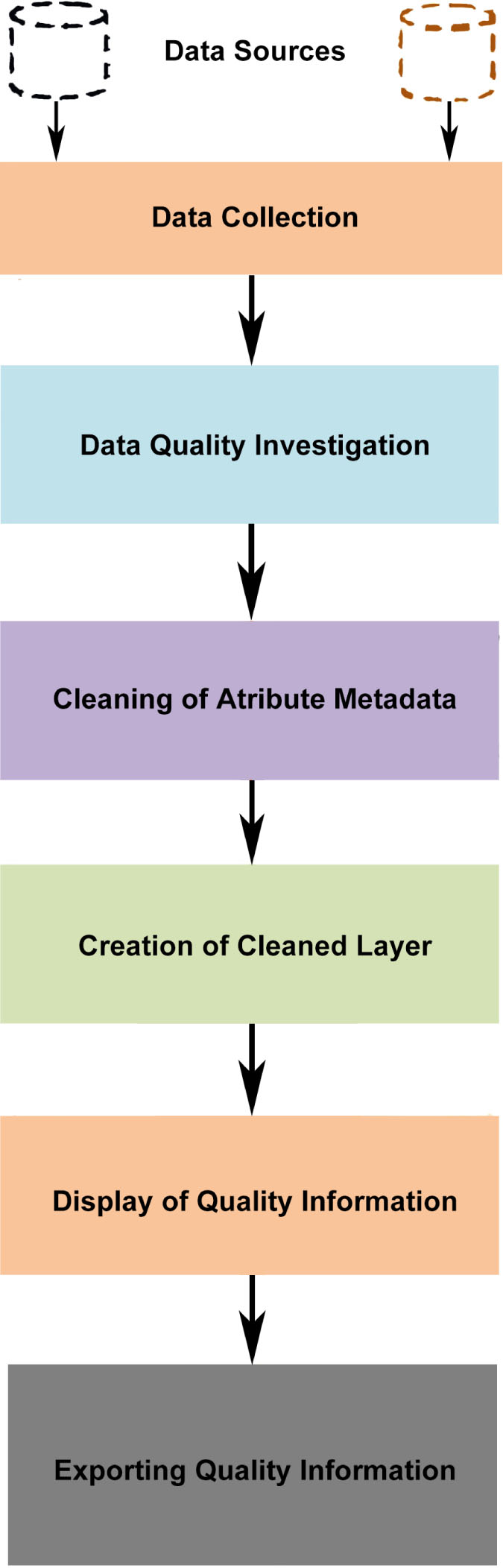
Fig. 2
Framework of the GeoWebCln tool.
Algorithm: GeoWebCln Algorithm
|
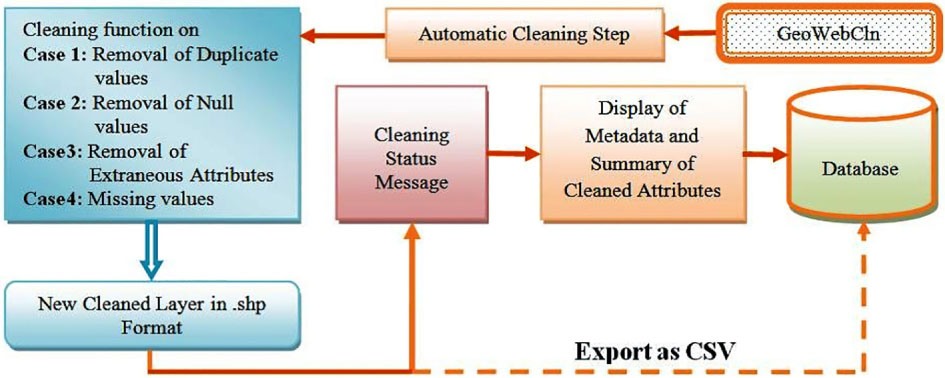
Fig. 3
Data cleaning process using GeoWebCln tool.
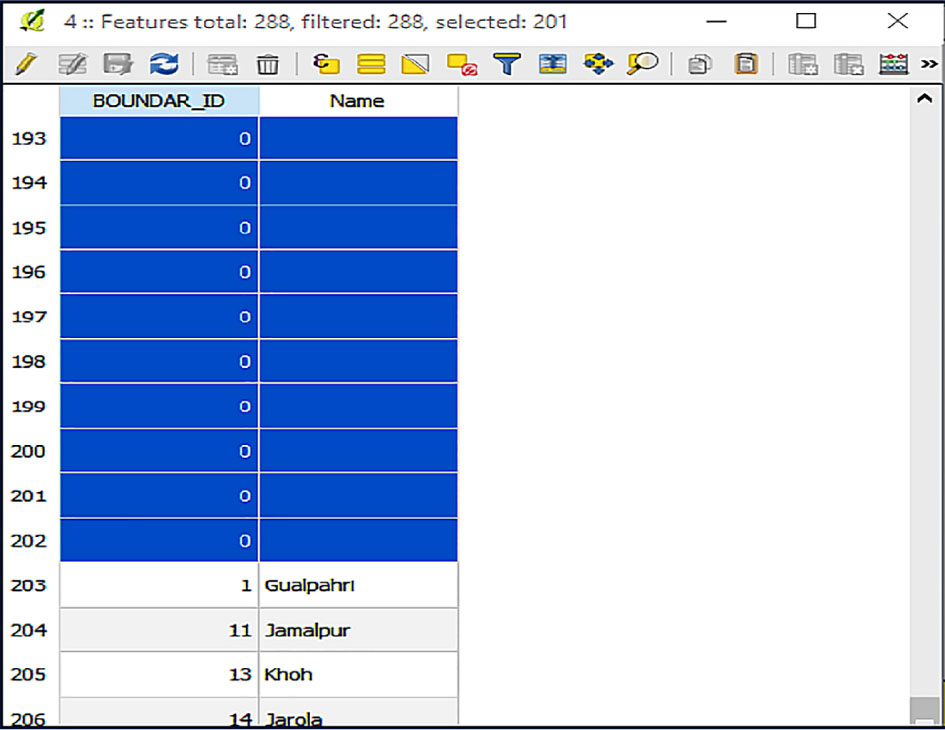
Fig. 4
Duplicate values.
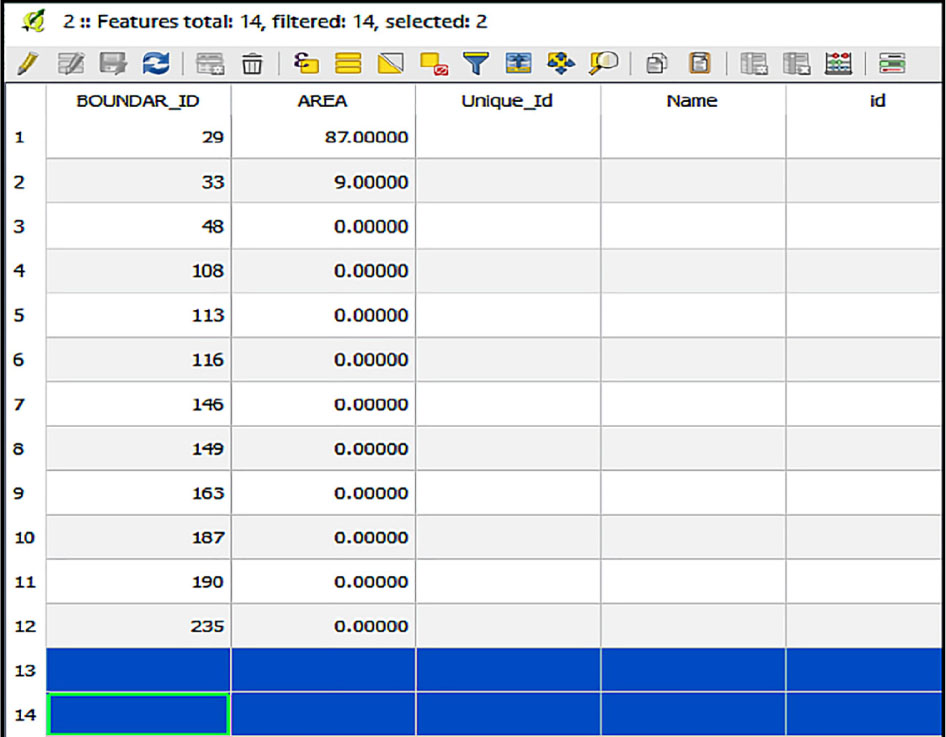
Fig. 5
Null values.
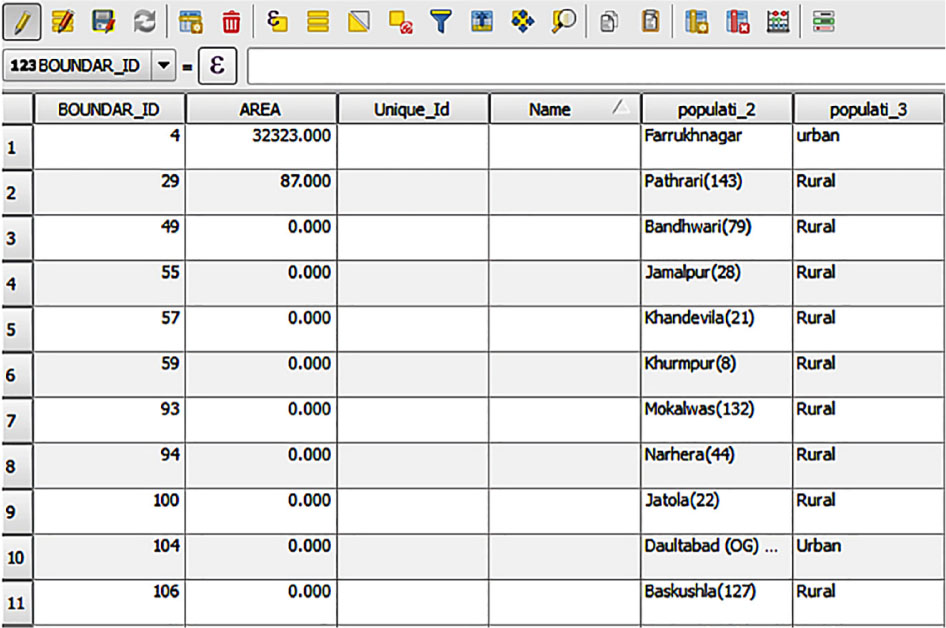
Fig. 6
Extraneous attributes.
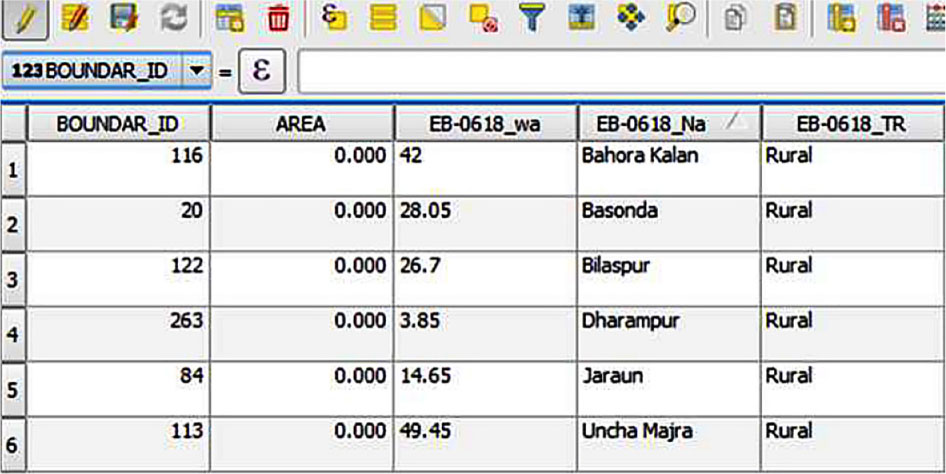
Fig. 7
Missing values in important attribute.
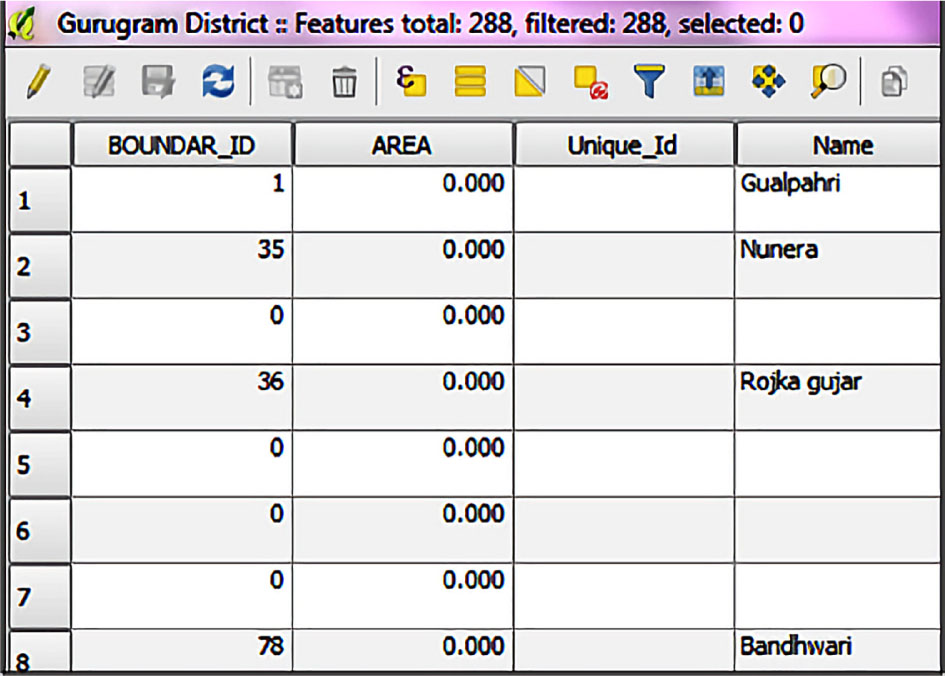
Fig. 8
Attribute table of spatial data.
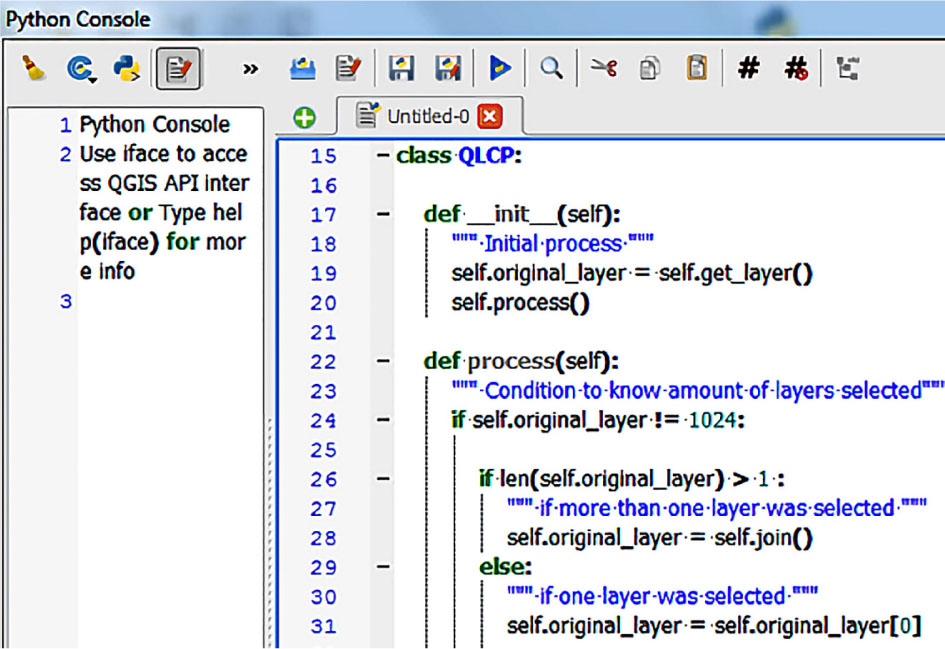
Fig. 9
Geospatial metadata cleaning using GeoWebCln tool.
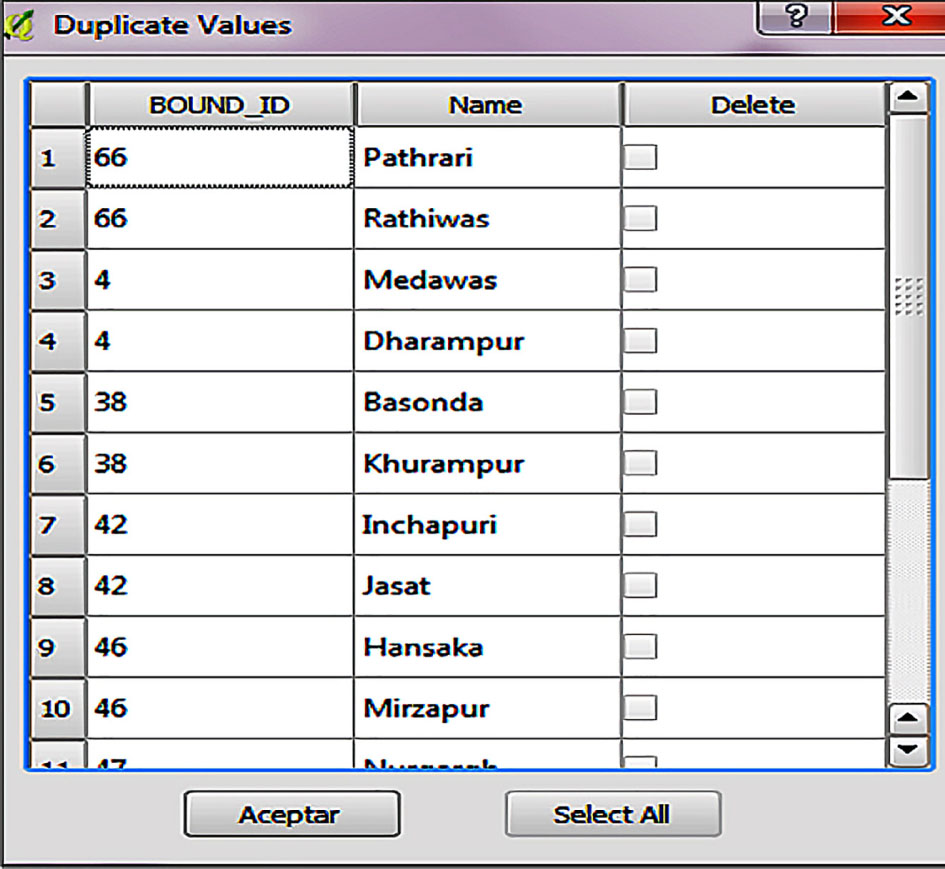
Fig. 10
User interaction with GeoWebCln tool.
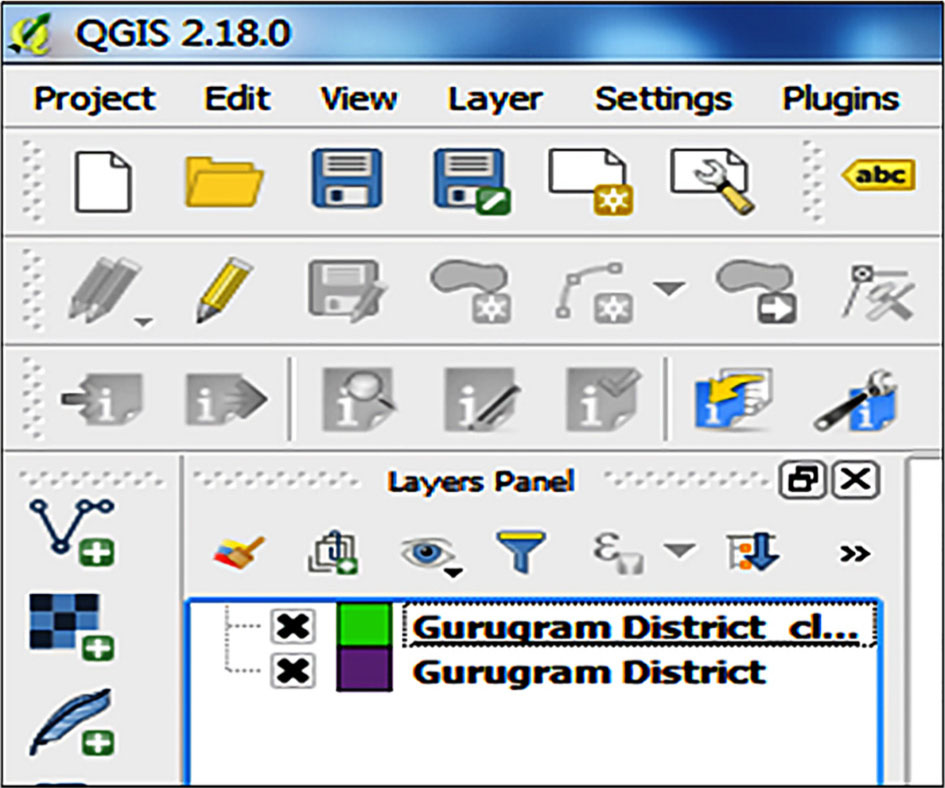
Fig. 11
Cleaned data saved as new layer.
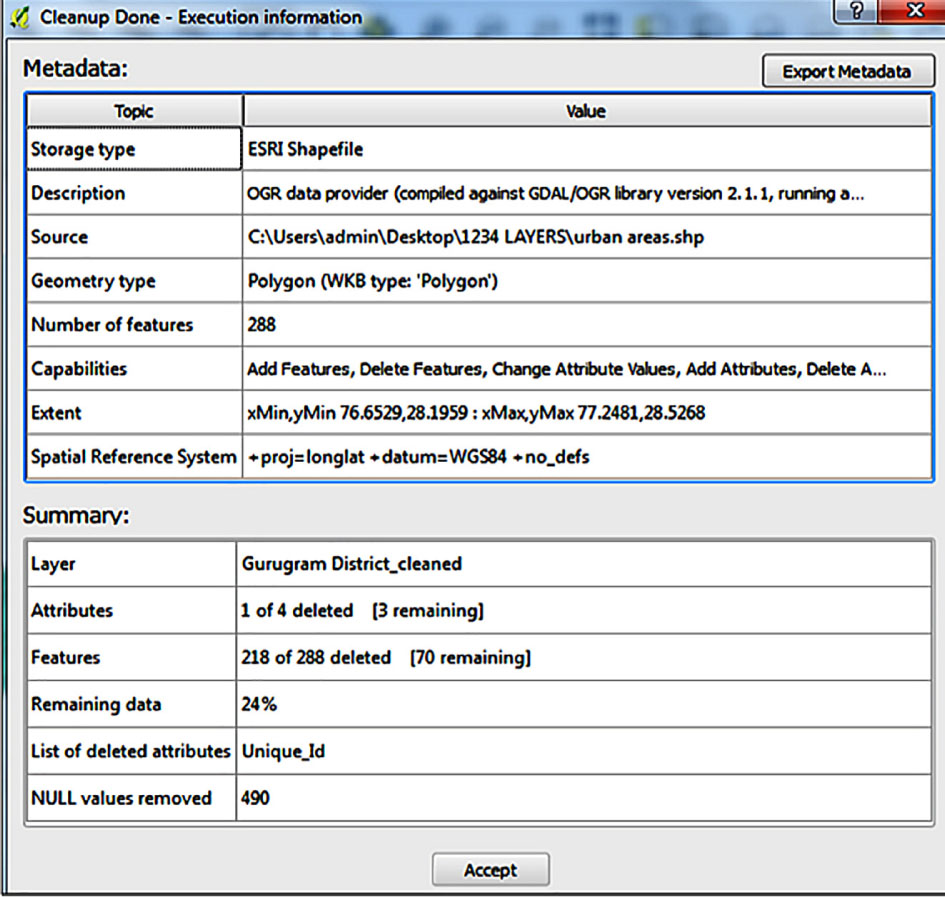
Fig. 12
Quality information of geospatial data.
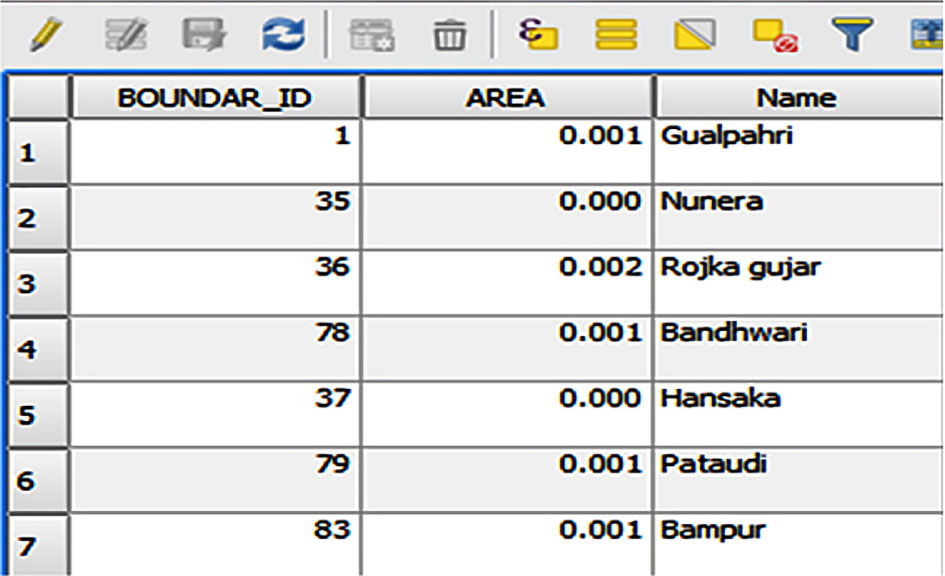
Fig. 13
Attribute table of new layer.
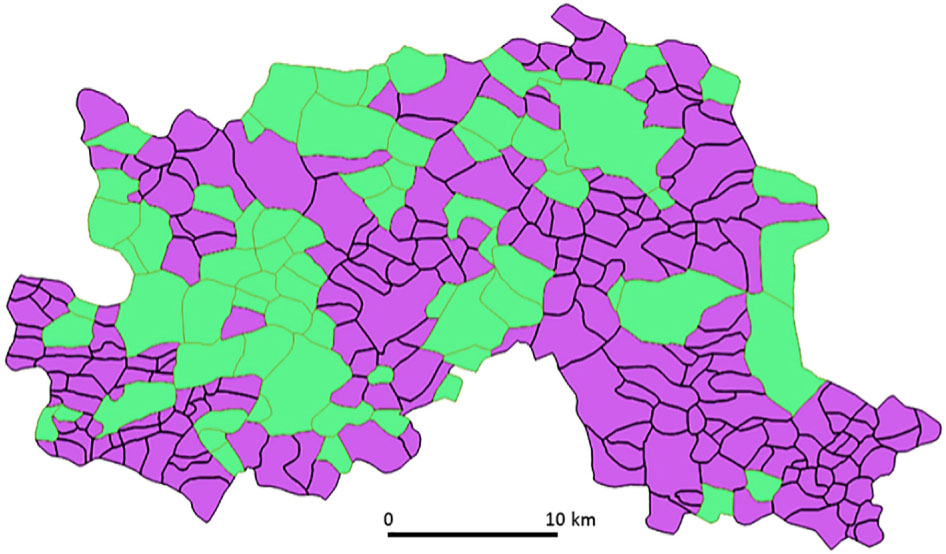
Fig. 14
Visualisation of cleaned and uncleaned data
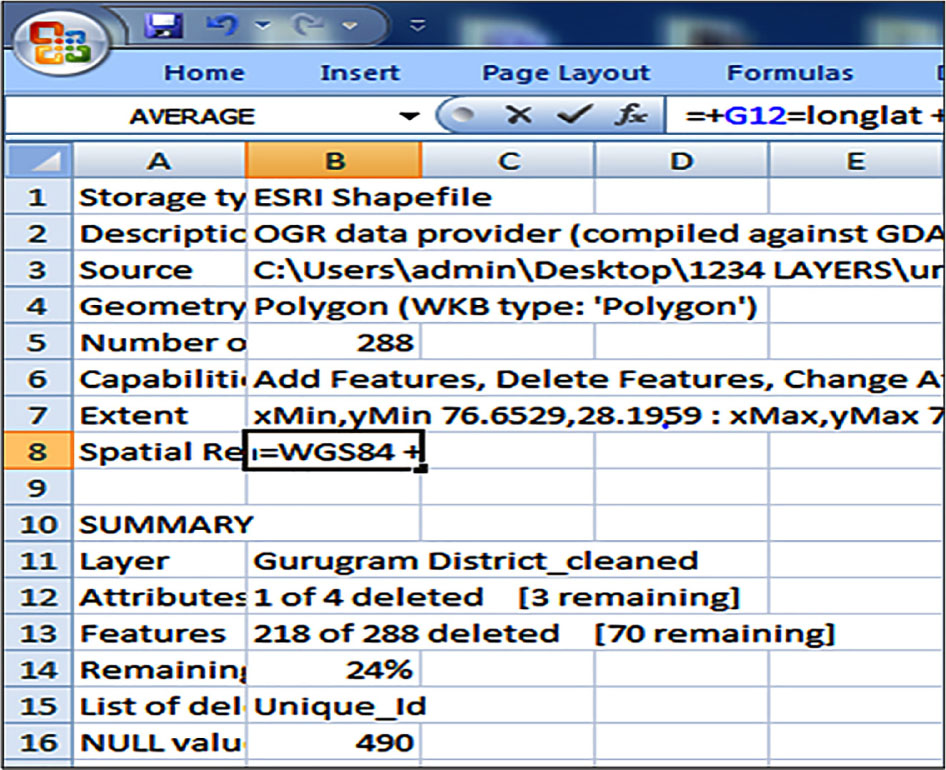
Fig. 15
Metadata and summary of cleaned layer.
Table 1
Comparative analysis of GeoWebCln tool.
| Cleaning using QGIS functions | Cleaning using GeoWebCln |
|---|---|
| The user must have prior knowledge of GIS cleaning functions and its steps. QGIS is a vast software having various functions. New users are not aware of these functions and need a tutorial before performing the cleaning process. | Users can perform cleaning using a single function with a single click in QGIS. There is no need to analyse the dirty data. A user just needs to import the cleaning function in the Python console of QGIS and click on the run tab. The vector layer will be cleaned. |
| It is suitable for trained GIS users. The cleaning needs expertise in QGIS and cannot be handled by novice users. | It is suitable for all types of users. |
| It is a time-consuming process as it requires operation and analysis of various GIS functions such as JOIN, DELETE and SQL Query in Advance Filter Expression. | It is a very fast cleaning process. There is no need for any GIS function and query execution. |
| It is not an interactive approach as no input is asked from the user. The user is not aware of the work performed by the GIS functions. | It is interactive and user-friendly as input is asked from a user before the removal of duplicate values. |
| It is less reliable as cleaning performance depends on the skills of the user. If the user chooses wrong functions, then cleaning is not done properly. | It is reliable as cleaning is performed by the GeoWebCln tool itself without depending on the skills of the user. |
| Incapable to provide cleaning information of attributes. The summary of cleaned data is not available. | Provide cleaning information of the attributes as shown in Figure 12. |
| The cleaned layer cannot be automatically saved. | The cleaned layer is saved as a new layer automatically after cleaning. |
| Metadata information of spatial data cannot be stored for future use. | Metadata information of cleaned data is exported as CSV files and can be used for comparison and analysis. |
| Data quality parameters such as completeness, consistency and accuracy cannot be perceived by the users after cleaning as no cleaning information is provided. | Users can easily judge the quality parameters after analysing summary information. This summary information helps users to understand the completeness as several deleted attribute information is given; accuracy of the data is provided by the remaining data in the above summary, i.e. 24% is the remaining data which is completely accurate; consistency information is also provided as 490 null values are removed that were not according to the domain values. |
| Output as cleaned vector layer is not distinguishable from the dirty layer. | Output as the cleaned vector layer is apparent to the dirty layer as shown in Figure 14. Spatial data in green is cleaned data and is free from errors. |
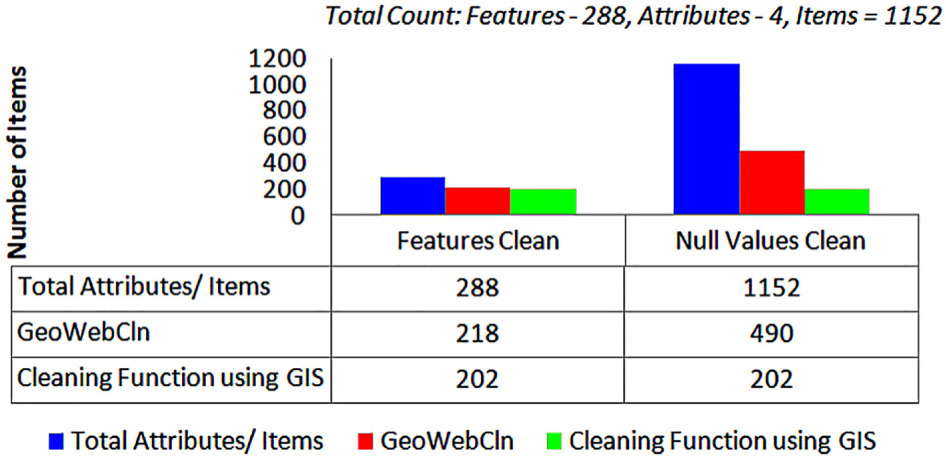
Fig. 16
Performance analysis of GeoWebCln tool.