Have a personal or library account? Click to login
Design and Development of an Intelligent Laboratory Management System Based on STM Processors Cover

Design and Development of an Intelligent Laboratory Management System Based on STM Processors

By: Ruoyu Wang,  Lulu Chen,  Jiaxuan Liu and  Lei Tian  
Open Access
|Sep 2024

Figures & Tables

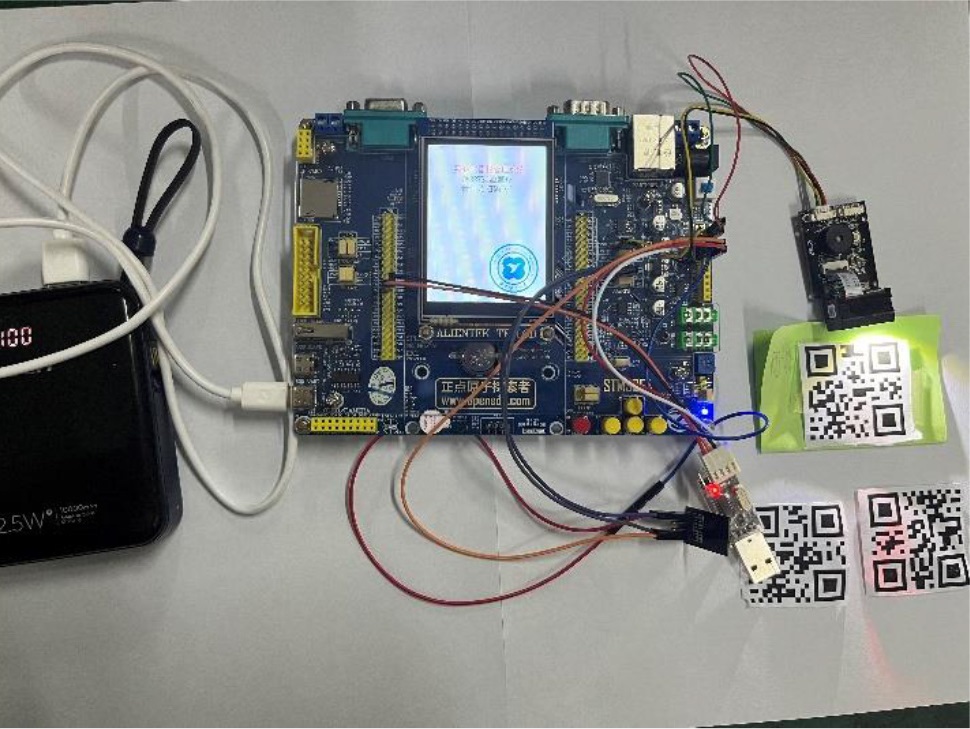
Figure 1.

System Display Diagram
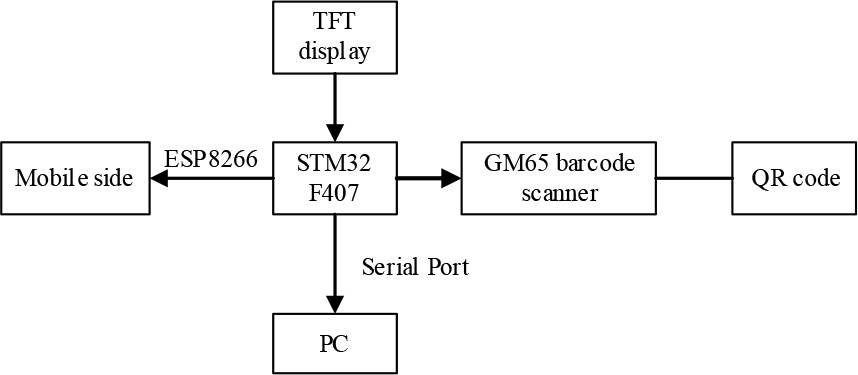

Figure 2.

System Flowchart
System Flowchart

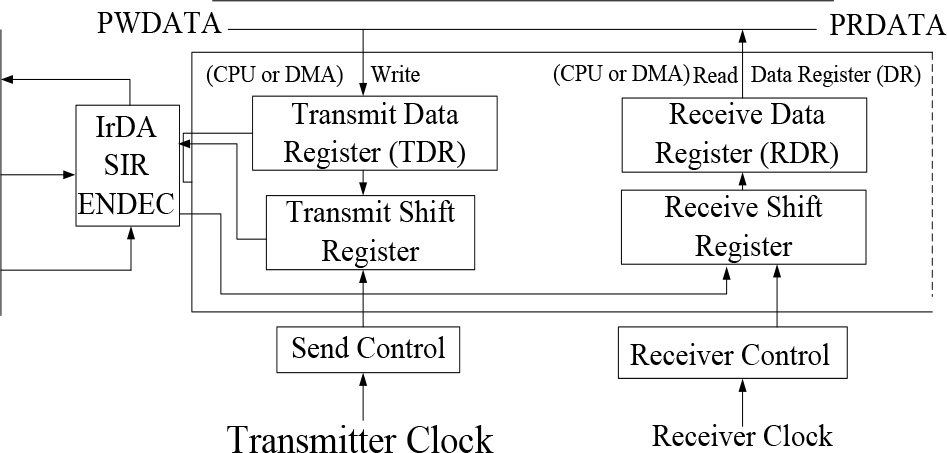
Figure 3.

Serial Port Register Diagram
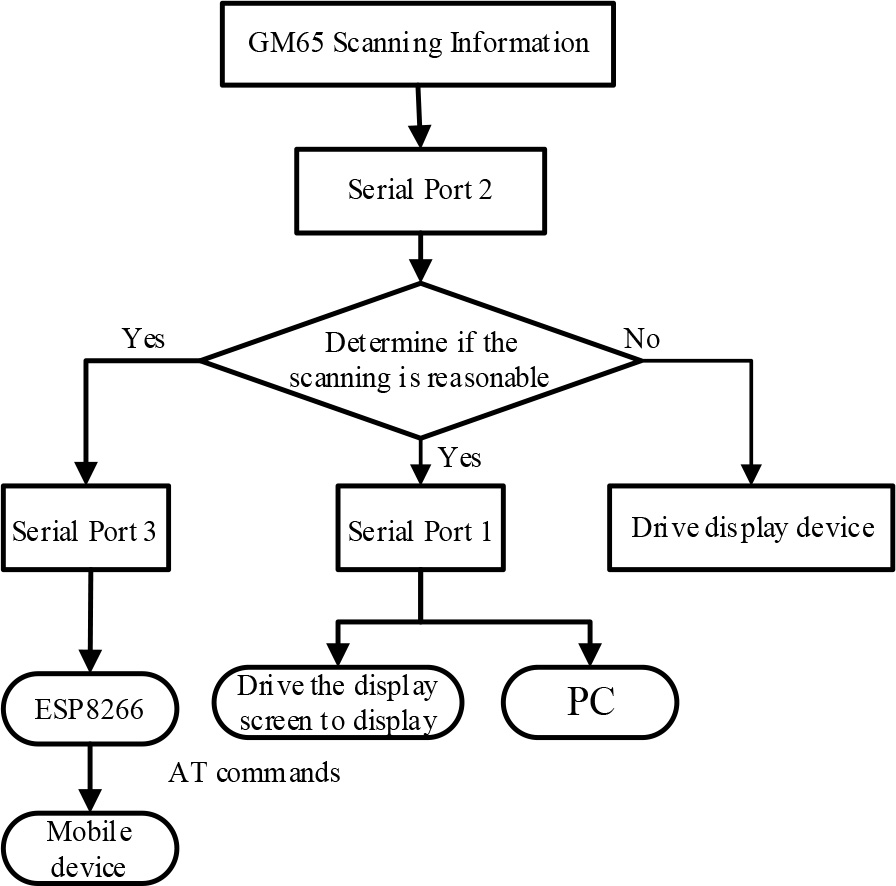

Figure 4.

Software Design Flowchart

Figure 5.

Normal scanning display status
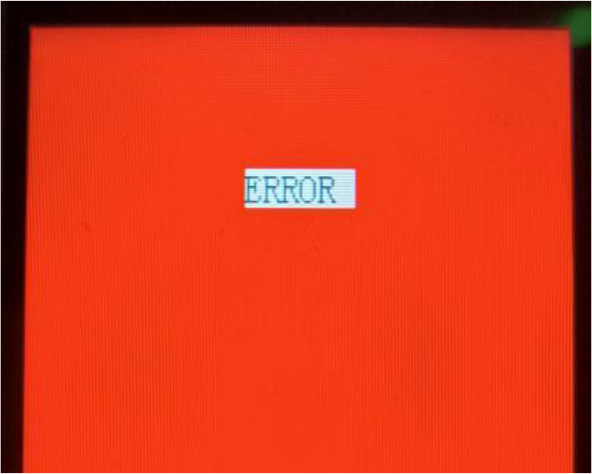

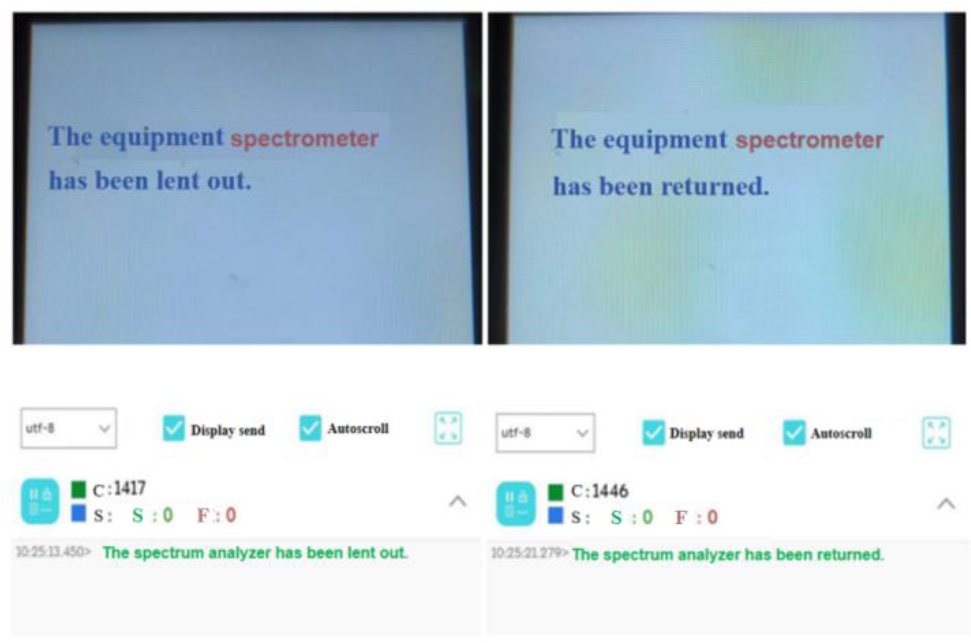
Figure 6.

Display Error Message on the Screen

Brief Description of AT Command Functions

AT CommandFunction
ATTesting for normal startup
AT+CWMODE=2Setting AP Mode
AT+RSTRestart
AT+CWSAP="esp","12345678",1,4Setting AP parameters with the account name "ESP8266" and password "123456"
AT+CIPMUX=1Setting multiple connection mode
AT+CIPSERVER=1,333Starting SERVER mode, setting port to 333
AT+CIPSEND=0,7Sending data with a length of 7 characters
Language: English
Page range: 40 - 46
Published on: Sep 30, 2024
In partnership with: Paradigm Publishing Services
Publication frequency: 4 issues per year

© 2024 Ruoyu Wang, Lulu Chen, Jiaxuan Liu, Lei Tian, published by Xi’an Technological University
This work is licensed under the Creative Commons Attribution-NonCommercial-NoDerivatives 4.0 License.