
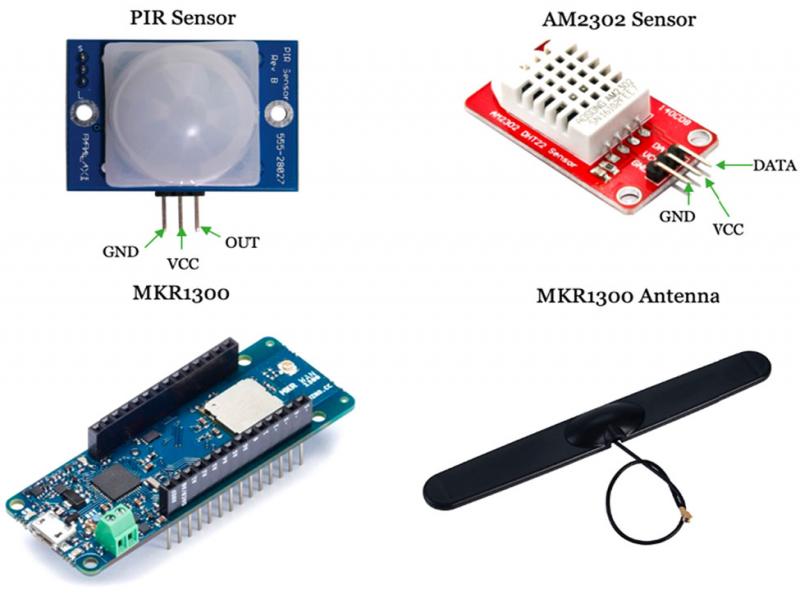
Figure 1:
Components used for hardware assembly of the IoT node.
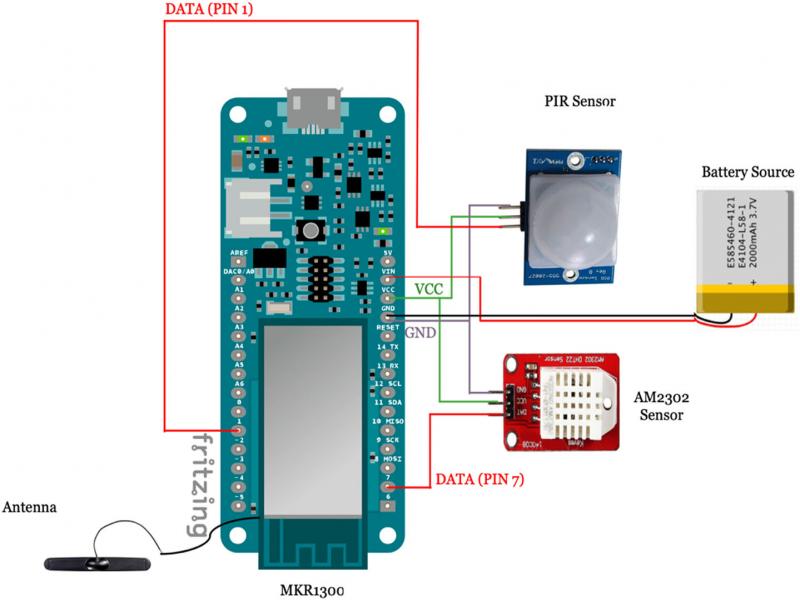
Figure 2:
Circuit diagram of the final IoT node assembled on Fritzing.
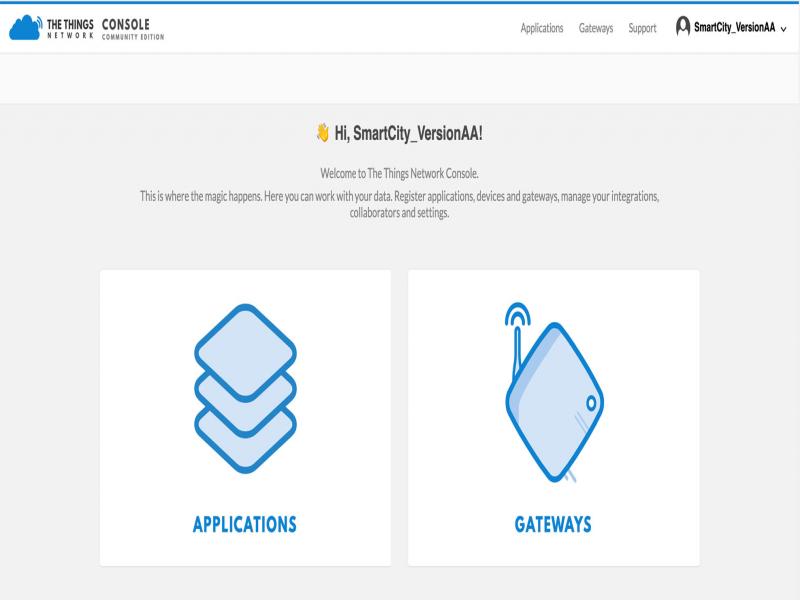
Figure 3:
The console page after the registration with TTN.
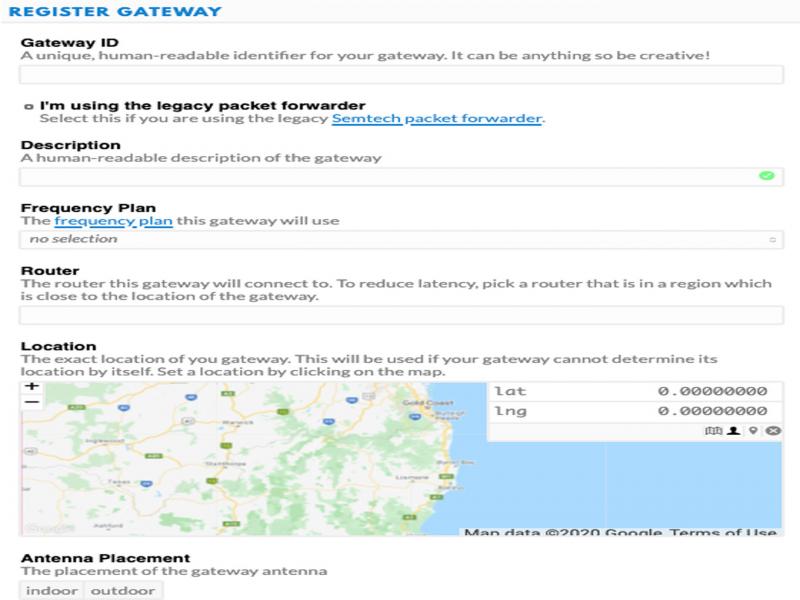
Figure 4:
The form for selecting and setting up a gateway on the TTN console.
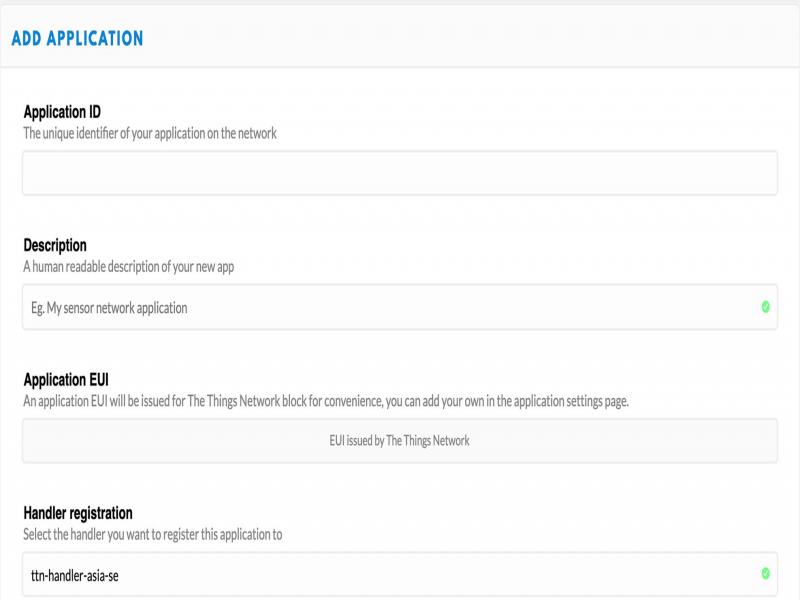
Figure 5:
The form for registering an application on the TTN console.
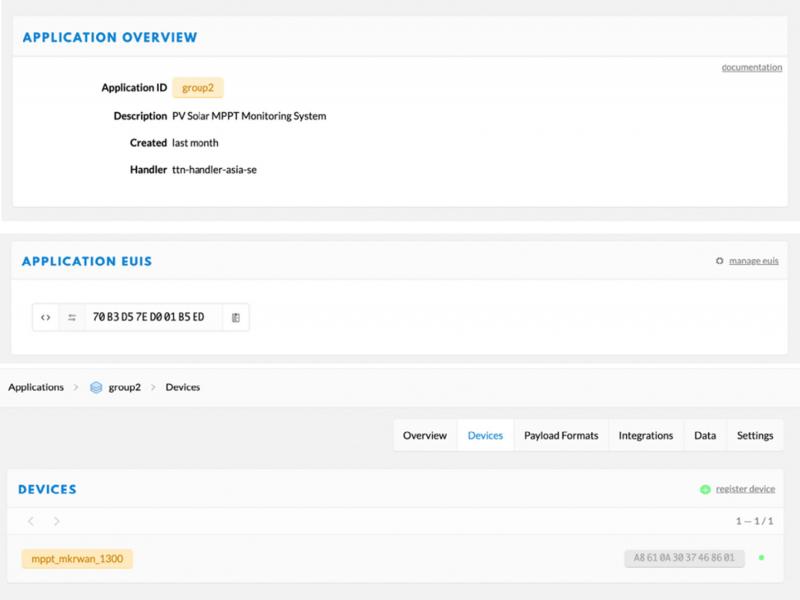
Figure 6:
The overview page post registration of the microcontroller for the initialization of the session keys with TTN.
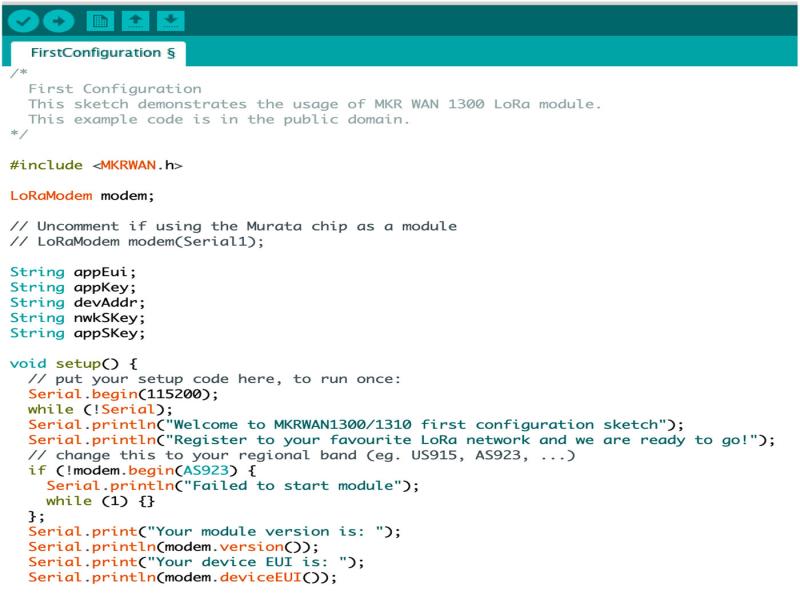
Figure 7:
First configuration code snippet on Arduino IDE with LoRa gateway for MKR1300.
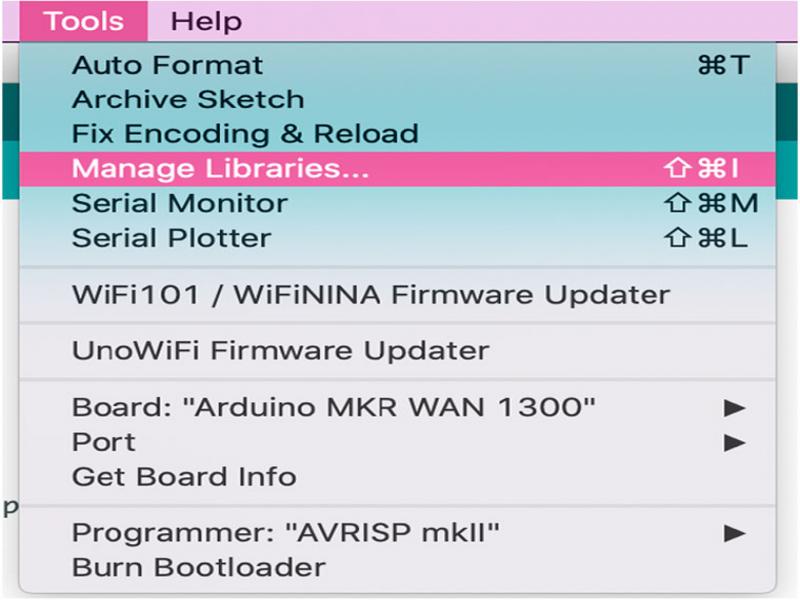
Figure 8:
How to download new libraries on the Arduino IDE platform.
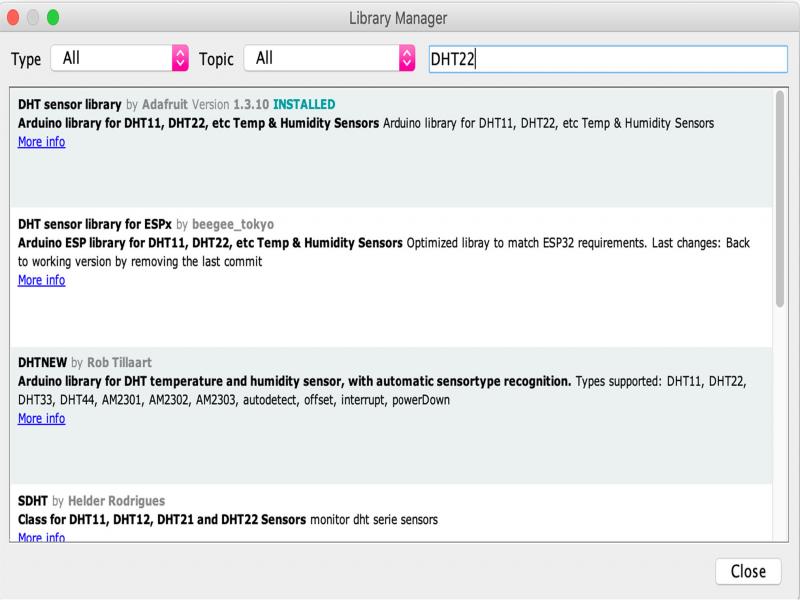
Figure 9:
Library download and upgrade manager on Arduino IDE.
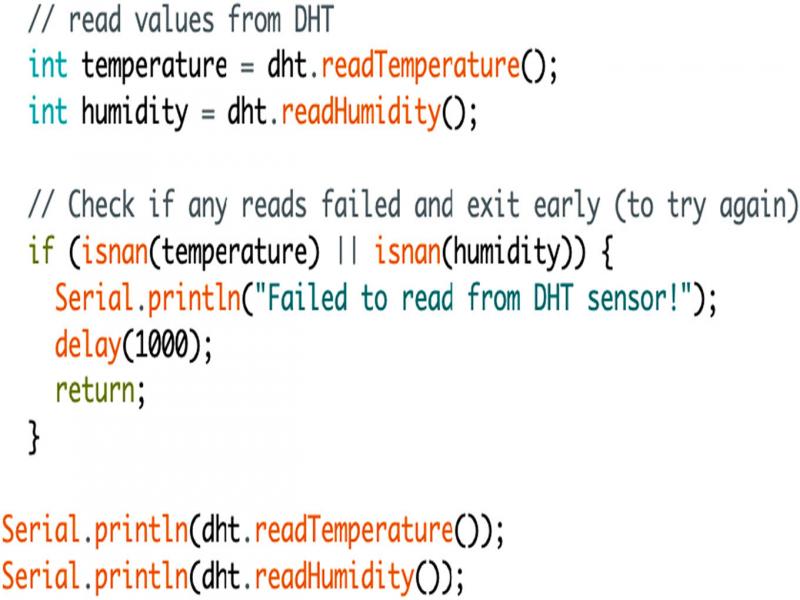
Figure 10:
DHT library function code snippet on Arduino IDE to enable sensor reading.
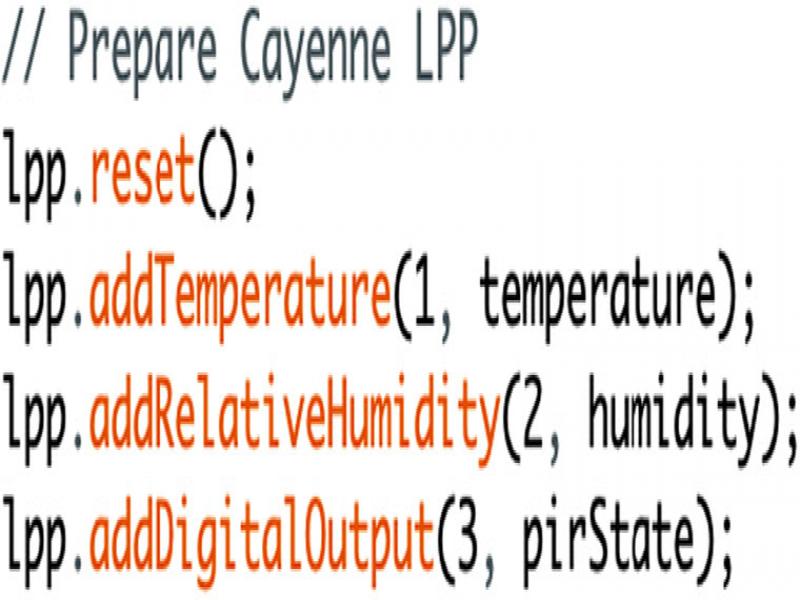
Figure 11:
Cayenne LPP code snippet on Arduino IDE assigning payload bytes.
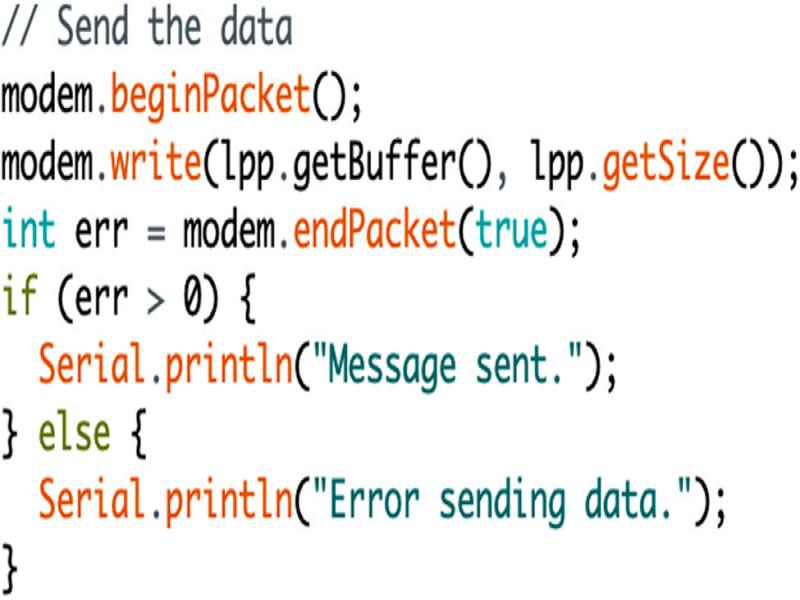
Figure 12:
Transmission syntax for Cayenne LPP format code snippet on Arduino IDE.
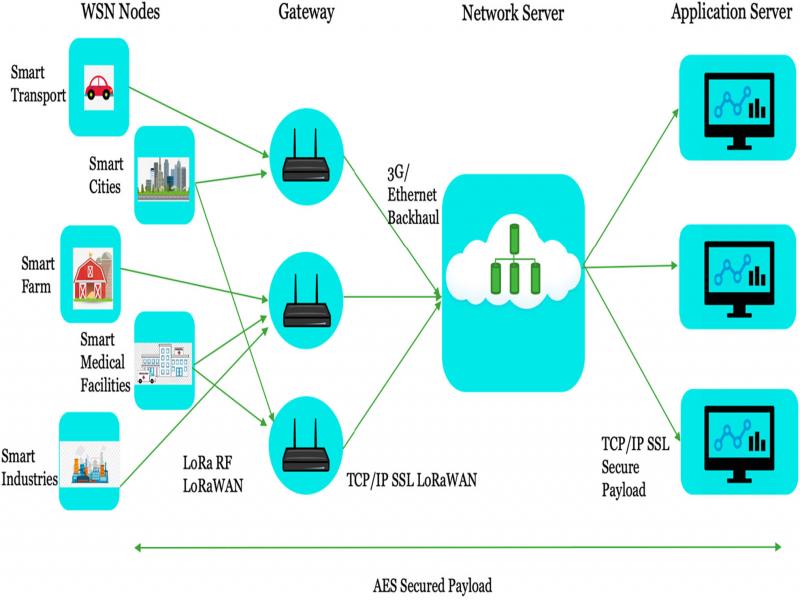
Figure 13:
LoRa architecture for sensor nodes in an IoT system.
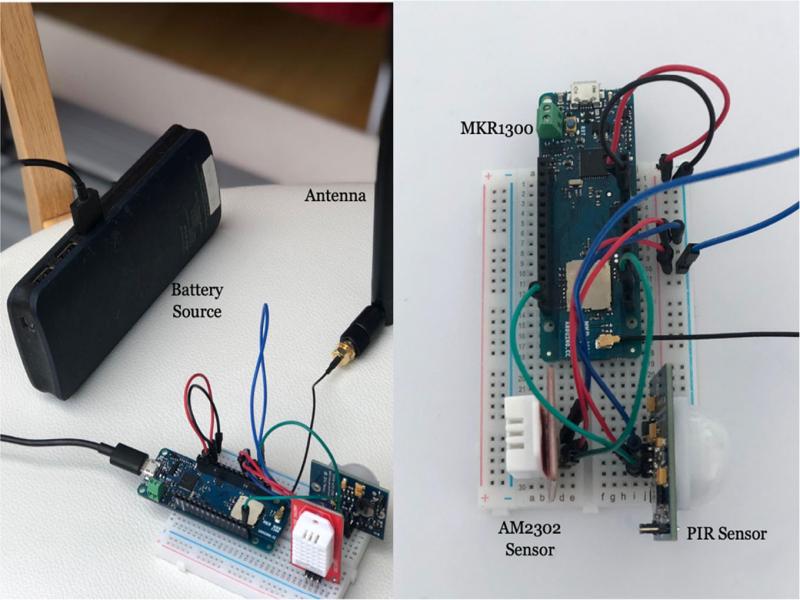
Figure 14:
Sensor node final hardware assembly using MKR1300.
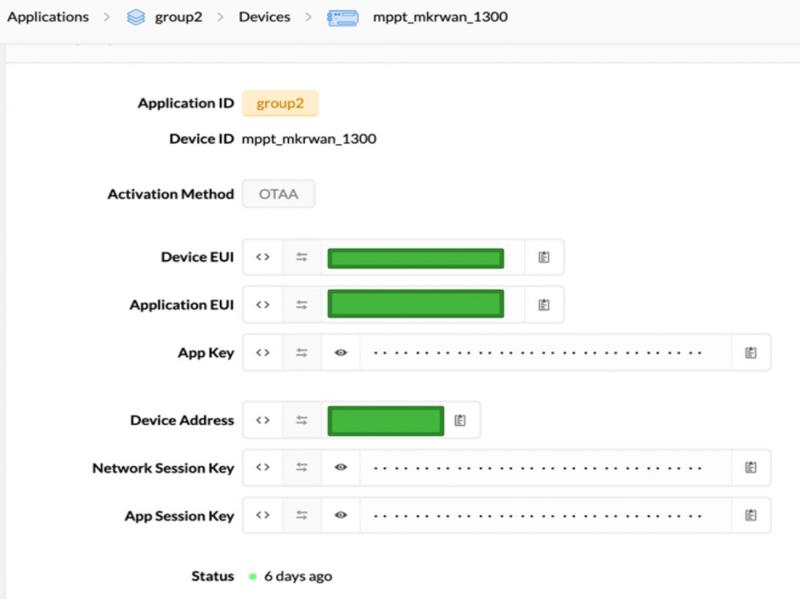
Figure 15:
OTAA selection in the TTN console, while registration of the microcontroller device.
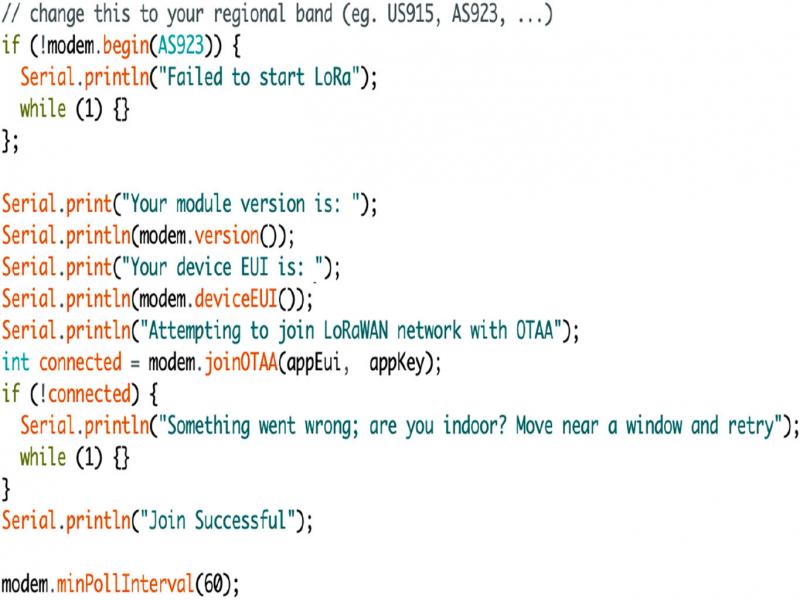
Figure 16:
LoRa connectivity for the sensor node using TTN; the code snippet on Arduino IDE.
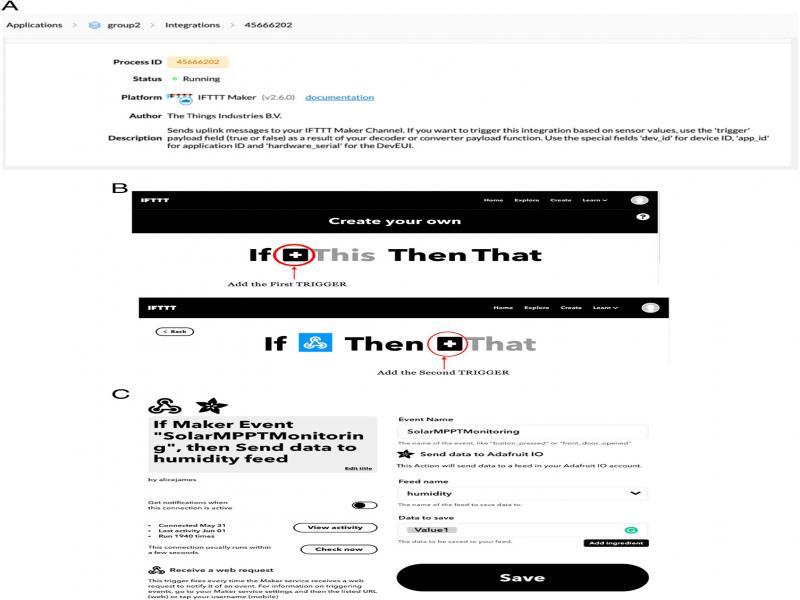
Figure 17:
A: IFTTT process integration with TTN shown in the application console; B: IFTTT process integration with Webhooks and TTN shown in the IFTTT CREATE page; C: IFTTT Applet creation, to enable data from the TTN webserver to be transmitted to Adafruit IO.
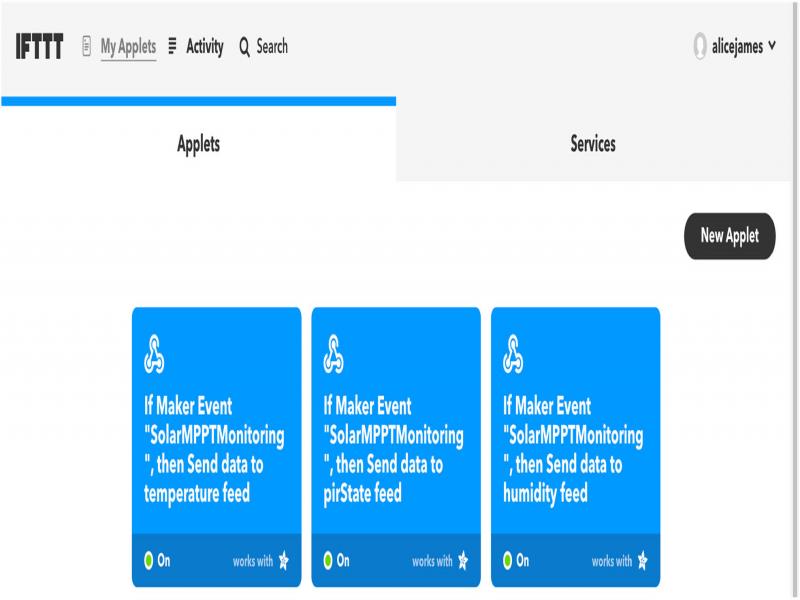
Figure 18:
IFTTT final process Applets, establishing connection between The Things Network and Adafruit IO.
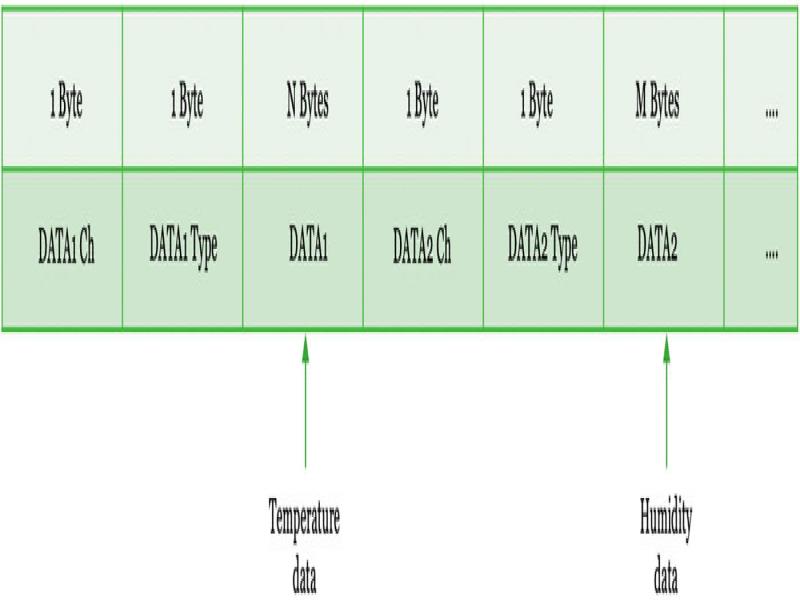
Figure 19:
Cayenne LPP payload format describing the values of the corresponding byte.
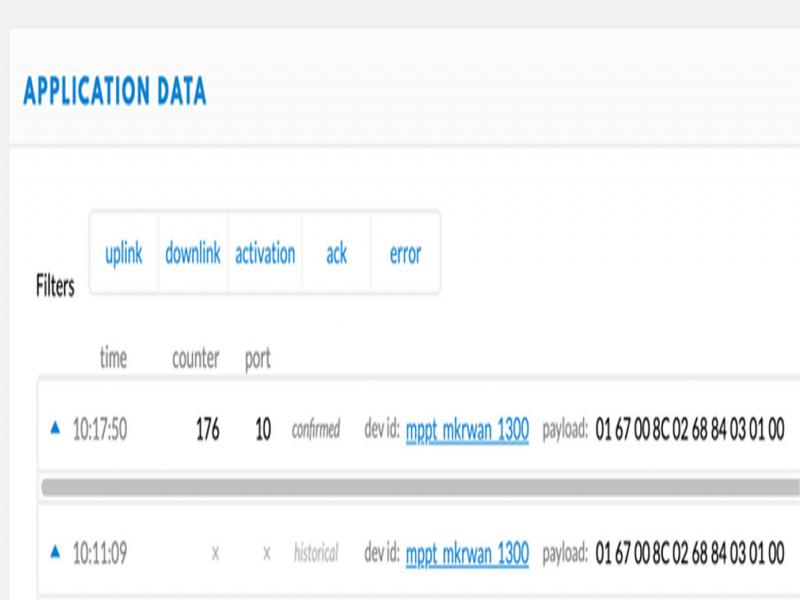
Figure 20:
Cayenne LPP payload received on TTN application console from the sensor node.
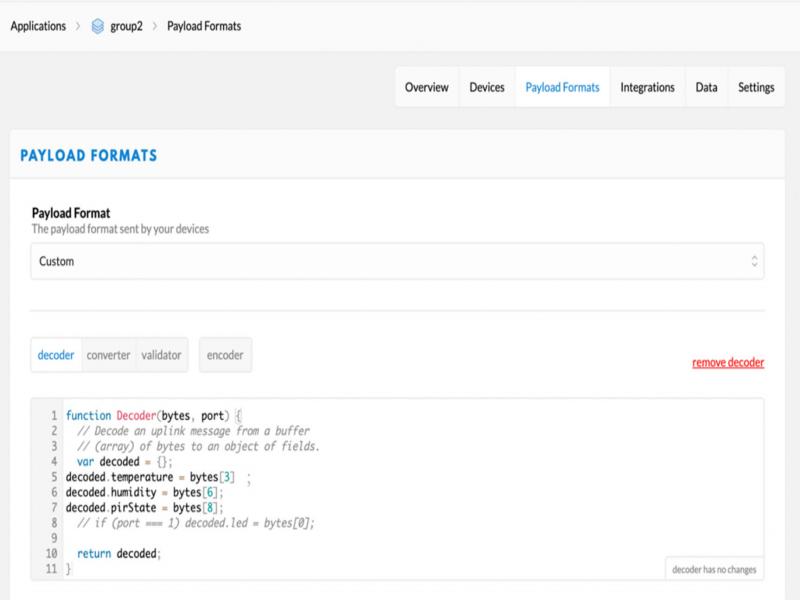
Figure 21:
Cayenne LPP payload decoder on TTN application console, to transmit the decoded payload to the application server.
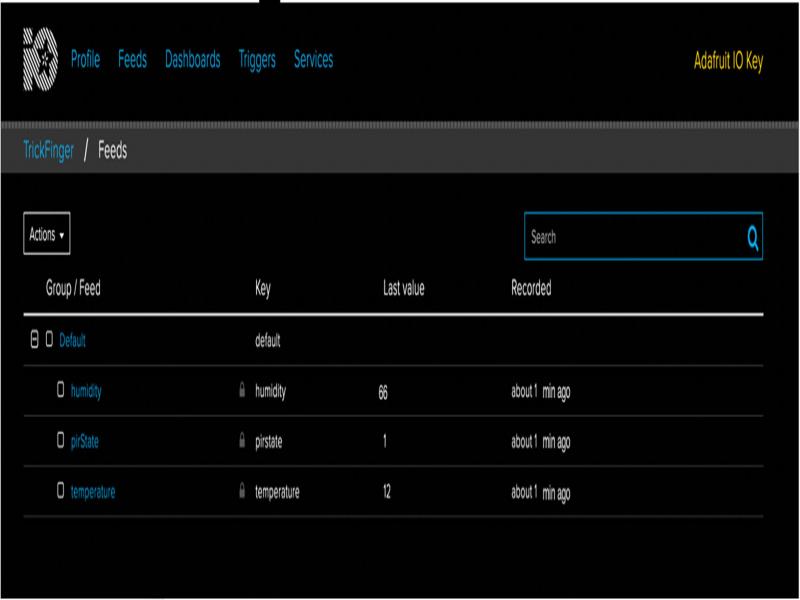
Figure 22:
Adafruit IO feeds page that shows the list of feeds/payload received from IFTTT.
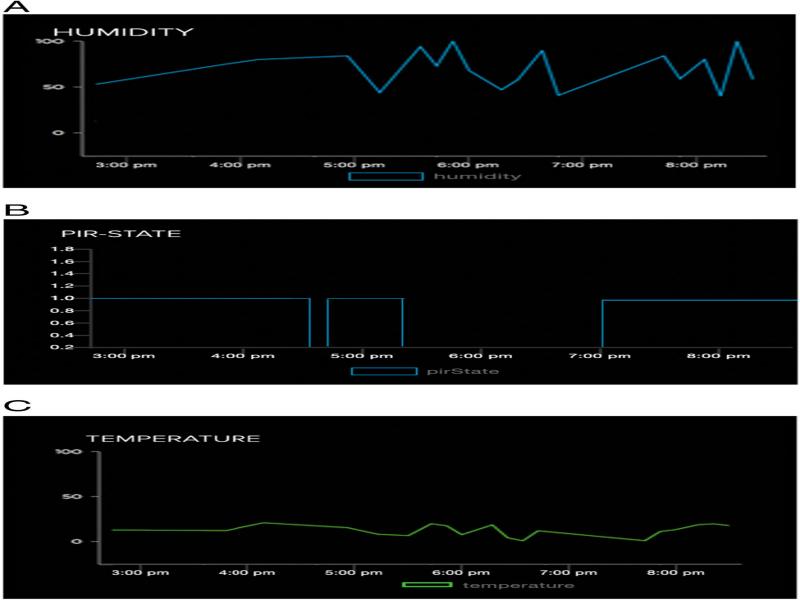
Figure 23:
A: Humidity sensor data on the Adafruit dashboard; B: PIR state sensor data on the Adafruit dashboard; C: Temperature sensor data on the Adafruit dashboard.