
1 Introduction
How do I find related archive items when these have little or no metadata?
How do I find an archive item containing a wintry picture of trees?
How do I discover which imagery is repeatedly used in the debate about nuclear power?
Archive users are often faced with questions that lead to a dead end. Traditionally, to locate audiovisual material the necessary information must have been captured in the metadata. However, such metadata is often limited, and users frequently struggle to articulate their search needs in terms of the metadata. Also, digital media archives are increasing in size and variety, making simple browsing of the material to find interesting items infeasible. As a result, finding the desired content can feel like a matter of luck, leading to frustration if the search yields no results. To address these challenges, we designed and developed an AI tool that enables searching with an audiovisual keyframe rather than relying solely on text-based queries, which could be a game-changer.
2 Training Models to ‘See’ Meaningful Features
We applied self-supervised learning to train models for cross-modal audio-video clustering,2,3,4 which learns by grouping audiovisual keyframes that look and/or sound similar. The trained model allows us to embed all keyframes in latent, high-dimensional space. Proximity in this space corresponds to a sense of relatedness or similarity. Using an example keyframe, a user can search for related items without needing a text-based query.
To achieve this goal, we set up an ML pipeline to process a test set of audiovisual items related to selected news events - namely, the 9/11 attacks in the United States, the refugee debate in 2015, and the legendary Dutch ice skating tour ‘Elfstedentocht’. We then segmented the material into keyframes using scenedetect,5 and used the model to calculate the features for each keyframe.
3 Searching for Similar Archive Items
Once we had the audiovisual features, we needed a way to find items containing keyframes with similar features. Searching a database of such features can be slow, so to tackle this problem we developed a procedure to transform the existing ‘euclidian’ representations into ‘binary’ representations, reducing storage requirements by a factor of more than 32, and increasing search speed tenfold.6
In order to enable researchers to use image queries, a tool had to be developed to allow searching for similar archive items. The CLARIAH Media Suite allows academic researchers to search, bookmark, annotate and compare audiovisual material from cultural heritage media archives. The Media Suite Search tool was adapted to accommodate searching by keyframe, and a new Similarity tool was developed.
In the adapted Search tool, the user sees keyframes for the search results, as Figure 1 shows.
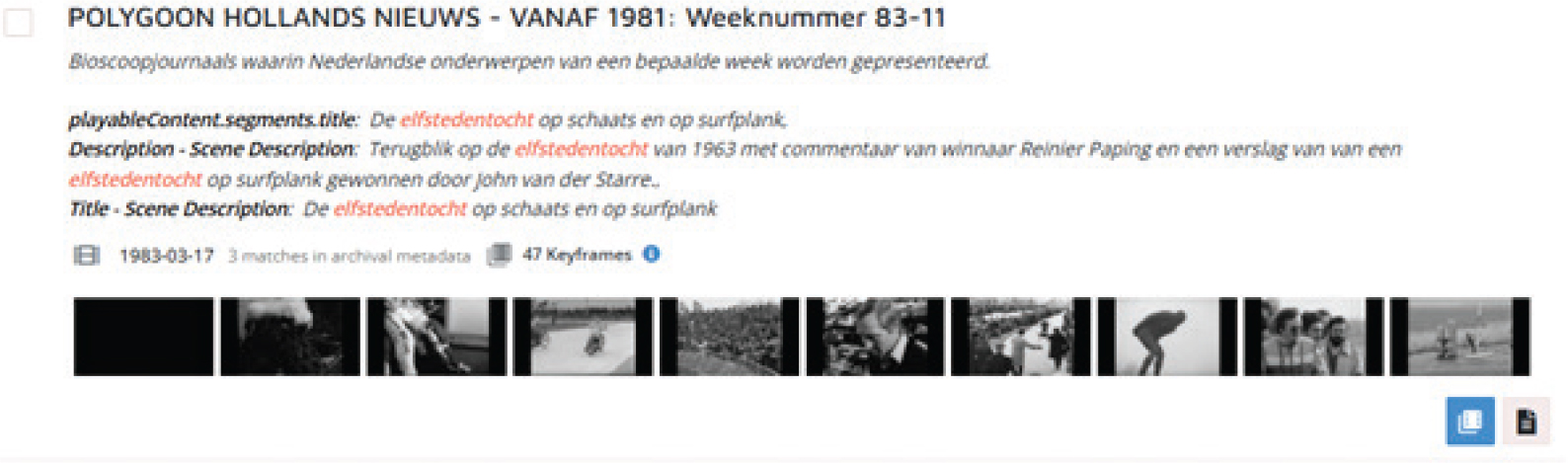
Figure 1
Screenshot of a search result in the Search tool, including keyframes.
The user selects a keyframe that interests them, and opens the Similarity tool by clicking on the blue icon.
Figure 2 shows the Similarity tool. The left hand side of the screen shows the selected frame within the audiovisual resource. The right hand side fills with keyframes for audiovisual resources that are visually similar. The user can filter these results on program title and date. Clicking on a keyframe opens the selected resource.
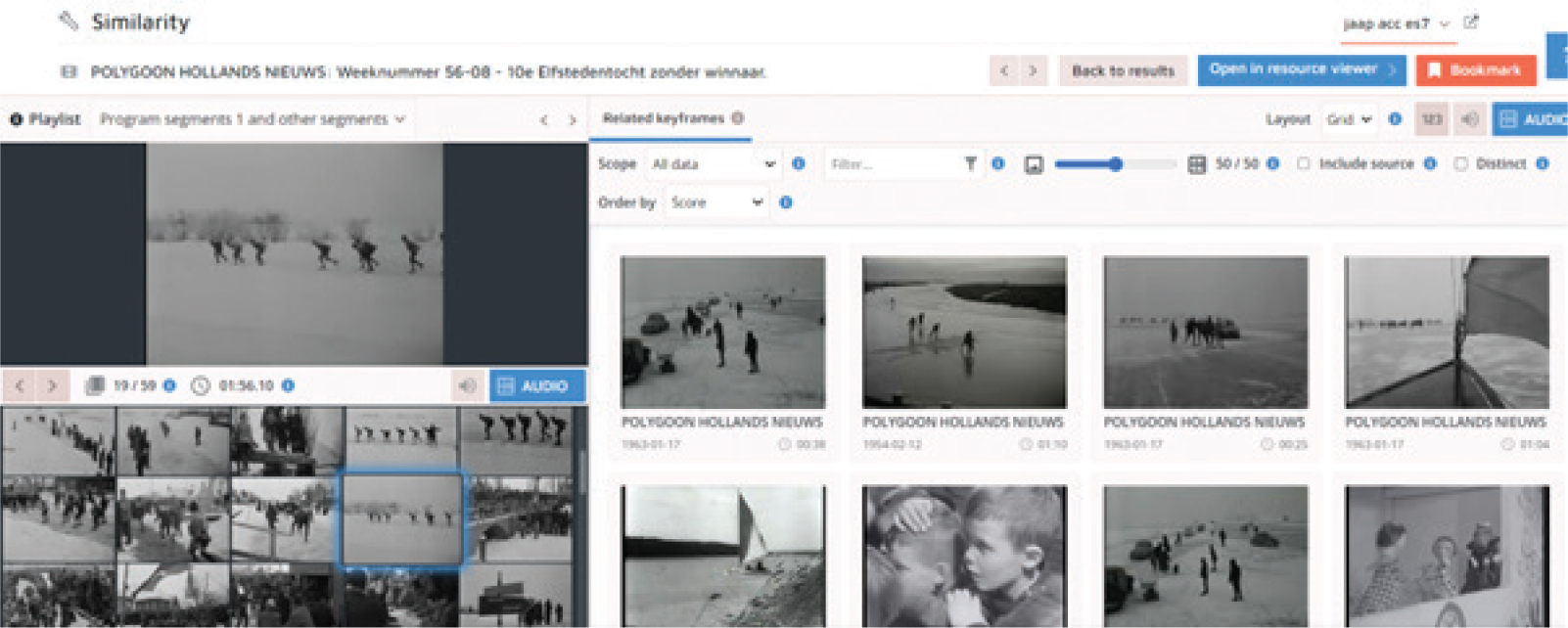
Figure 2
Screenshot of the Similarity tool, showing the original video and selected keyframe (left) and similar keyframes (right).
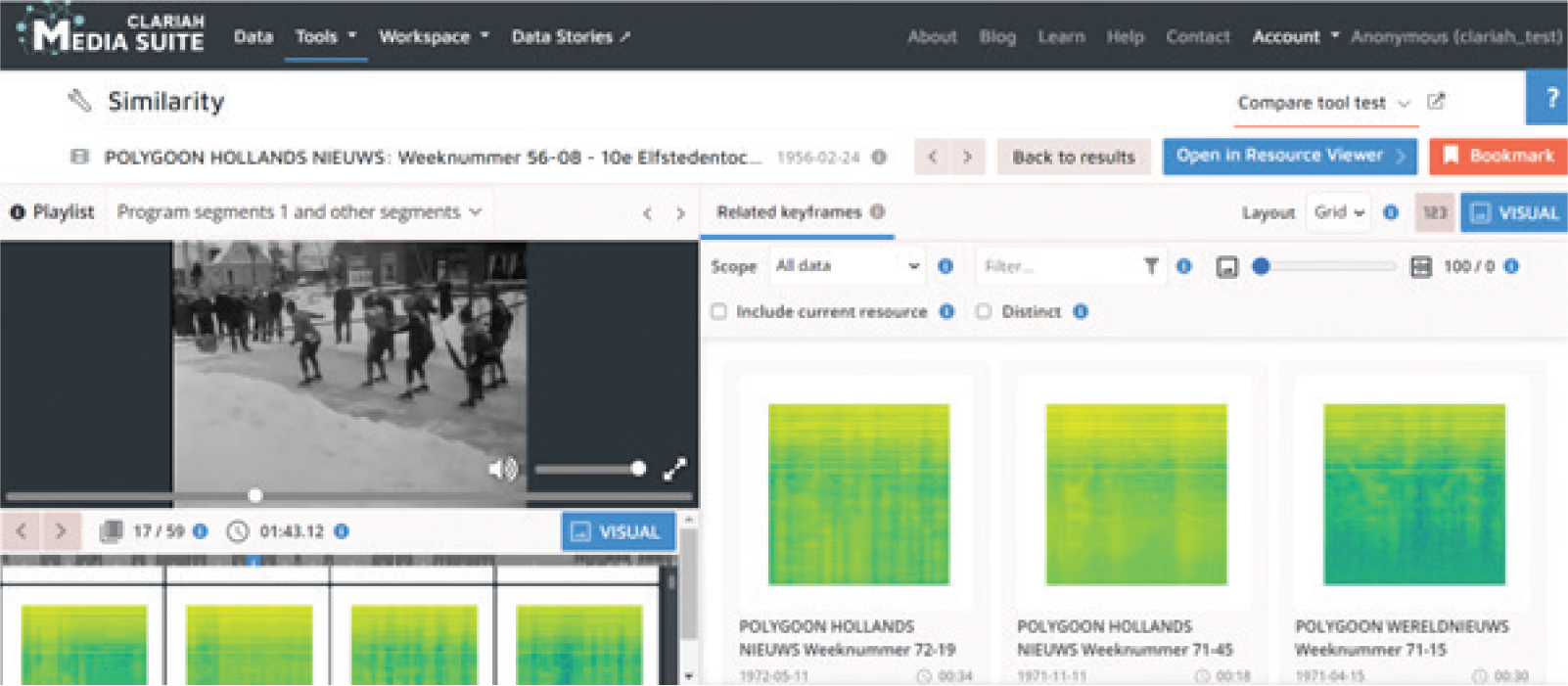
Figure 3
Screenshot of the Similarity tool in audio mode
We implemented an alternative viewing mode for audio similarity, involving spectrogram visualisations of audio snippets (the audio associated with a given visual keyframe). This was stripped from the tool after evaluation, as users faced difficulties judging the similarity of the items based on the spectrograms and as such couldn’t determine if the similarities found were convincing or not.
4 User Evaluation
We conducted an evaluation with five academic researchers who use the Media Suite. After a short explanation of the Similarity tool, the researchers had time to try it out and give their impressions in a questionnaire. The focus of the evaluation was the quality of the similarity results and the usability of the Similarity tool.
Based on the feedback gathered, the Similarity tool was greeted with enthusiasm and viewed as a valuable addition to the Media Suite. Being able to navigate through items based on the visual content was in itself a useful addition for researchers accustomed to having to read metadata or browse through videos by hand. Users saw many potential ways in which this tool could be incorporated into their research, from simple serendipity during exploration, to investigating media framing, to tracing reused archive material back to its source.
As to the quality of the outputs, the visual similarity results varied in quality. Often, the results were highly relevant (Figure 4).

Figure 4
Screenshot of the Similarity tool showing good matches
An image of the Twin Towers, however, was matched with paintings containing towers, and even keyframes containing strong verticals (Figure 5). A highly similar keyframe of the WTC tower scored as less similar than a keyframe showing two people standing against a blue background.
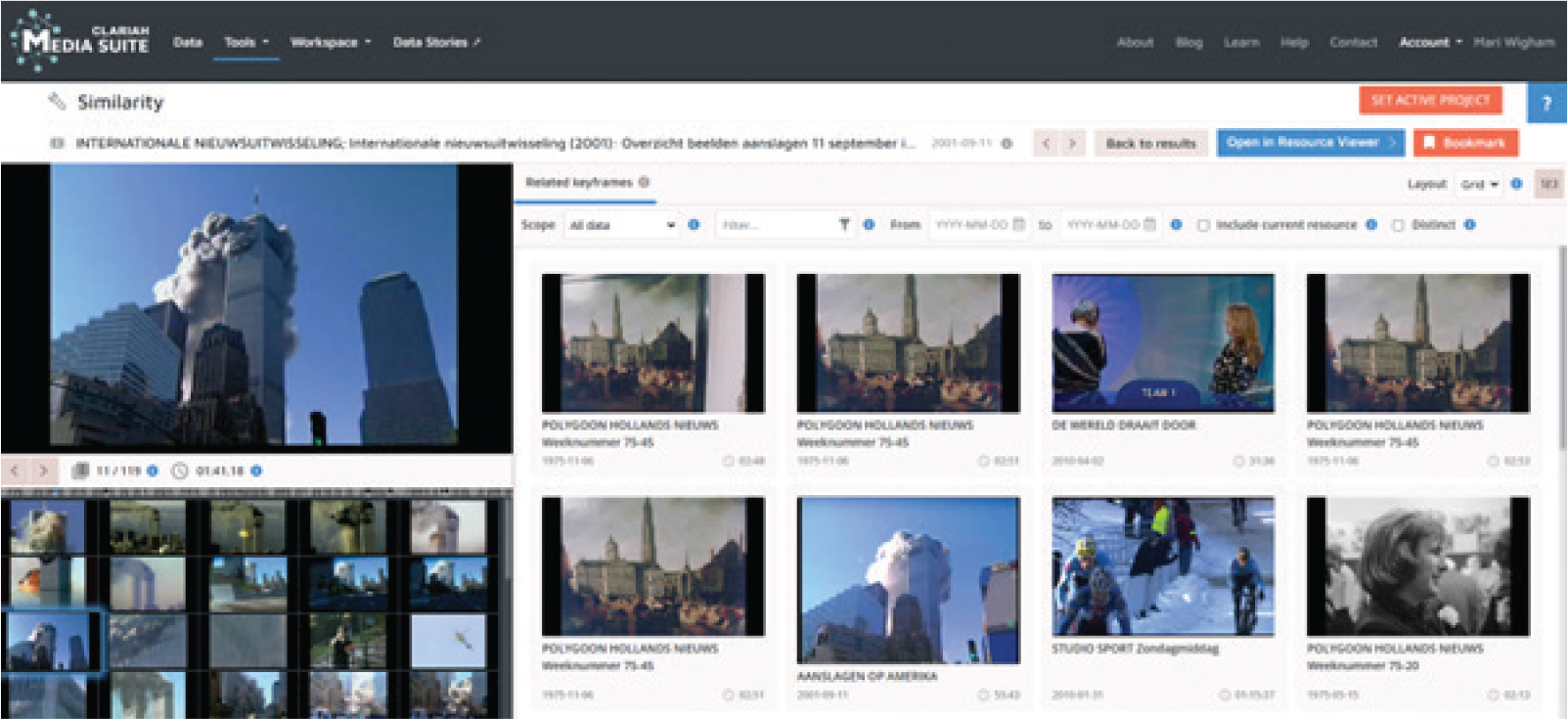
Figure 5
Screenshot of the Similarity tool showing mixed quality matches
As Figure 6 shows, a keyframe of a quite distinctive building was matched with seemingly very different keyframes.
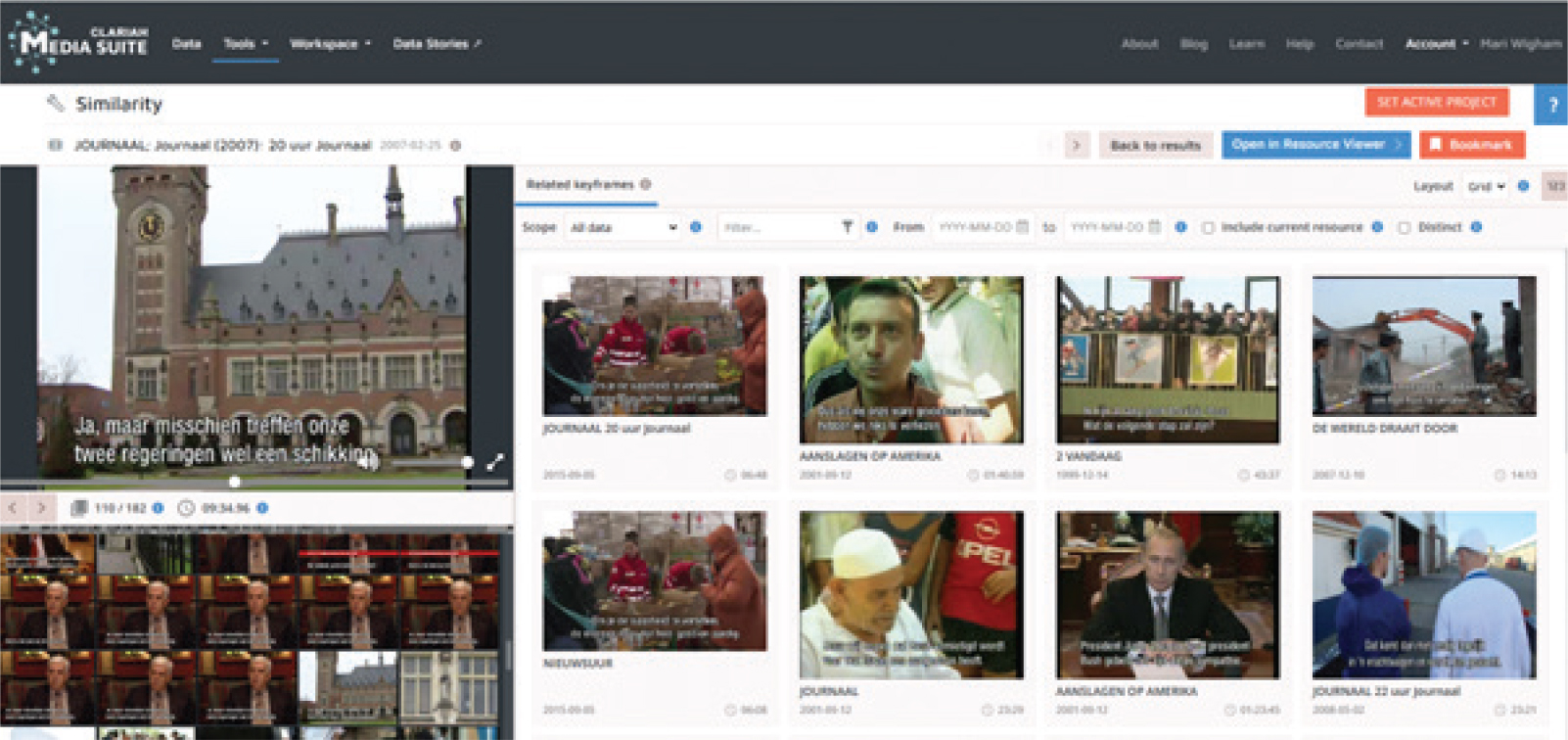
Figure 6
Screenshot of the Similarity tool showing unexpected matches.
Such unexpected results require further investigation, to check if they could be eliminated by altering the training regime or the diversity of the training data. However, other results prompted a more philosophical question:
‘What is similarity?’
Given the keyframe in Figure 7, what would you consider to be ‘similar’ keyframes? Keyframes from the same news studio? Of the same newsreader? Of another person wearing a dark suit, light shirt and red tie? With a nuclear hazard symbol or the Iranian flag?
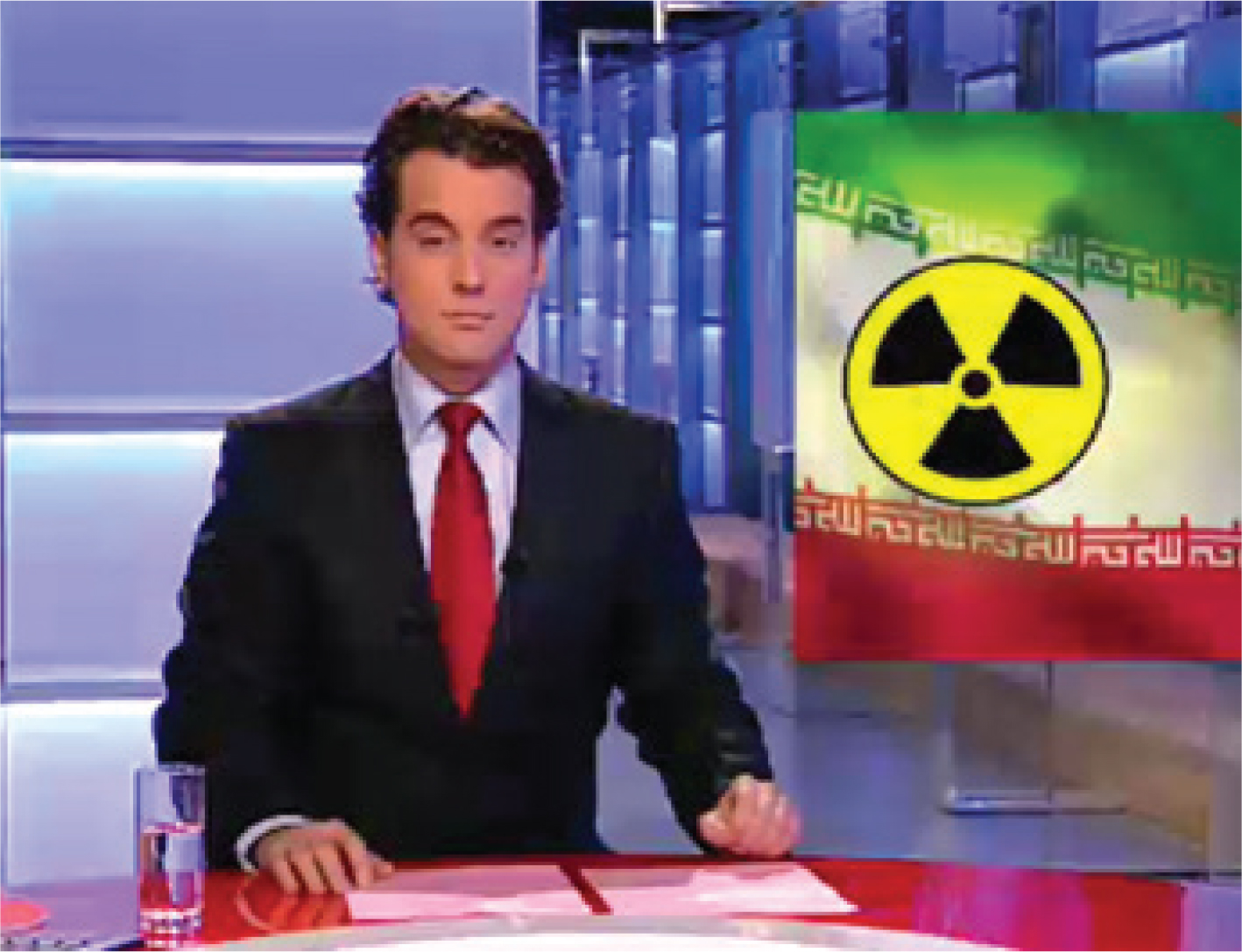
Figure 7
An example keyframe from the Similarity tool.
The users of the similarity tool had definite ideas of what ‘similar’ meant. However, these ideas varied from person to person. While a researcher investigating news presentation would like to retrieve more keyframes containing newsreaders, a researcher analysing the imagery used to illustrate nuclear issues would like to find other keyframes containing the nuclear hazard symbol. So results that one person would find relevant, would be irrelevant noise for another. This makes providing consistent quality to all users a complex task.
In addition to this, the tool’s idea of ‘similar’ is different to that of a human being. The tool did not find keyframes with the same person, or the same location, but rather keyframes that contained similar colours, patterns and angles. It would be possible to optimise training to cluster keyframes based on persons, but this might then perform less well in other types of ‘similarity’. It is essential to be clear about what type of similarity we train the model to detect, and to manage expectations when offering image-based search functionality.
The Similarity tool encourages users to explore, leapfrogging to programs containing similar keyframes. This leads to new discoveries. But users also complained that they sometimes felt lost ‘down the rabbit hole’, no longer knowing which program they were watching or how they had got there from their original search result. It is essential that researchers can account for the steps in their research process, justify their choices and allow others to reproduce their work. More support for this is required in the Similarity tool.
5 Conclusion
Allowing users to search based on similarity of audiovisual content rather than traditional metadata opens the door to both a new type of search and new ways of researching the use and reuse of keyframes in broadcasting. This fresh way of looking at archive material also raises questions about the definition of ‘similarity’, and introduces new challenges for transparency and accountability in research.
Are you interested in exploring the world of similar archive images? A beta version of the Similarity tool will be officially released in the near future. Keep an eye on the Media Suite.
Notes
[2] Sara Veldhoen and Teng Long, “VisXP model documentation”, Github, February 5, 2024 https://github.com/beeldengeluid/dane-visual-feature-extraction-worker/blob/main/model/model%20documentation.pdf
[3] Relja Arandjelović and Andrew Zisserman, “Look, Listen and Learn”, paper presented at the IEEE International Conference on Computer Vision (ICCV), Venice, October 22-29, 2017. https://openaccess.thecvf.com/content_iccv_2017/html/Arandjelovic_Look_Listen_and_ICCV_2017_paper.html
[4] Teng Long and Nanne van Noord, “Cross-modal Scalable Hyperbolic Hierarchical Clustering”, paper presented at the IEEE International Conference on Computer Vision (ICCV), Paris, October 4-6, 2023. https://openaccess.thecvf.com/content/ICCV2023/html/Long_Cross-modal_Scalable_Hierarchical_Clustering_in_Hyperbolic_space_ICCV_2023_paper.html