
Table 1
The phases and steps for analysing source code using a ludemic approach.
| Phase | Step | Description |
|---|---|---|
| 1 | Play Analysis | Playing the game and noting what affordances are offered to the player in order to be able to play the game. |
| Formation of Ludemes | Reviewing notes and clustering of mechanical and aesthetic aspects into small units of gameplay. | |
| 2 | Distant Reading Code | Exploring the entire codebase with the help of text manipulation tools according to the ludemic vocabulary. |
| Mapping Ludemes in Code | Sorting the findings into a format which can be reviewed and analysed towards its structures. | |
| 3 | Close Reading Code | Reading through findings regarding stylistic and semantic values. |
| Analysis of Findings | Contextualising findings and relating them within the given structures and their paratextual material. Critical analysis in relation to the research questions and semiotic transfers. |
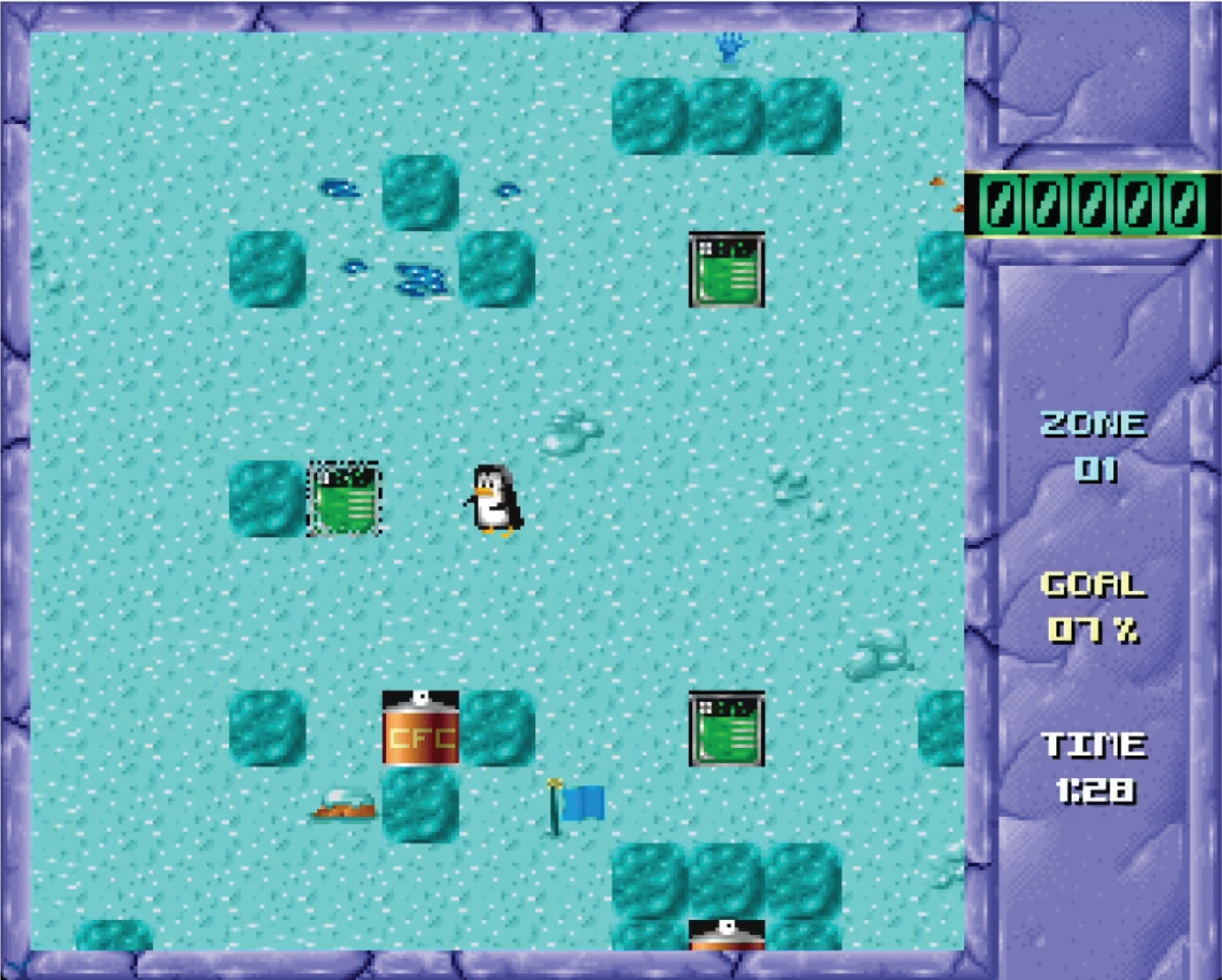
Figure 1
Zozo crushing the green chemicals block into a non-functional block in order to clean up the environment and win this level. Screenshot by the author.
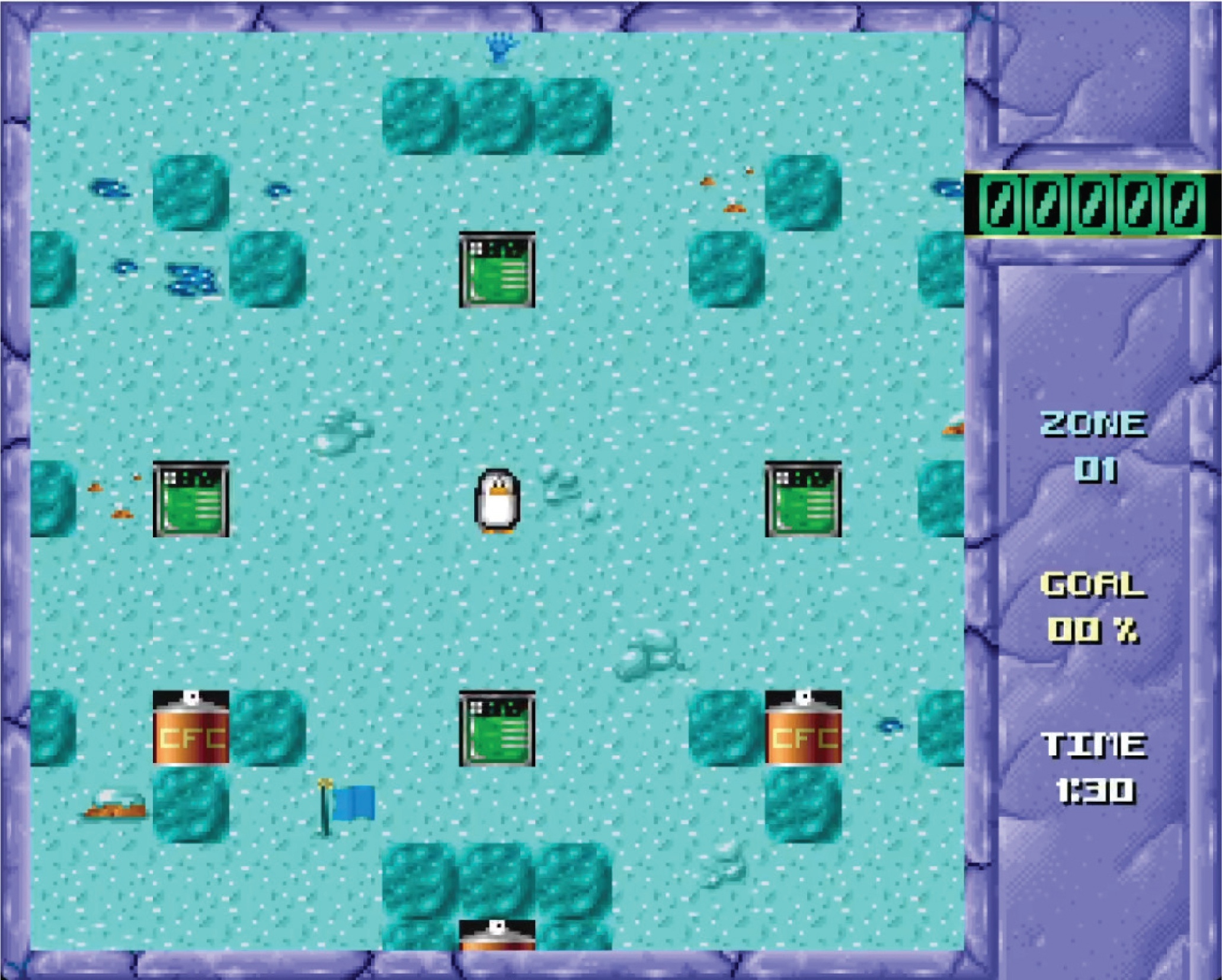
Figure 2
Zozo looking at us, awaiting further instructions. Screenshot by the author.
Table 2
List of the constructed ludemes and their descriptions.
| Ludeme | Description |
|---|---|
| Avatar | The character that we control during gameplay: Zozo. |
| Moving | Moving our character through keyboard or other hardware input. |
| Exploring | A game loop in which we move our character around to learn more about the environment and how we relate to it. |
| Blocks | The main object with which we interact in order to reach the game’s given goals is by removing some of them. |
| Pushing | The main way of interacting with blocks. |
| Removing | Removing is a core mechanic of the game, but it depends on moving and pushing the right way. In more complex arrangements, removing a block involves several steps, akin to a puzzle, to successfully close this game loop. |
| Monsters | These non-player characters create additional challenges, since a collision with them knocks the avatar out, and make the moving and pushing mechanics more difficult. They can be removed by pushing blocks into them. |
| Evading | The act of trying to accomplish the core goal of removing enough blocks while not being hindered by the monsters. |
| Heads-up Display | This user interface on the right side tracks vital metrics about our progress toward our goal of removing enough blocks within the given time. It is an extradiegetic ludeme that is nonetheless crucial for playing the game. |

Listing 1
Example of the grep command to search the code for the avatar.
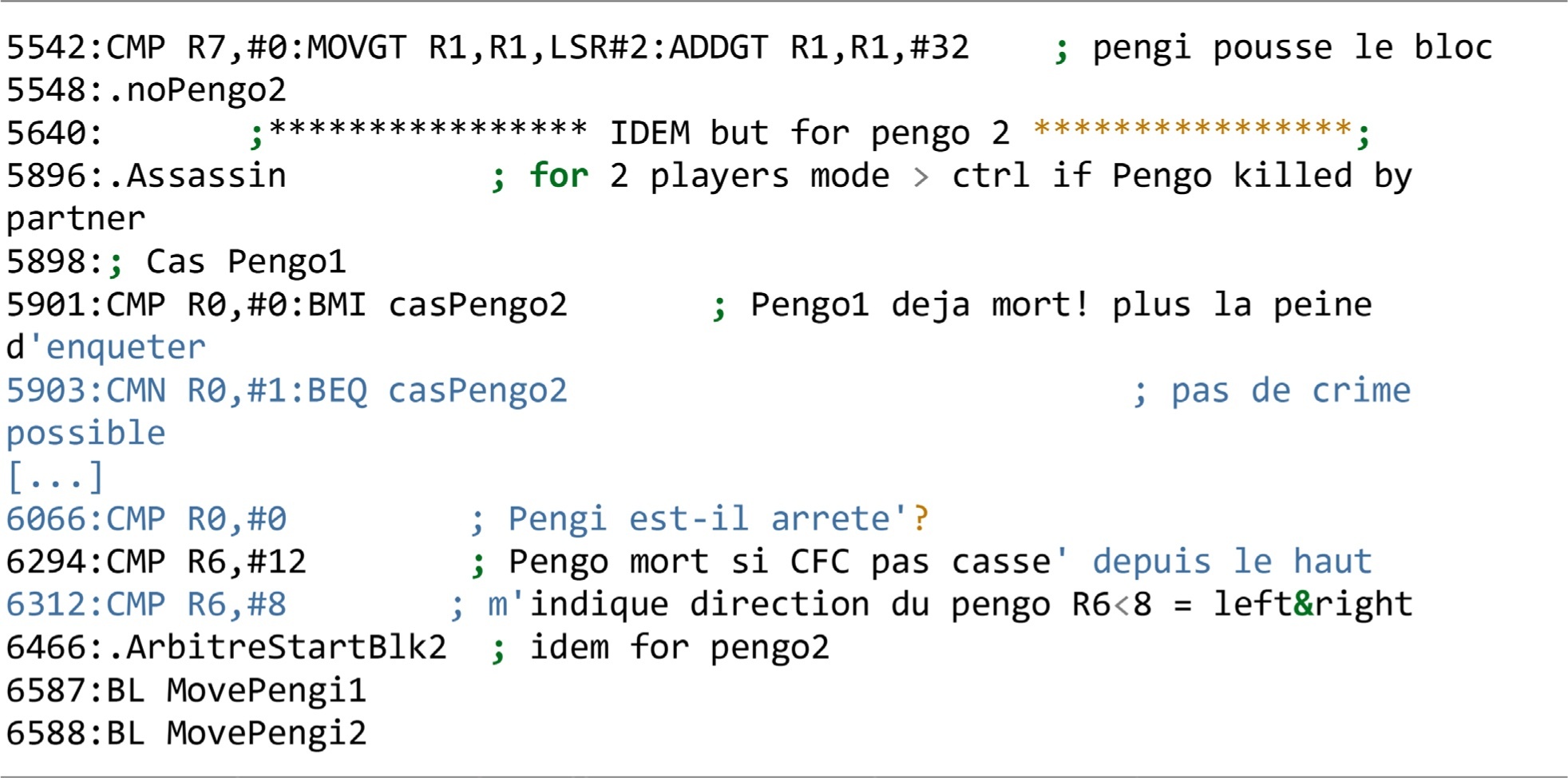
Listing 2
Abbreviated output of the grep search command. The number on the left is the command output, which indicates the line number in the code.
Table 3
List of relevant pieces of the assembly code regarding the ludemes. Commentaries in quotes are verbatim taken as found in code, whereas the rest are notes made by the author.
| Ludeme | Lines | Commentary |
|---|---|---|
| Avatar | 254 | Coordinates variables |
| 689 | ‘dessine un sprite sous controle du Controller’ | |
| 1349 | ‘Sprite Controller (interface pour l’utilisateur) (max. 20 sprites)’ | |
| Moving | 272 | Moving and pushing variables |
| 652 | Collision control | |
| 4224 | Joystick routines | |
| 4353 | Input flags that keep the player’s choice of direction | |
| 4411 | Reading input keys or controller | |
| Transporter | 6060 | ‘Transporter’, which is a teleporter |
| Teleporting | 6155 | Teleportation |
| Blocks | 885 | ‘Dessine tout l’ecran de jeu (Background+Blocks)’ |
| 6238 | Block rules | |
| Pushing | 272 | Moving and pushing variables |
| 4430 | Reading push and checking if pushable | |
| 4905 | Initiate destroying block ‘.ArbitreCrash’ |
Table 4
Analogous to Table 3 for the Python source code.
| Ludeme | File | Lines | Commentary |
|---|---|---|---|
| Avatar | poizone.py | 1175 | Rendering Zozo |
| Moving | poizone.py | 799 | Reading direction input |
| Transporter | globals.py | 151 | Teleporters are initiated via land data |
| Teleporting | penguin.py | 390 | Check if on the teleporter and react accordingly |
| Block(s) | constants.py | 115 | Block class and types |
| penguin.py | 102 | Block rules | |
| poizone.py | 623 | Rendering background and blocks | |
| Pushing | poizone.py | 842 | Reading controls |
| penguin.py | 61 | Push block |
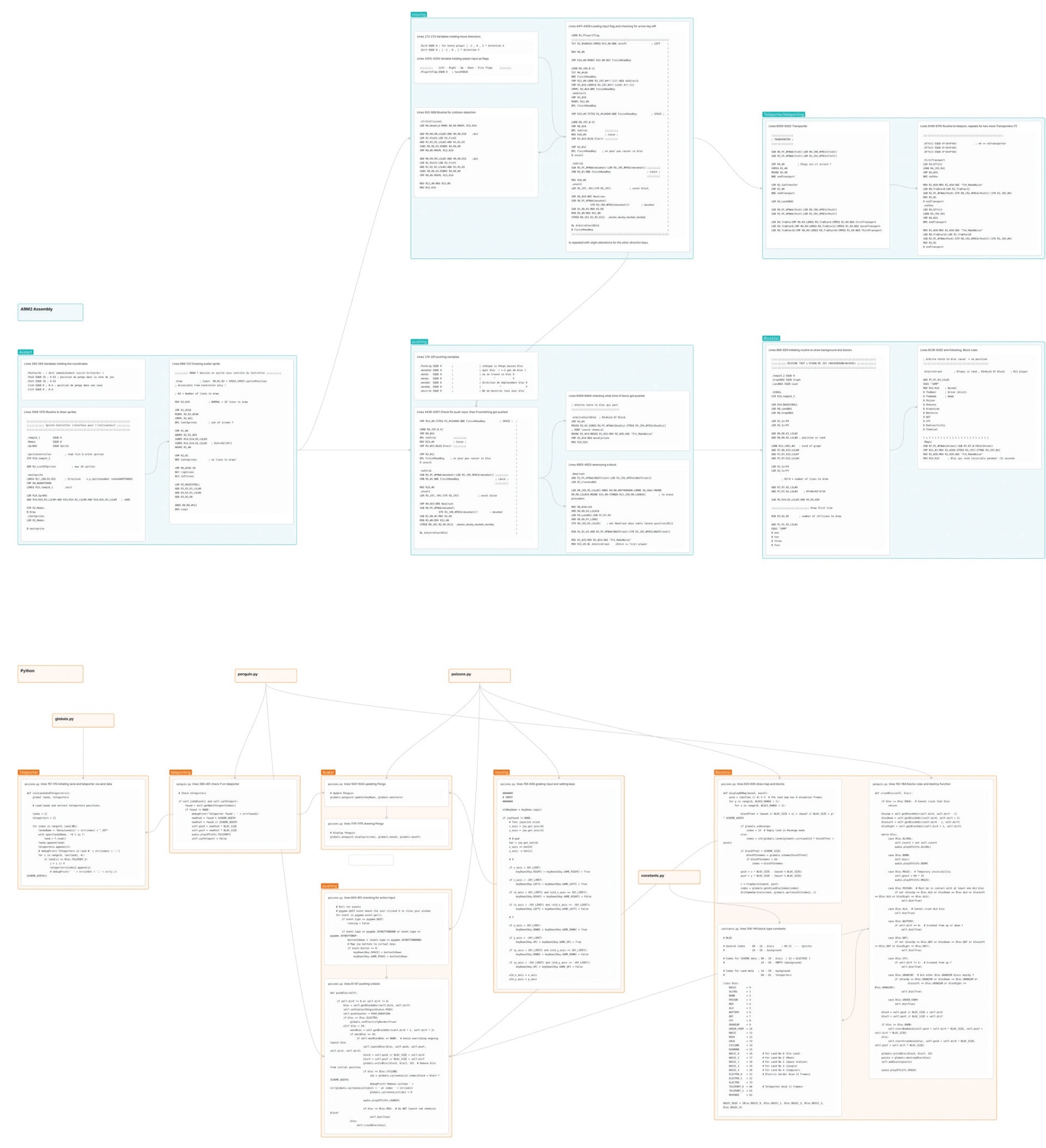
Figure 3
An example of a visual mapping. Above are code snippets and their connections to the original game’s codebase; below are the corresponding samples from the ported version. The ludemes visualised here are avatar, moving, blocks, and teleportation. A large-scale version of this mapping is accessible in the accompanying open-access analysis data repository.
Listing 3
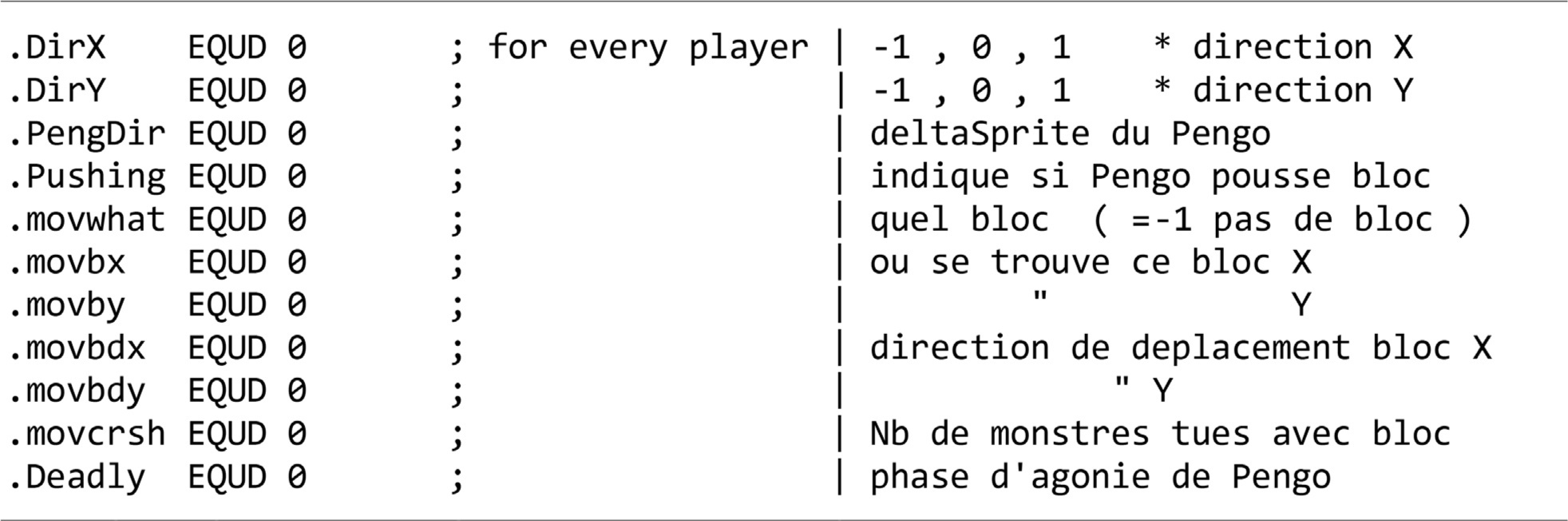
Example of comments and variables in the original game’s assembly code.
Table 5
List of the lines of code that relate to the moving around ludeme.
| Lines | Commentary |
|---|---|
| 4224–4250 | Checking if the player has a joystick plugged into the computer and is using it. |
| 4284–4305 | Reading the input of the joystick. |
| 4325–4338 | Defining which keyboard keys would be used for which of Zozo’s actions. |
| 4353–4356 | Initiating the player flag. This variable is used to track which keys the player pressed. |
| 4379–4419 | The ‘.MovePengi1’ routine prepares the game to move Zozo by putting all the variables in place. |
| 4411–4412 | Preparing the player flag before checking which keys were pressed. |
| 4412–4459 | These roughly 50 lines of code in the ‘.LEFT’ routine were copied and minimally modified for all four directions Zozo can move. They check whether Zozo can move in that direction as well as whether the penguin is colliding with a monster. There is also a check for whether there is a block in that direction and how we interact with it. |

Listing 4
Example of the commenting style in the ported game’s Python code.
Table 6
List of the lines of code that relate to moving Zozo, but this time in the game’s ported version.
| File | Lines | Commentary |
|---|---|---|
| poizone.py | 759–772 | Checking if a joystick or joypad is connected and remembering that relation in the ‘joy’ variable. |
| poizone.py | 799–807 | Asking for the current state of the input device. This simply saves the directions the player pressed in ‘keyDown’. |
| poizone.py | 1041 | Player intention is fed into the avatar’s ‘update’ function. |
| penguin.py | 279–479 | Handling all the logic that is related to moving. |
| poizone.py | 1175 | Re-rendering Zozo on screen. |